Planning & Logistics Module
Orders, machine capacity, staffing needs, production plan, material requirements and revenue tracking in one application.
From orders to the shift schedule
The module's five sections
Orders and capacity
From orders to machine load.
- Importing ERP orders via Excel / CSV
- Weekly capacity and heat map
- Order change comparison
Personnel
From load to staffing needs.
- Staffing needs per shift
- Weekend attendance plan
- Overtime breakdown and cost
Production plan
Day × shift plan.
- Mould change limit
- Breakdown / maintenance days
- PDF and Excel for the shop floor
Revenue and direct material (İMM)
Target and actual.
- Planned / actual revenue
- Direct material (İMM) tracking
- Cumulative revenue curve
Material requirements plan
From orders to materials.
- Bill of materials (BOM)
- Order suggestions
- Supplier list
Featured screens
Click the images to enlarge them. All data is fictional.
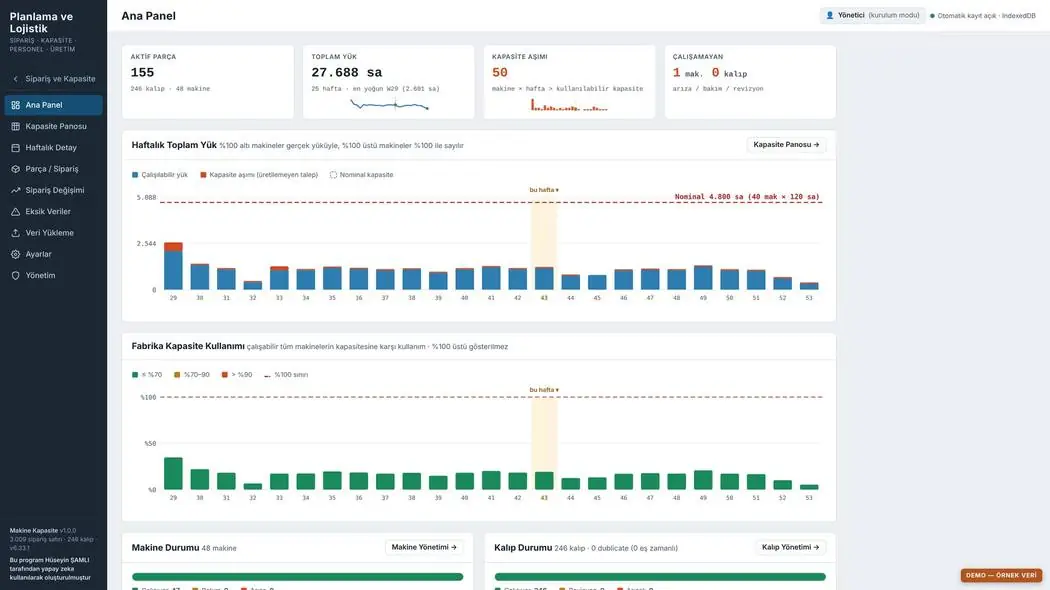
Planning dashboard
Orders, machine capacity and staffing needs on the same screen; the monthly revenue target alongside the actual.
- Orders and delivery dates
- Load per machine and line
- Revenue tracking
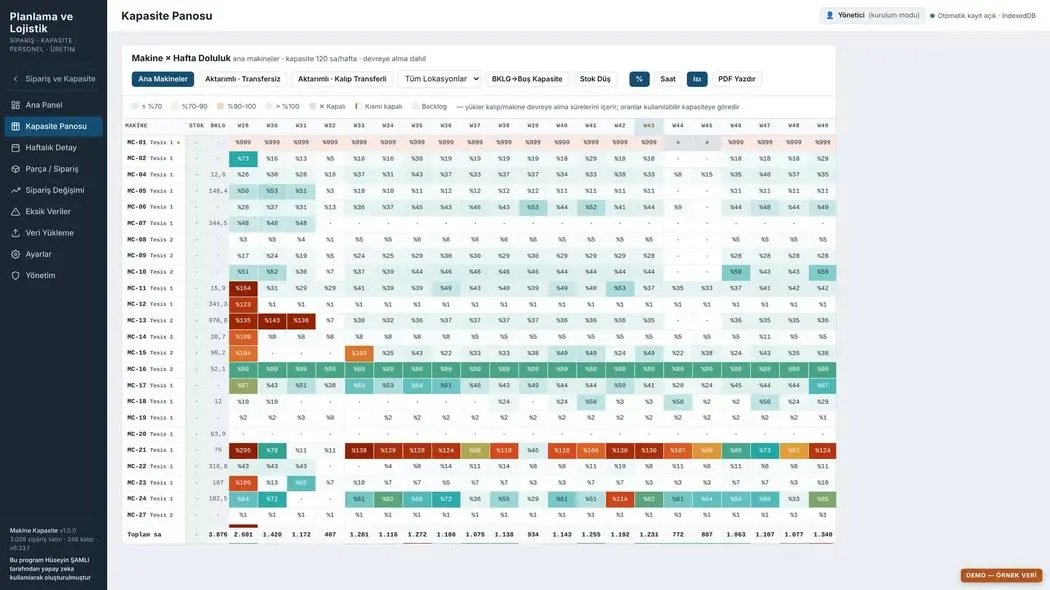
Capacity heat map
Week × machine load ratio is shown in colour; cells exceeding capacity are visible at a glance.
- Cells above 100% in red
- Transfer suggestion
- Conversion to staffing needs
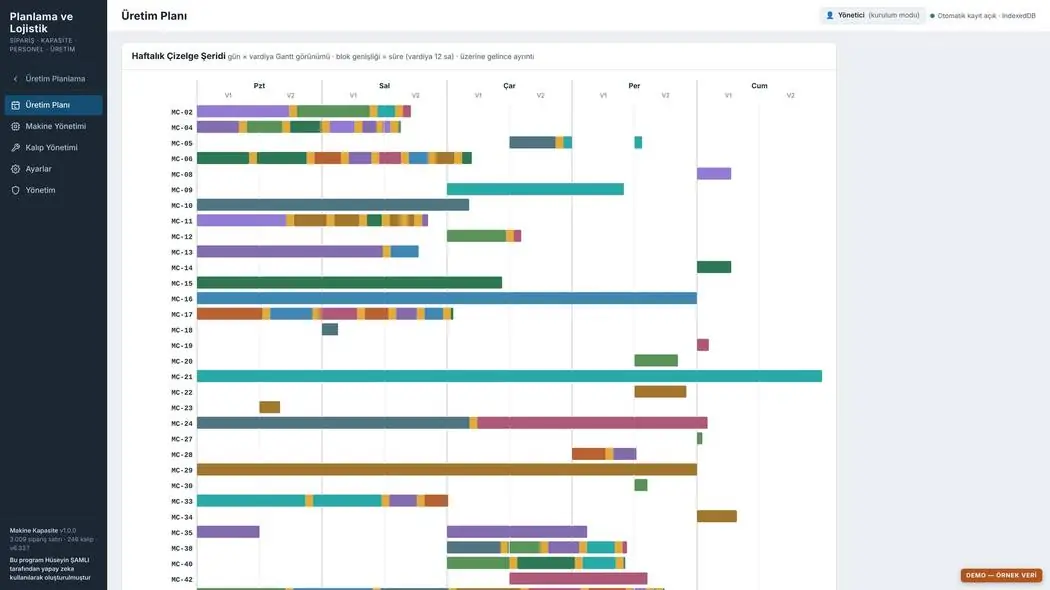
Plan and schedule with transfers
Excess load is transferred to free capacity; the plan is updated in the Gantt view and the shift schedule.
- Transfer to an alternative machine
- Shift-based production plan
- Mould change and start-up times
Planning & Logistics documents
First pages of PDF outputs taken from the program. These outputs have not yet been adapted to the HR Module's A4 layout.
Your feedback shapes the program
Feedback is anonymous; I don't ask for a name or email. If you'd like to talk to me, you can message me on LinkedIn.