Self-Service Kiosk
Employees log in with their staff number and PIN; they read announcements, view their roster, request leave, and confirm or object to their payslip and scorecard.
How does the module work?
PIN-protected employee login; announcement read receipts, roster, leave requests, payslip and scorecard confirmation/objection, suggestions and surveys — hash-chained event log and USB/folder sync.
The module's four main screens
Click the images to enlarge them. All data is fictional.
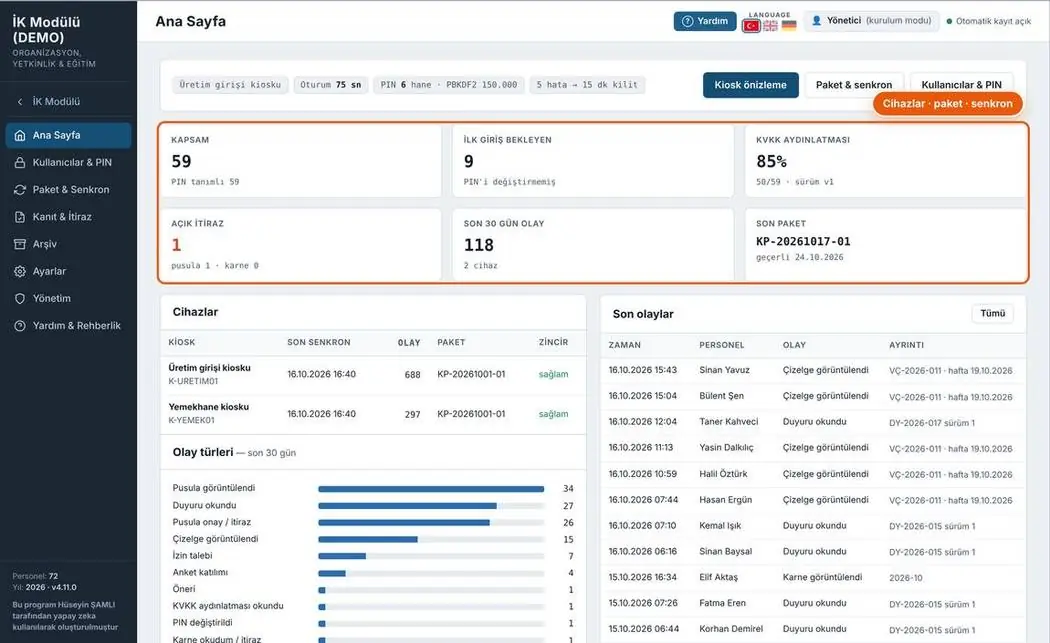
Kiosk management
Kiosk devices, last sync time, packages and event types.
- Device status
- Event type distribution
- User and PIN management
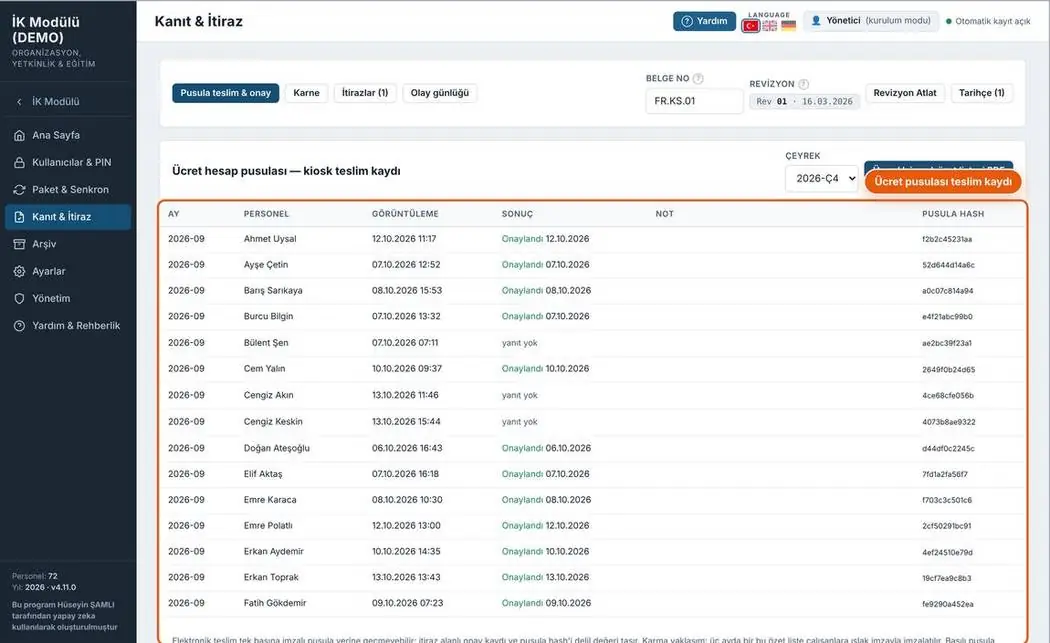
Evidence and objections
Time-stamped record of payslip delivery, scorecard confirmation and objections.
- Event log
- Objection tracking
- Quarterly delivery summary
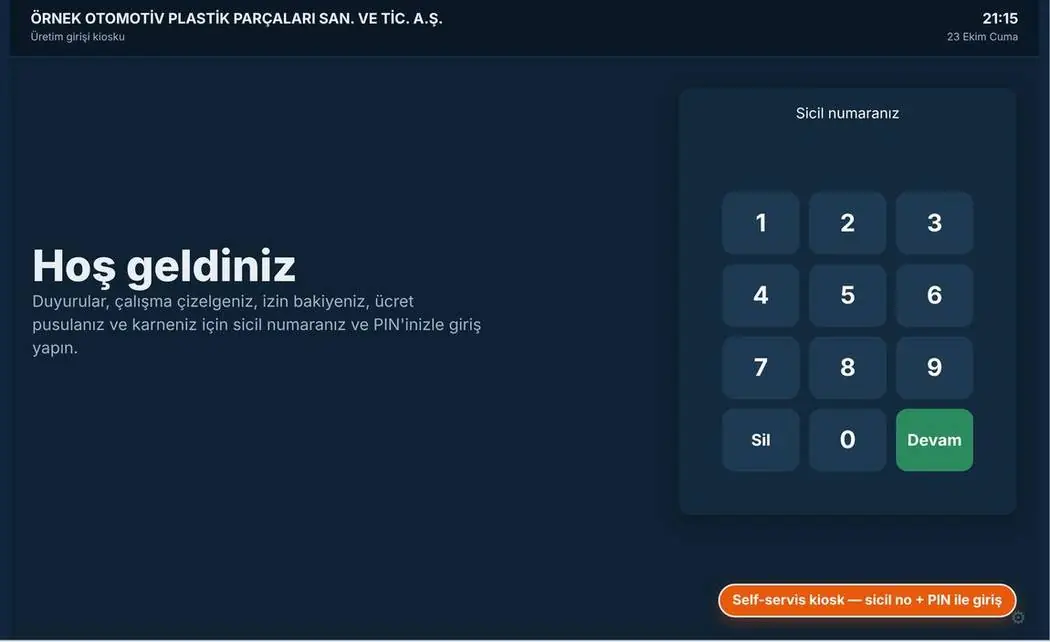
Kiosk login
Login with staff number and PIN on the touch screen.
- Large touch buttons
- Lock after failed attempts
- Screen timeout
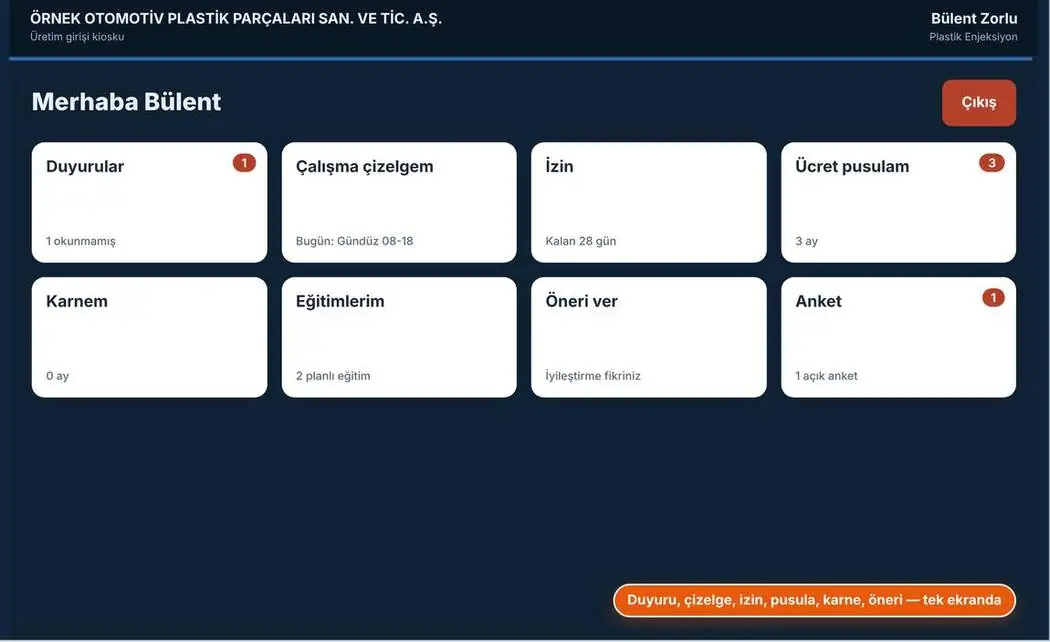
Kiosk main menu
Announcements, work roster, leave, payslip, scorecard, trainings, suggestions and surveys.
- Unread counts
- All actions on one screen
- Turkish, simple interface
Print-ready document
Document number, revision box and signature fields on every page. Forms fill the A4 page completely; rows not to be filled are shown in grey.
Your feedback shapes the program
Feedback is anonymous; I don't ask for a name or email. If you'd like to talk to me, you can message me on LinkedIn.