Performance
Monthly performance scorecard, notification and objection workflow, calibration report; together with the procedure and the KVKK privacy notice.
How does the module work?
Monthly performance scorecard, notification and objection workflow, distribution report, procedure and KVKK notice.
The module's four main screens
Click the images to enlarge them. All data is fictional.
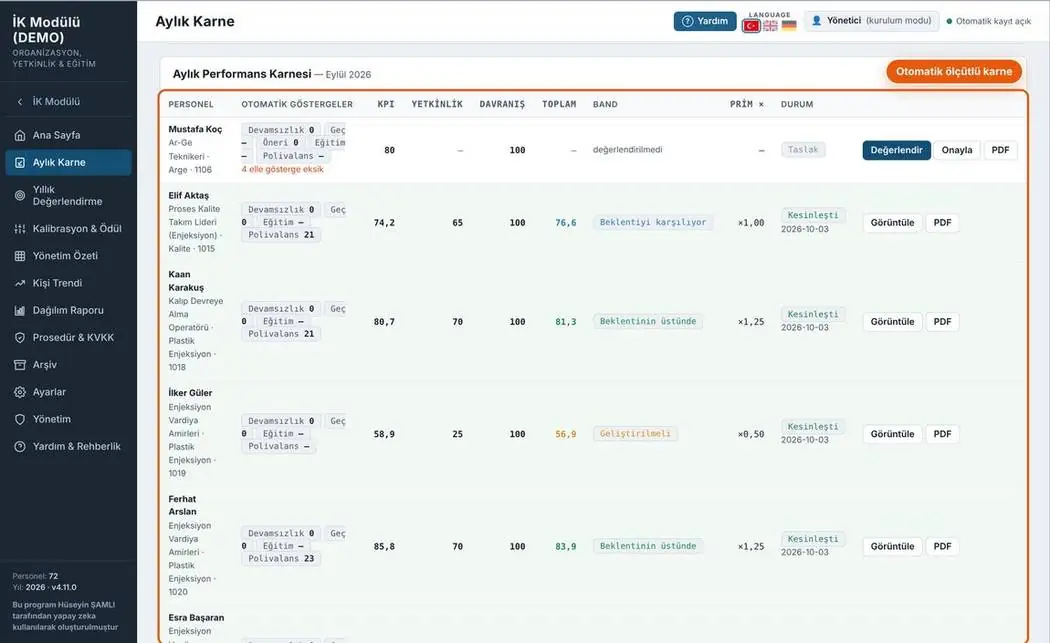
Monthly scorecard
Target, competency and contribution scores for every employee; data such as absenteeism and training come from other modules.
- Status: draft, notified, confirmed, objection
- Bulk PDF and individual scorecard
- Evaluator note
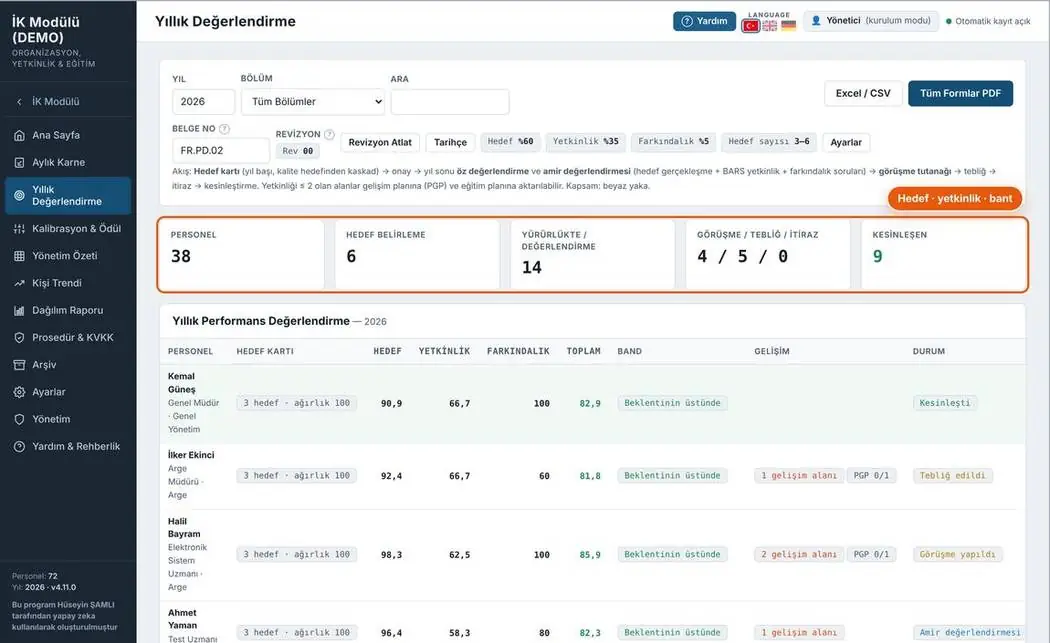
Annual review
Weighted summary of the year's scorecards; targets, competencies and development plan.
- Band and outcome recommendation
- Annual form PDF
- Get all forms at once
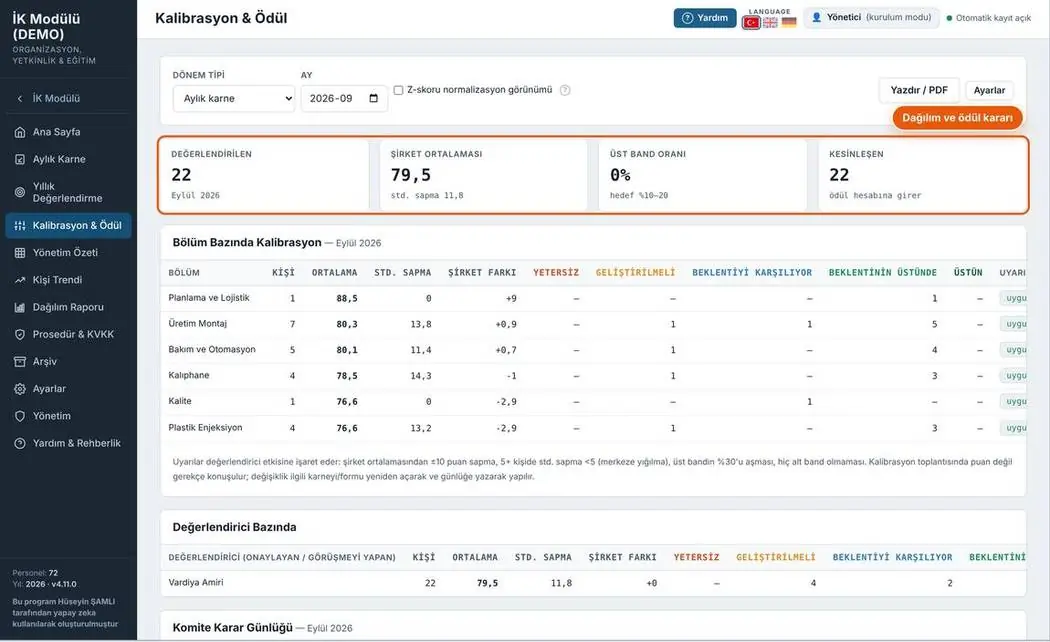
Calibration and rewards
Average, deviation and distribution by department and evaluator; overly lenient or harsh scoring is flagged.
- Forced distribution comparison
- Deviation by evaluator
- Reward list
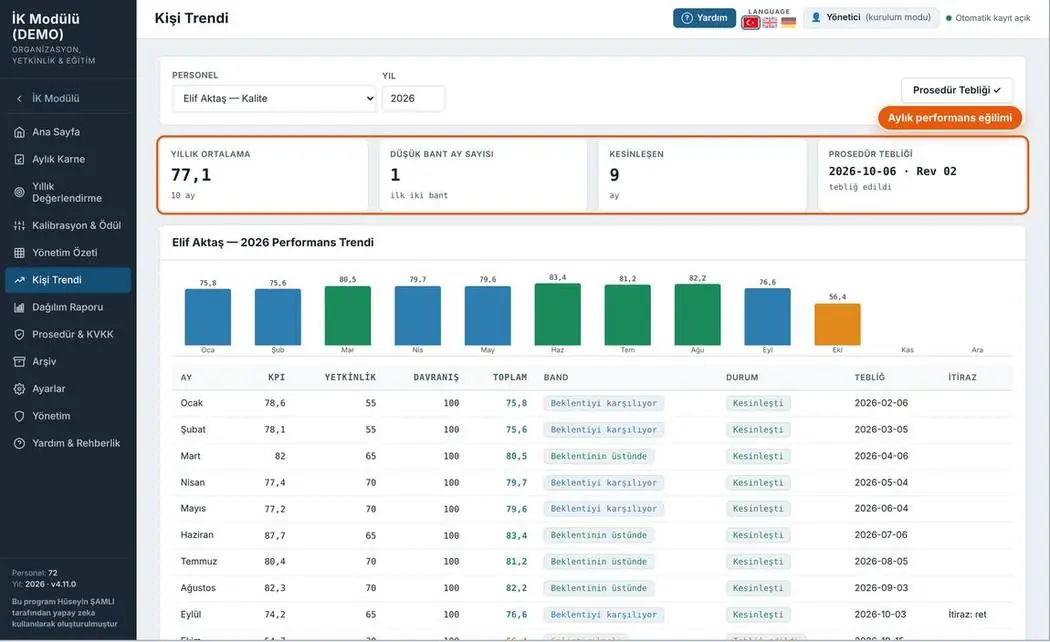
Individual trend
The selected employee's twelve-month performance trend and scorecard history.
- Monthly score chart
- Scorecard history table
- Annual summary
5 print-ready documents
Document number, revision box and signature fields on every page. Forms fill the A4 page completely; rows not to be filled are shown in grey.
Your feedback shapes the program
Feedback is anonymous; I don't ask for a name or email. If you'd like to talk to me, you can message me on LinkedIn.