Training & Multi-skilling
Track in one place who can do which task, who needs which training and whether planned trainings actually took place.
How does the module work?
Skills matrix, training plan, organisation and calendar.
The module's four main screens
Click the images to enlarge them. All data is fictional.
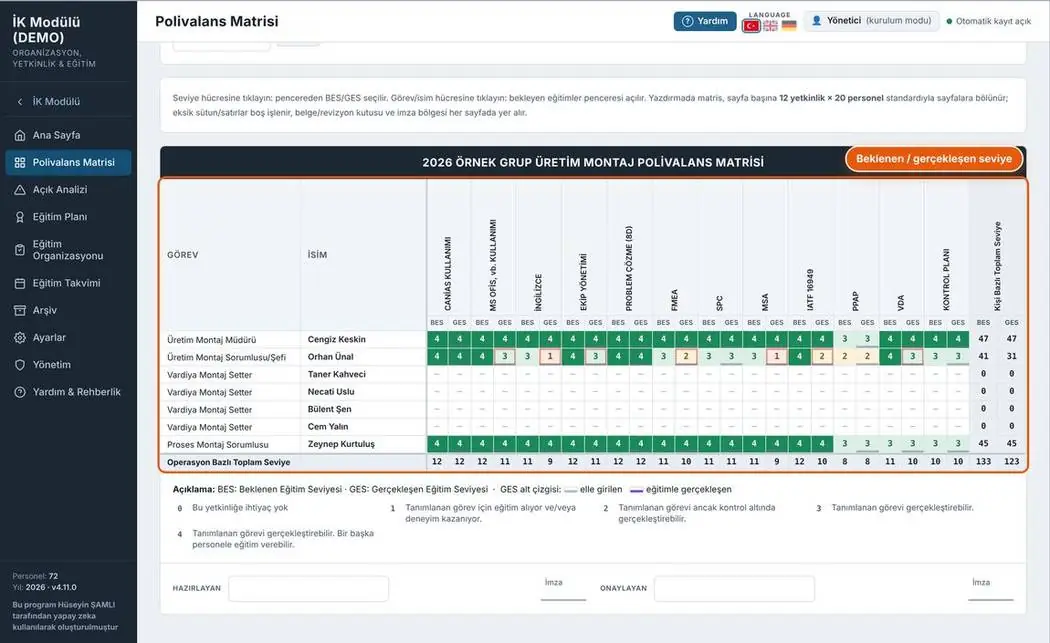
Skills matrix
For each task and person, the expected (BES) and actual (GES) training level for every competency sit side by side. Clicking a level cell opens a selection window.
- 0–4 level scale: not required → can train others
- Values achieved through training and values entered manually are marked separately
- Total level per operation and per person
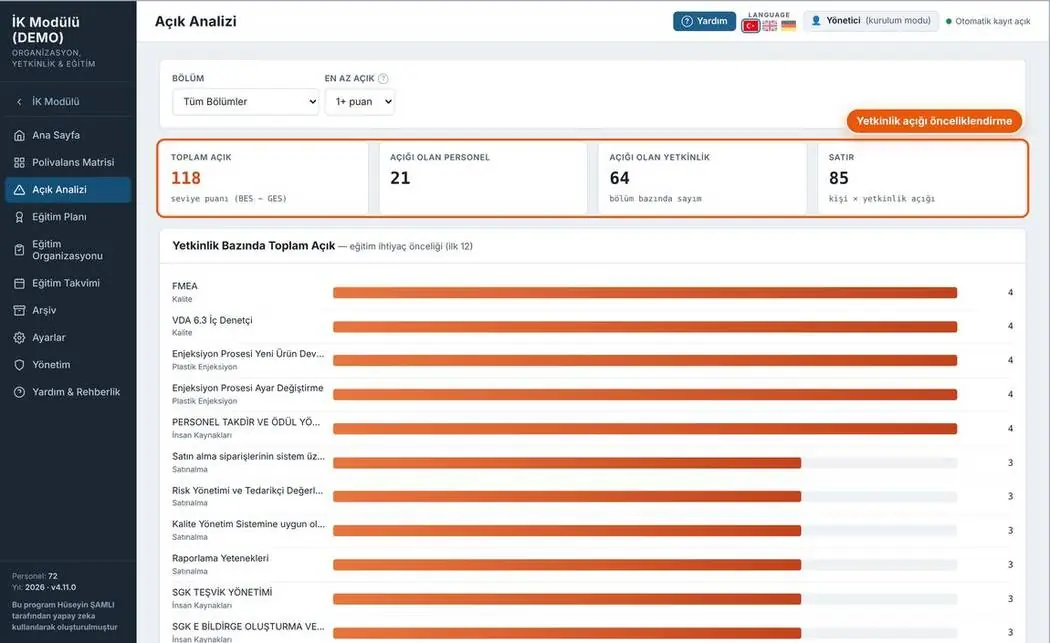
Gap analysis
The difference between expected and actual is scored; which competency, which department and how many people have gaps is ranked on a single screen.
- Total gap, number of staff with gaps and number of competencies
- Gap ranking by competency
- Filter by department and minimum gap score
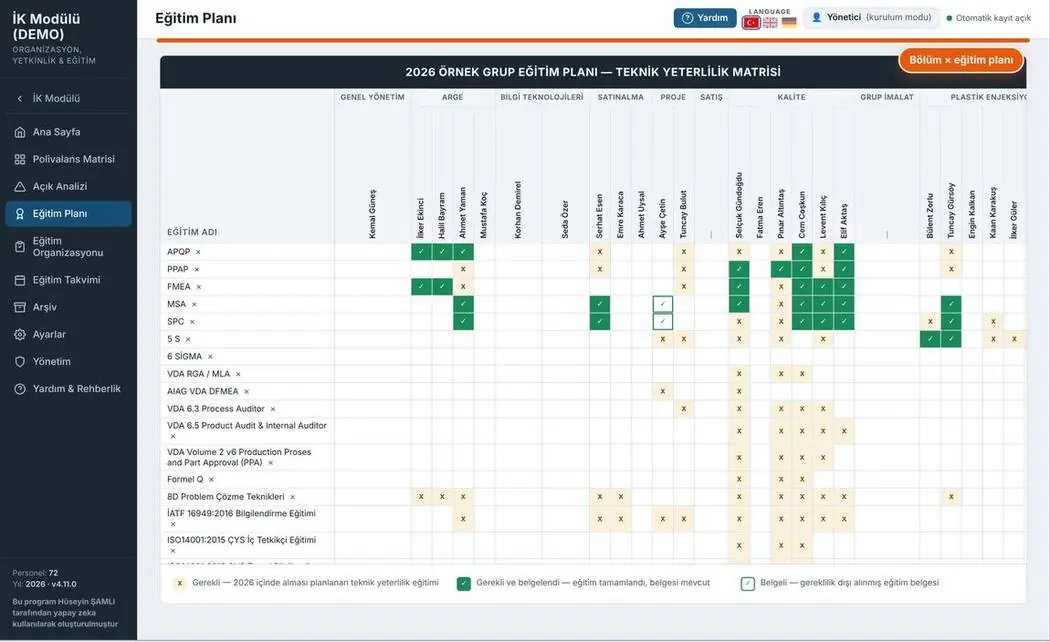
Training plan
Technical qualification matrix: which person needs which training is marked by department.
- Required trainings planned for this year
- Required and documented trainings
- Documented trainings not required by the role
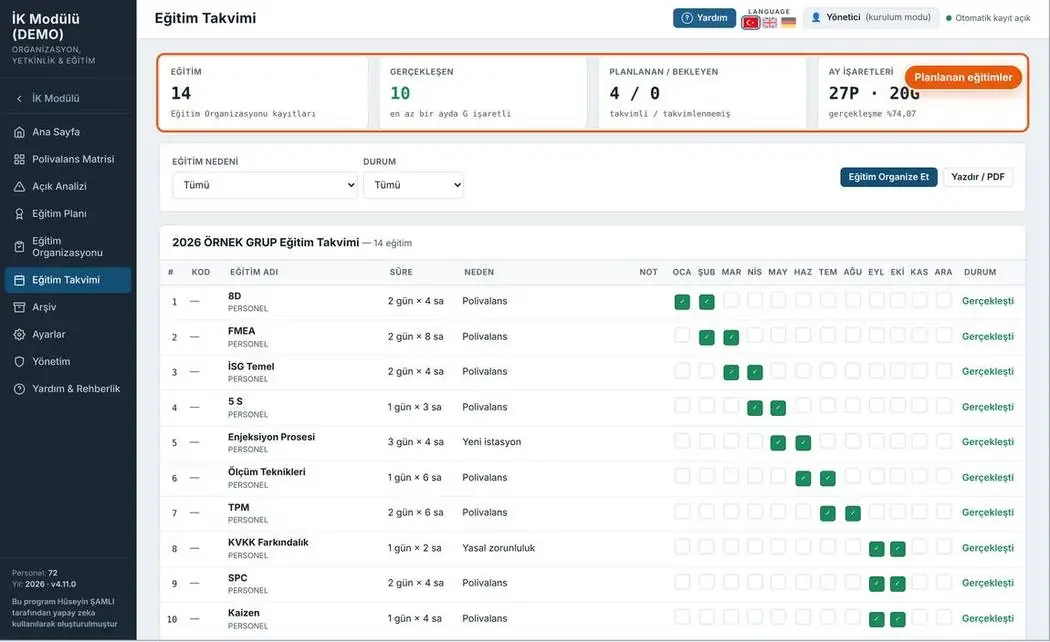
Training calendar
The calendar builds itself from the training sessions organised; no rows are entered manually.
- Planned, completed and pending training counts
- Reason and status filter
- Automatic archiving at year end
4 print-ready documents
Document number, revision box and signature fields on every page. Forms fill the A4 page completely; rows not to be filled are shown in grey.
Links to other modules
The staff list comes from the organisation chart.
Module page →04 · PERFORMANCEThe monthly scorecard also uses training data.
Module page →11 · SHIFT PLANNINGThe qualification check in the roster is based on the skills matrix.
Module page →13 · KPISkills coverage and training completion indicators.
Module page →Your feedback shapes the program
Feedback is anonymous; I don't ask for a name or email. If you'd like to talk to me, you can message me on LinkedIn.