Organisation
Keep the position hierarchy, headcount status and every revision of the chart in one place. All other modules take the staff list from here.
How does the module work?
Position hierarchy, headcount status, revision tracking.
The module's four main screens
Click the images to enlarge them. All data is fictional.
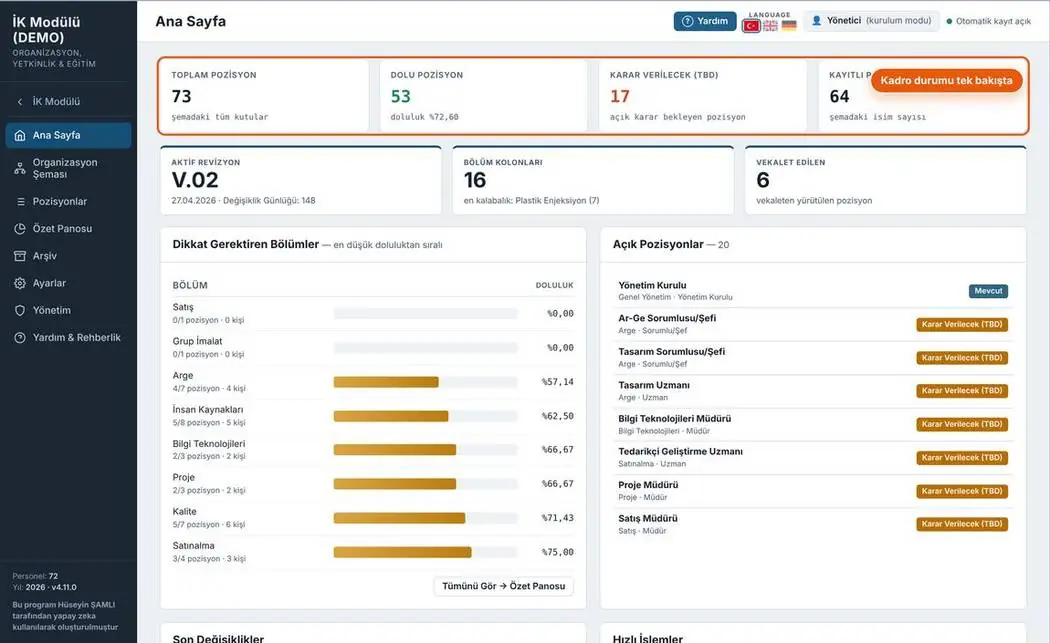
Home
Total, filled, awaiting-decision and acting positions are visible at a glance. Departments needing attention and open positions are listed.
- Current revision number of the chart
- Fill-rate bars by department
- List of open positions
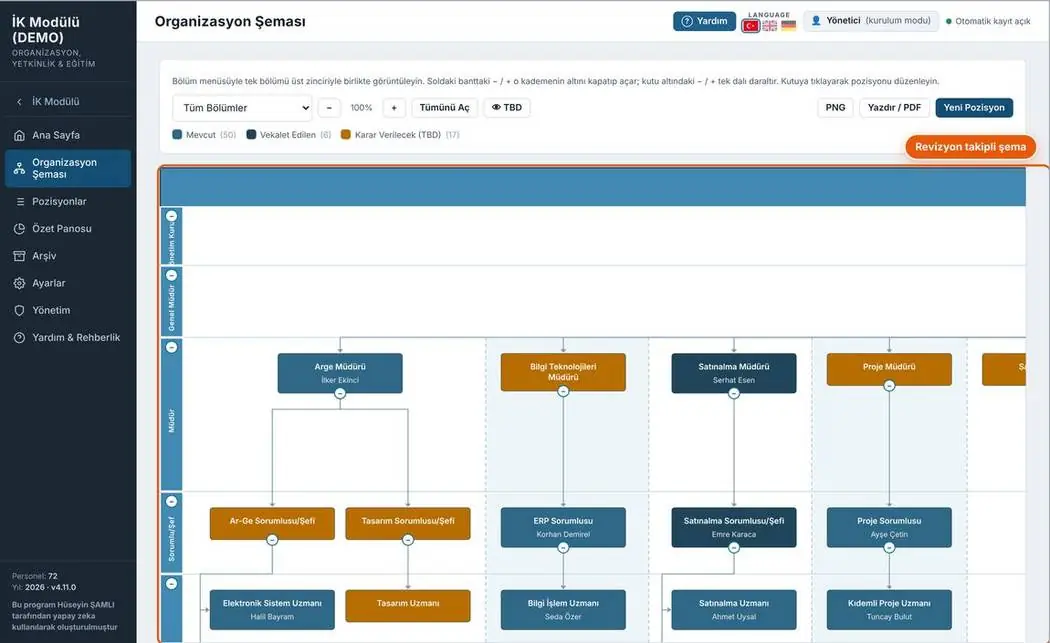
Organisation chart
Position boxes are coloured by status. Departments can be collapsed and expanded; the chart can be exported as PNG or PDF.
- Colours for filled, acting and awaiting decision
- Zoom and department filter
- PNG / PDF export
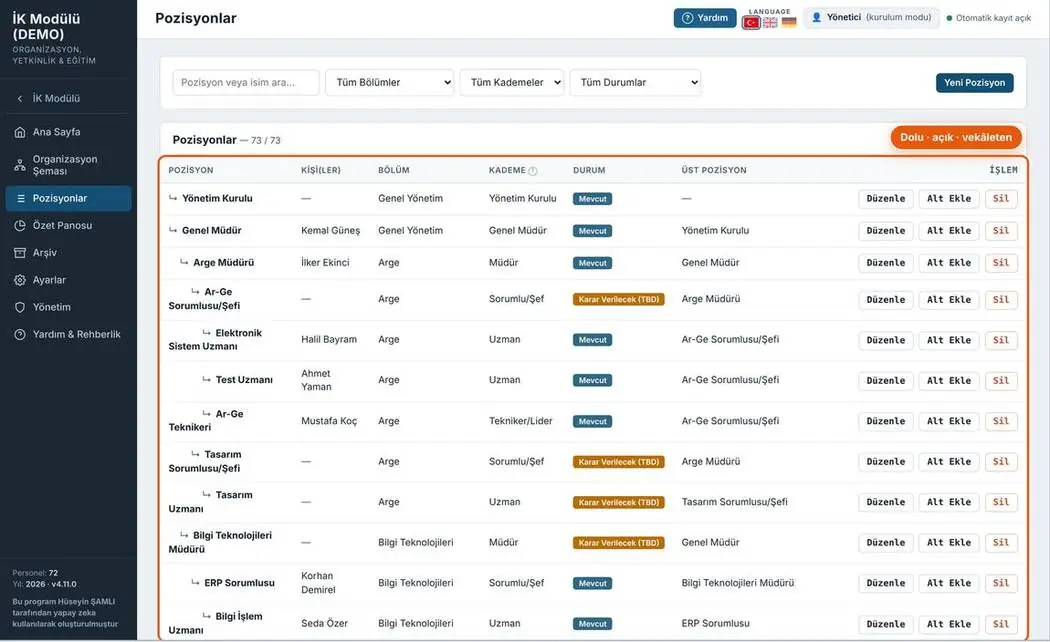
Positions
All positions are arranged as a hierarchical list; each row shows the department, level, status and reporting position.
- Search and filters by department, level and status
- Inline editing
- Adding a new position
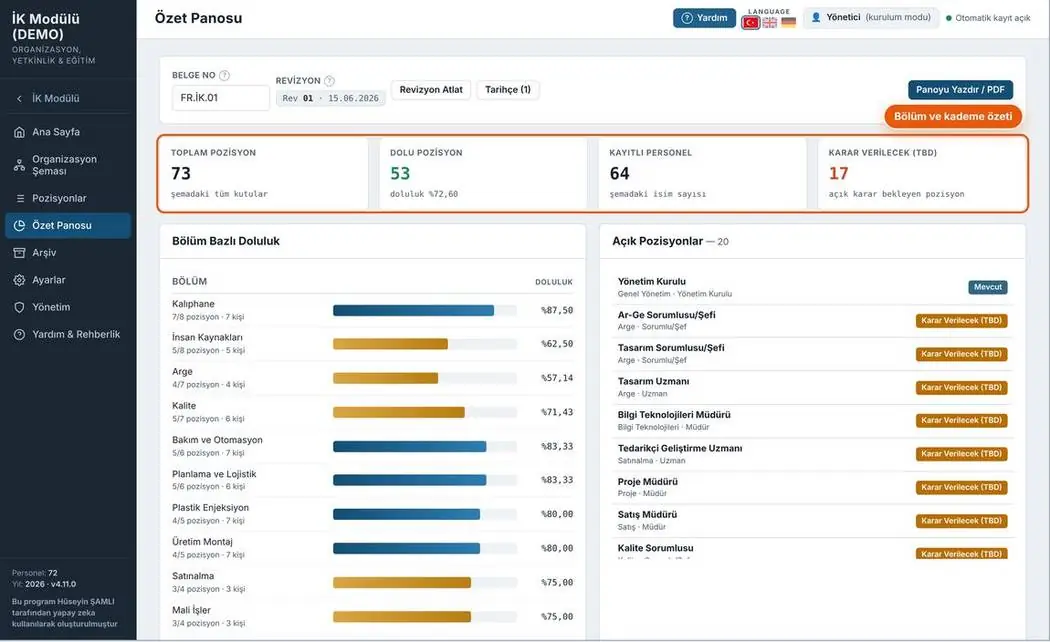
Summary board
A summary of the headcount table for management: fill rate by department and open positions.
- Revision and date information
- Fill rate by department
- Board printable in one click
Print-ready document
Document number, revision box and signature fields on every page. Forms fill the A4 page completely; rows not to be filled are shown in grey.
Your feedback shapes the program
Feedback is anonymous; I don't ask for a name or email. If you'd like to talk to me, you can message me on LinkedIn.