Recruitment & Disciplinary
From recruitment request to candidate, from offer letter to onboarding gates and the probation decision; with disciplinary reports, defence statements and decision records.
How does the module work?
Recruitment request, candidates and interviews, offer, onboarding gates and probation, disciplinary report, defence and decision, fines ledger.
The module's four main screens
Click the images to enlarge them. All data is fictional.
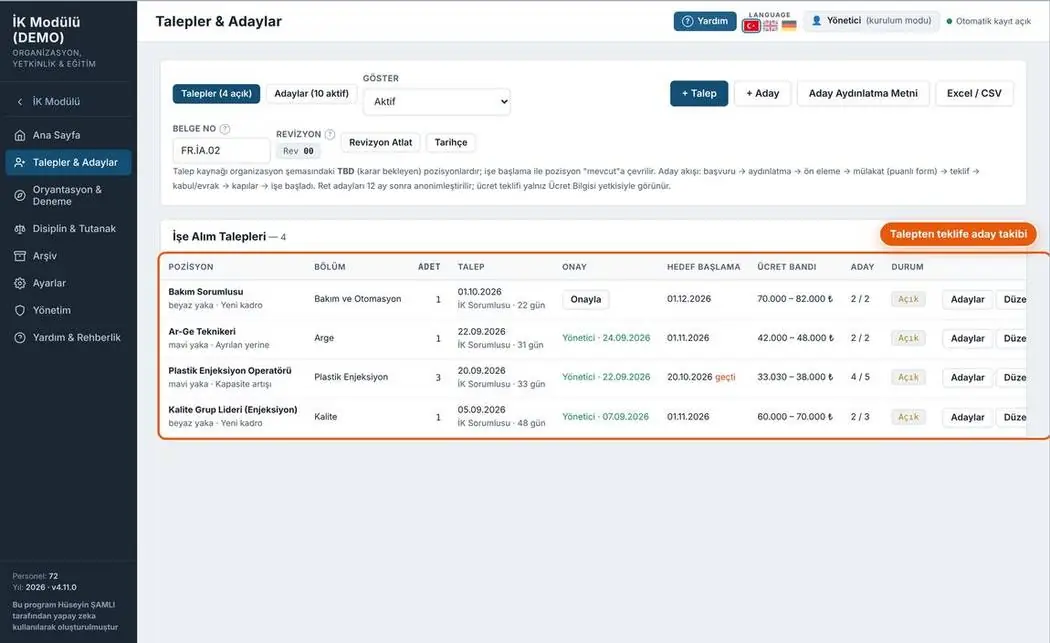
Requests and candidates
Open requests, candidates and interview results; every request is linked to a position in the organisation chart.
- Request status and duration
- Candidate privacy notice
- Interview form PDF
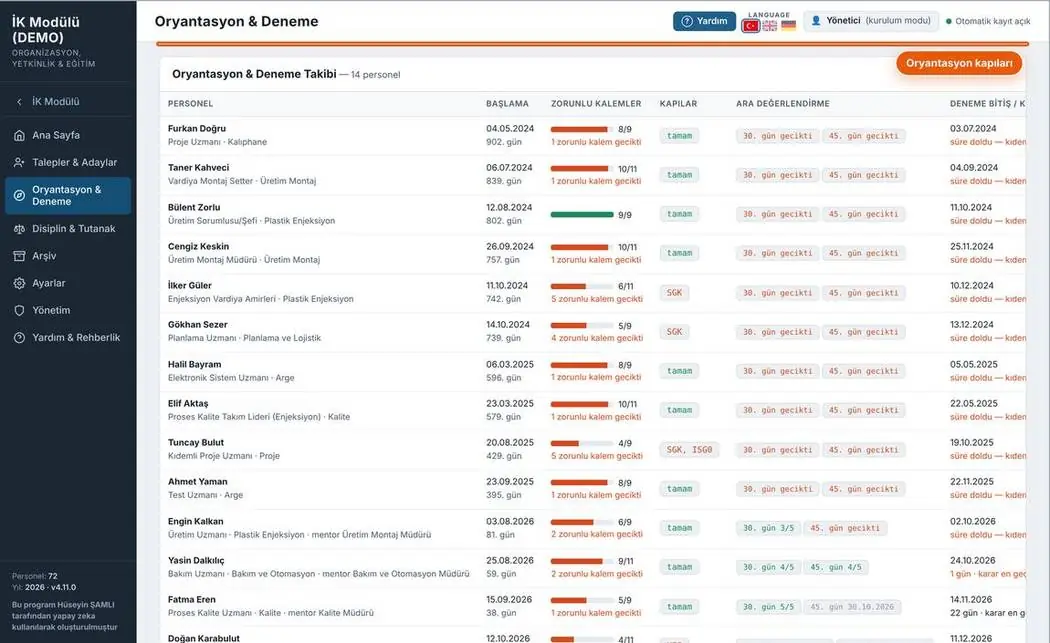
Onboarding and probation
Onboarding gates and probation end dates for new starters; overdue decisions are highlighted.
- Mandatory gates and progress
- End of probation
- Decision form PDF
Disciplinary and reports
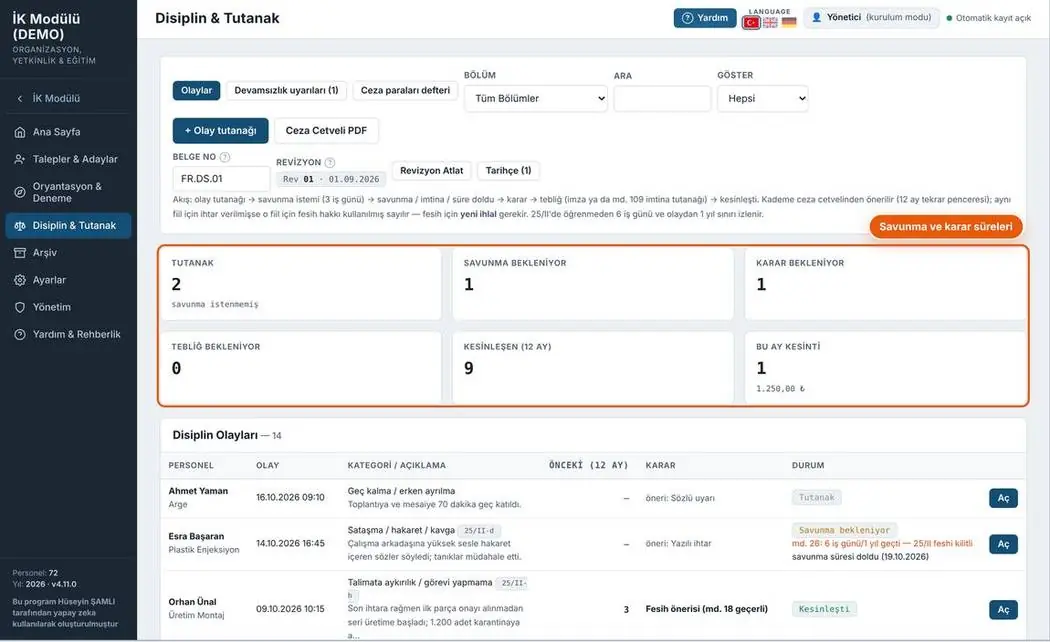
The disciplinary process from incident to decision; the defence deadline and repeat window are monitored.
- Report, defence, decision workflow
- Penalty schedule
- Fines ledger
Home
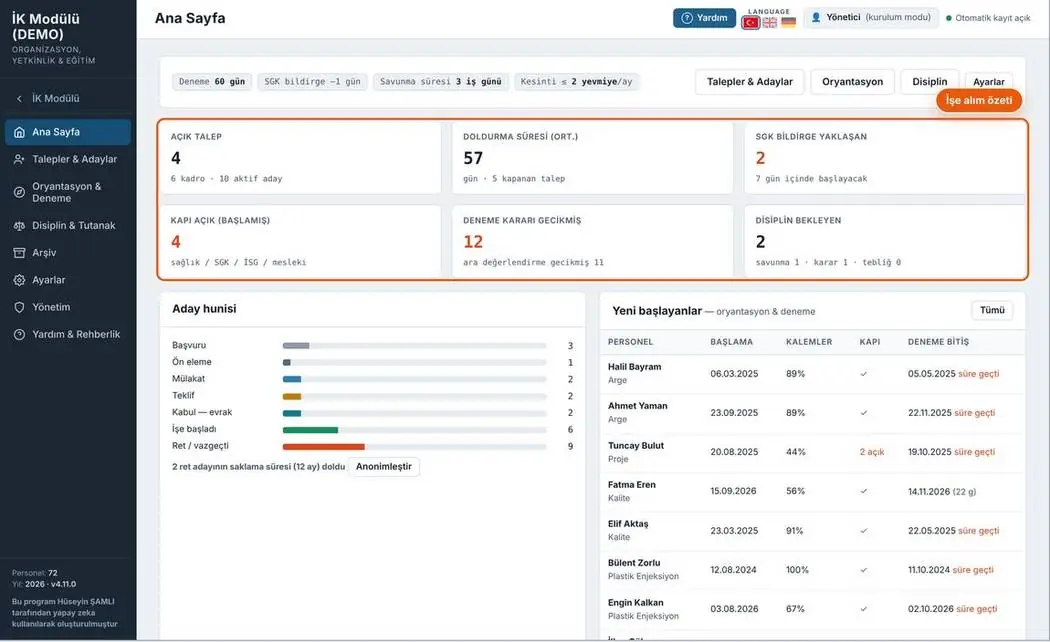
Recruitment funnel, new starters and pending tasks on a single screen.
- Number of open requests and candidates
- Candidate funnel
- Upcoming probation decisions
11 print-ready documents
Document number, revision box and signature fields on every page. Forms fill the A4 page completely; rows not to be filled are shown in grey.
Your feedback shapes the program
Feedback is anonymous; I don't ask for a name or email. If you'd like to talk to me, you can message me on LinkedIn.