Pay & Budget
Pay bands (grades), compa-ratio, pay history and notification, equal pay report, staff budget versus actuals, hourly labour cost.
How does the module work?
Pay bands (grades), compa-ratio, pay history and notification, equal pay report, staff budget versus actuals, hourly labour cost.
The module's four main screens
Click the images to enlarge them. All data is fictional.
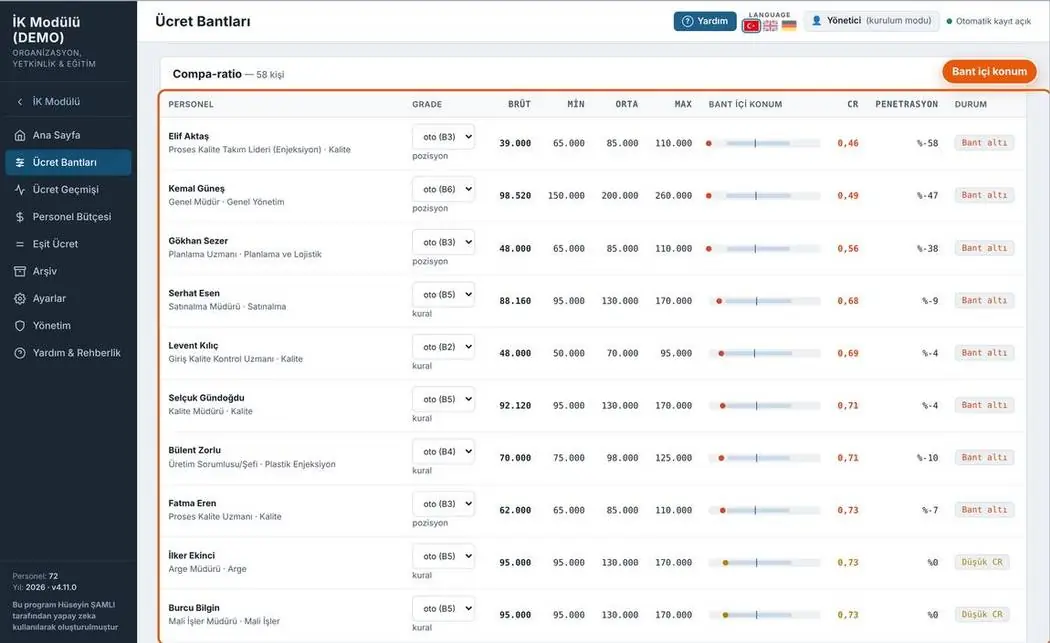
Pay bands
Each employee's grade, pay, position within the band and compa-ratio.
- Below / above band warning
- Penetration
- Band policy PDF
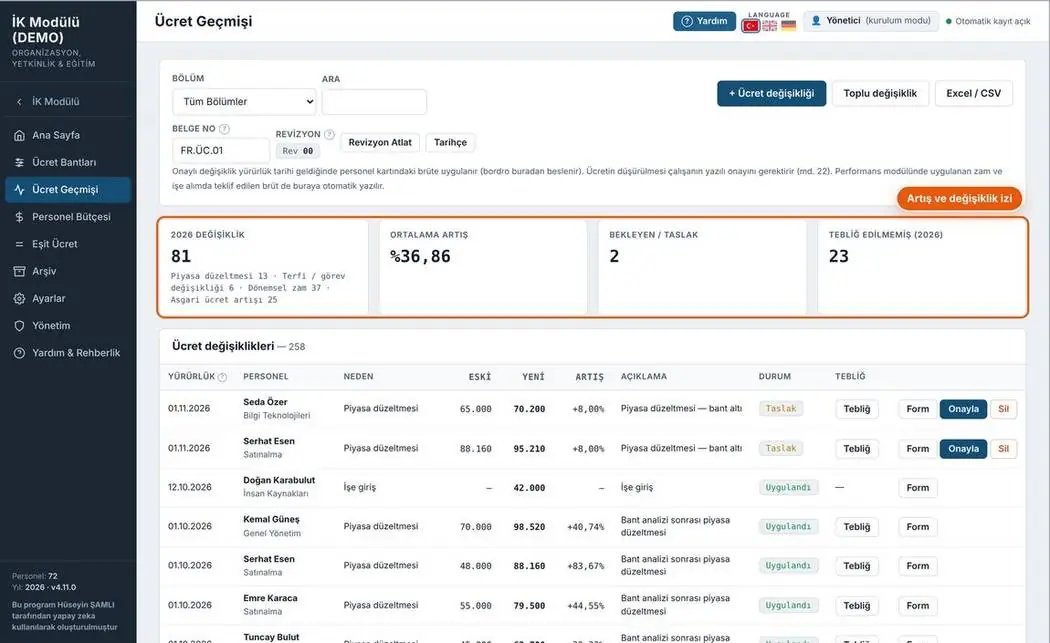
Pay history
All pay changes with justification and approval status; bulk change support.
- Average increase
- Pending notifications
- Notification letter PDF
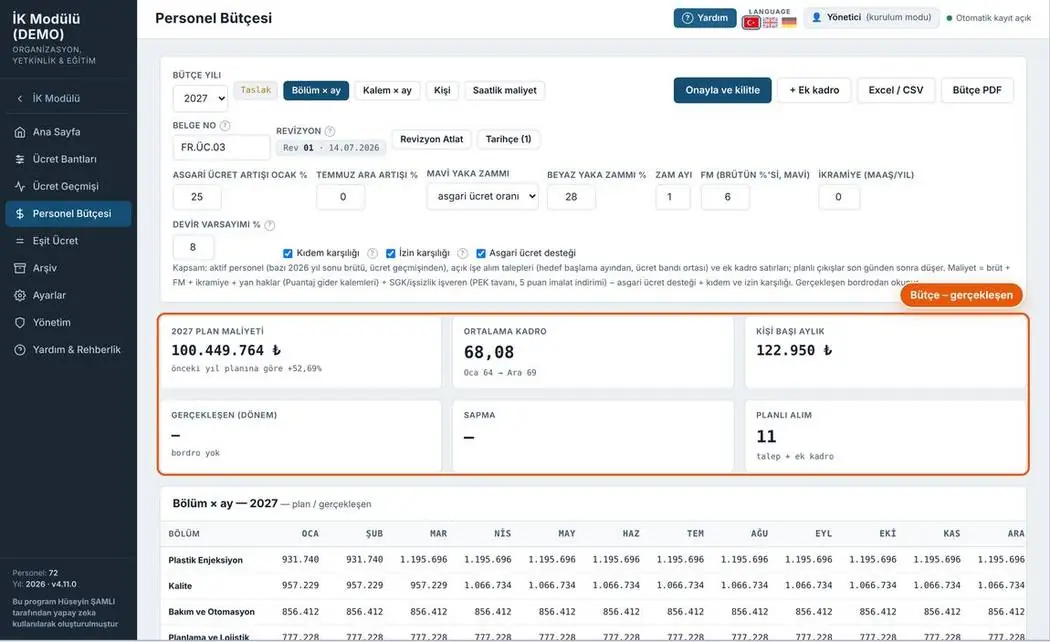
Staff budget
Annual staff budget: department × month plan with minimum wage increase, raise rates and headcount assumptions.
- Scenario parameters
- Plan and actuals
- Cost by department
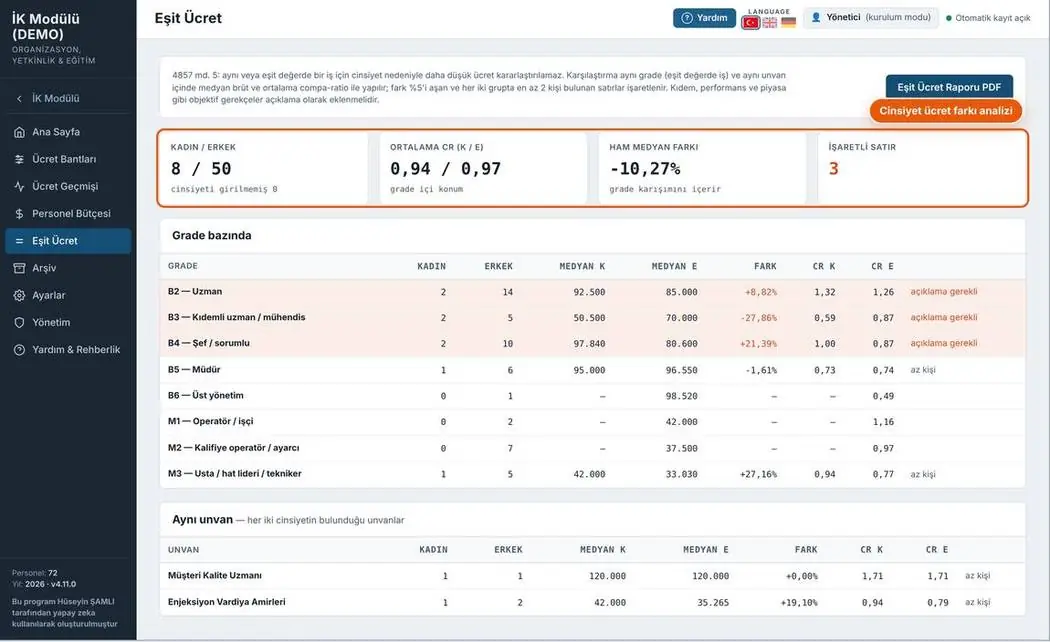
Equal pay
Pay differences between employees in the same grade; differences that need explaining are flagged.
- Difference by grade
- Median comparison
- Equal pay report PDF
3 print-ready documents
Document number, revision box and signature fields on every page. Forms fill the A4 page completely; rows not to be filled are shown in grey.
Your feedback shapes the program
Feedback is anonymous; I don't ask for a name or email. If you'd like to talk to me, you can message me on LinkedIn.