Fast on the shop floor, controlled in management
Day-to-day work is not held up by approvals; a management action, however, cannot be postponed or closed without approval.
For day-to-day work within a department.
| Who opens it | Anyone with permission |
| Due date change | Made directly; the reason and the old/new date are written to the log |
| Closing | A closing note is enough; no approval needed |
| Visible to | The opener, the owner and their managers |
For work tracked by management.
| Who opens it | Department manager, top management or automatically from a record |
| Due date change | Submitted as a request; approved by the manager of the department that opened the action |
| Closing | Submitted as a request; the approver re-enters their PIN |
| Rejection | A reason is mandatory; the action continues unchanged under its number |
Work that drags on goes up to management
The rules run on the server; users cannot bypass them.
- Shop floor → management — If the due date of a shop-floor action changes twice, or the same problem recurs 3 times, the action automatically becomes a management action and this is written to the log.
- Escalation — A management action with 2 postponements, 3 recurrences or more than 30 days' delay drops into the Top Management Approval Queue. The 30-day limit can be changed in the settings.
- Top management decision — Top management either sets a new due date with a PIN (priority becomes critical) or cancels the action with a written reason. An action that has been decided does not return to the queue unless the new due date passes.
From opening to closing
Every step is written to the action's log and to the server's undeletable audit log.
Everyone sees their own work, managers their department
Visibility is enforced by a server rule: a record is never sent to someone without permission to see it. You cannot change an action you cannot see.
How it looks in the program
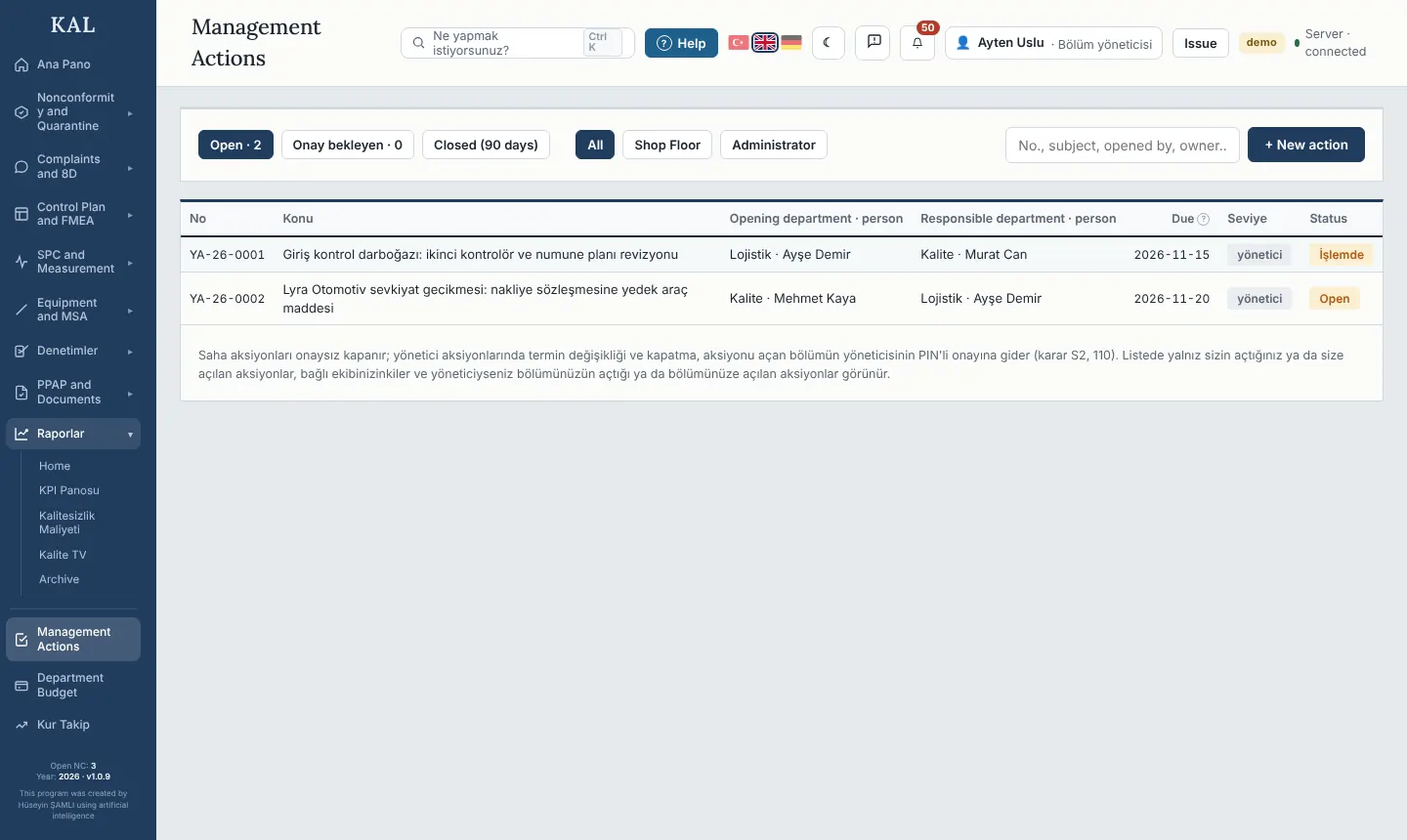
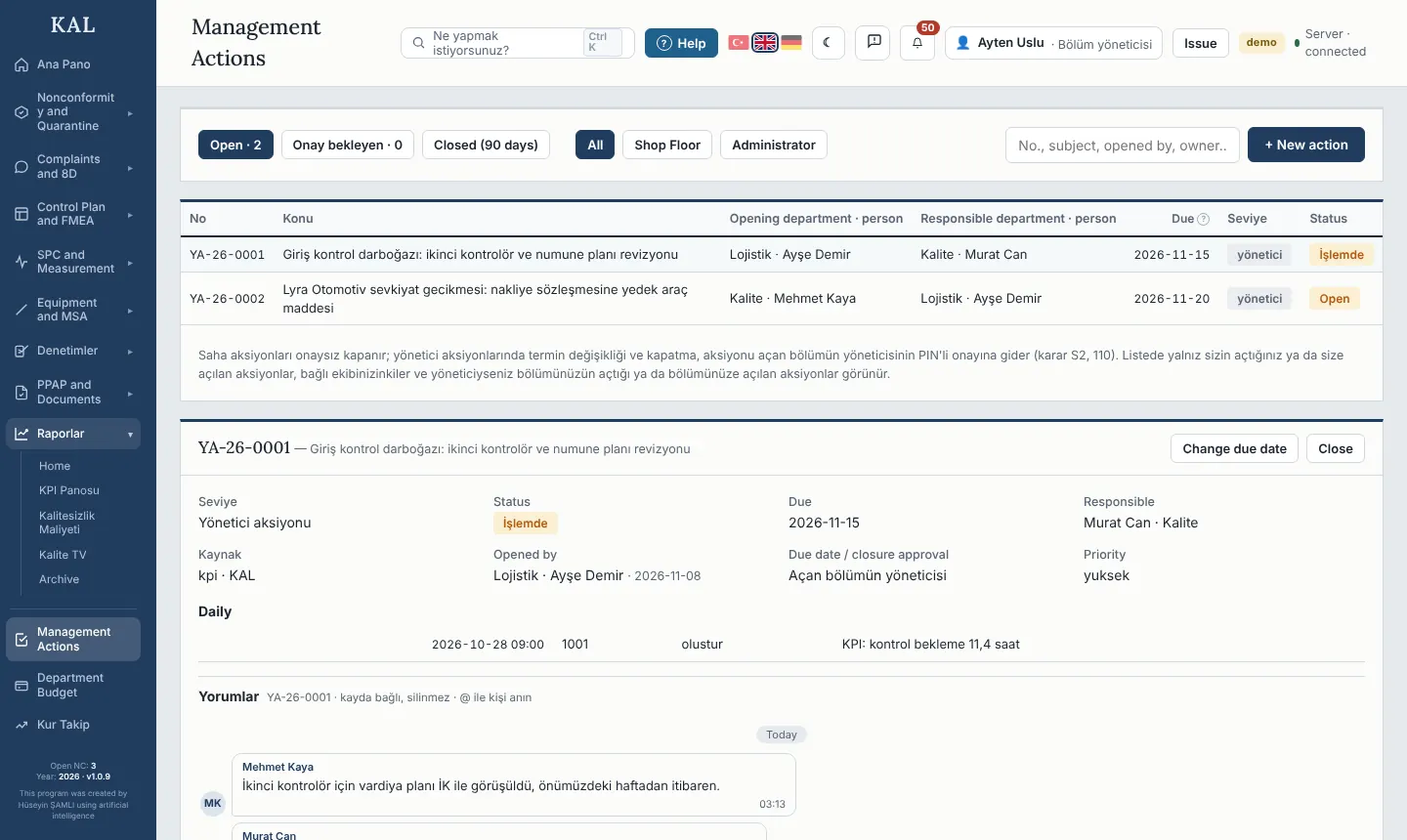
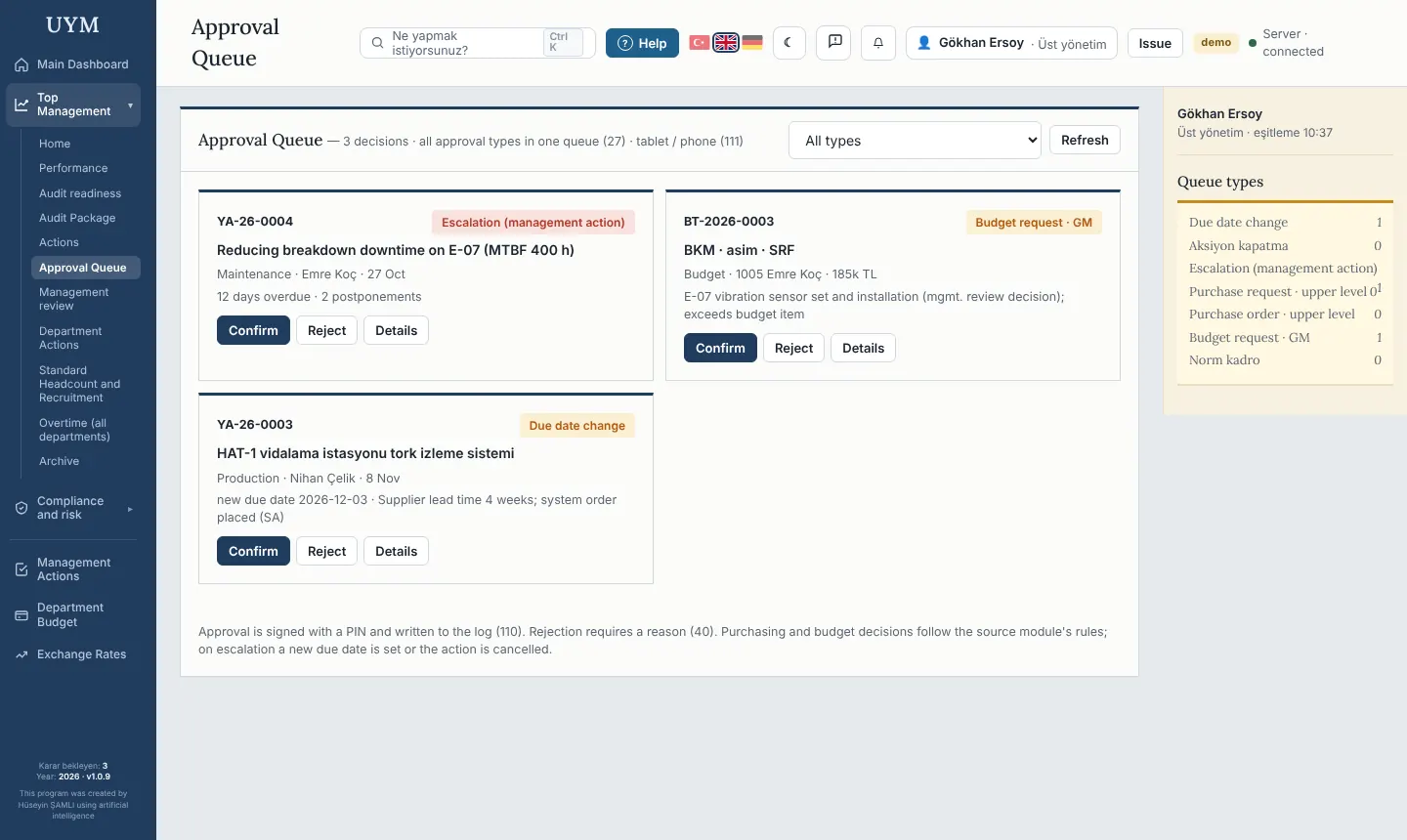
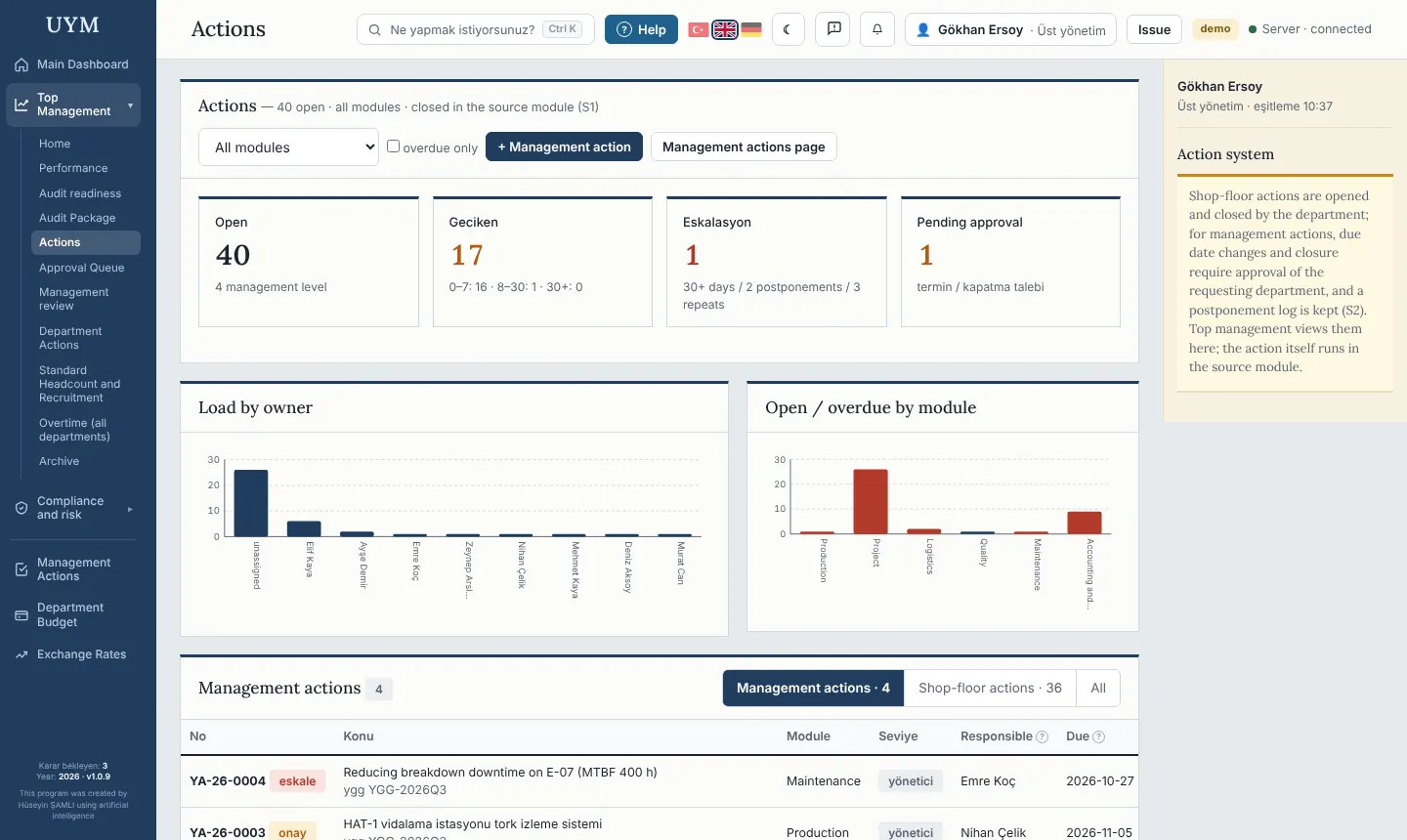
Not on its own
The owner is notified when a new action is opened, 2 days before the due date and when it becomes overdue.
Messages and Notifications →Discussion, @mentions and file attachments under the action; read-only once closed.
Messages and Notifications →Visibility and approval are derived from the department and the management chain.
Permissions and Hierarchy →A person's open actions are sorted by delay and priority.
Tablet and TV →Use module by module
Shop-floor action when an internal audit finding is reported; change record (CR) tasks
Shop-floor action for C-class suppliers and supplier audit findings
Permanent-fix action for a breakdown closed with a temporary solution
Shop-floor action from a special freight record
Recruitment request to HR from a staffing shortfall (management action)
Project open points (LOP) are tracked as shop-floor actions
Cost variance, late collections, cash floor, month-end closing tasks
KPI off target, management review decisions, risk plan test, regulatory nonconformity
Manually from the Management Actions and Department Actions pages
Frequently asked questions
What is the difference between a shop-floor action and a management action?
A shop-floor action's due date changes directly and it closes without approval. For a management action, due date changes and closing go to the PIN approval of the manager of the department that opened the action.
Who gives the approval?
The manager of the department that opened (requested) the action, or the manager of that department's parent department. Top management can approve any action. The rule is checked on the server; unauthorised changes are rejected.
What happens to a rejected request?
A reason is mandatory for rejection. The request is withdrawn and the action continues under the same number with its previous due date and status; the rejection is written to the log.
Can I see another department's actions?
You only see actions you opened, actions assigned to you or those belonging to your team. A department manager sees actions opened by and assigned to their department; top management sees all of them.
See for yourself
Every action opened in the plant, wherever it comes from, closes in one list under the same rules. Who opened it, who it was assigned to, how many times it was postponed and who approved it are all recorded.
Start the demo →