The journey of a requisition
In the demo, every step of a purchase requisition from approval to invoice check is recorded.
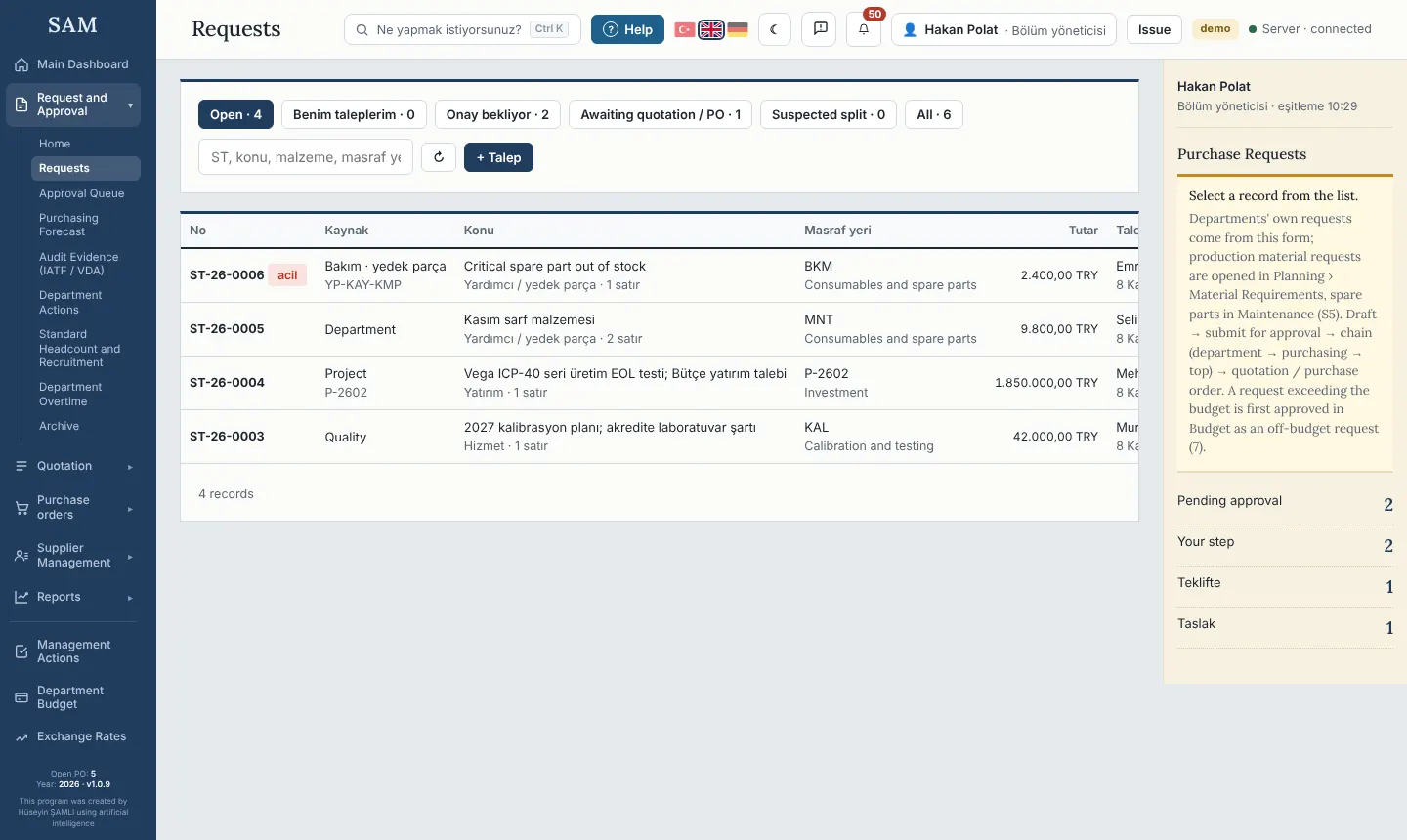
Requisition and Approval
Department, Planning and Maintenance requisitions in one list; the approval chain is built by amount, Planning proposals are tracked as a forecast.
- Requisition amount with TL equivalent and remaining budget
- Department → purchasing → top management approval chain
- Split purchase warning on the server
- Purchasing Forecast: Planning proposals not yet turned into requisitions, week by week
Quotation
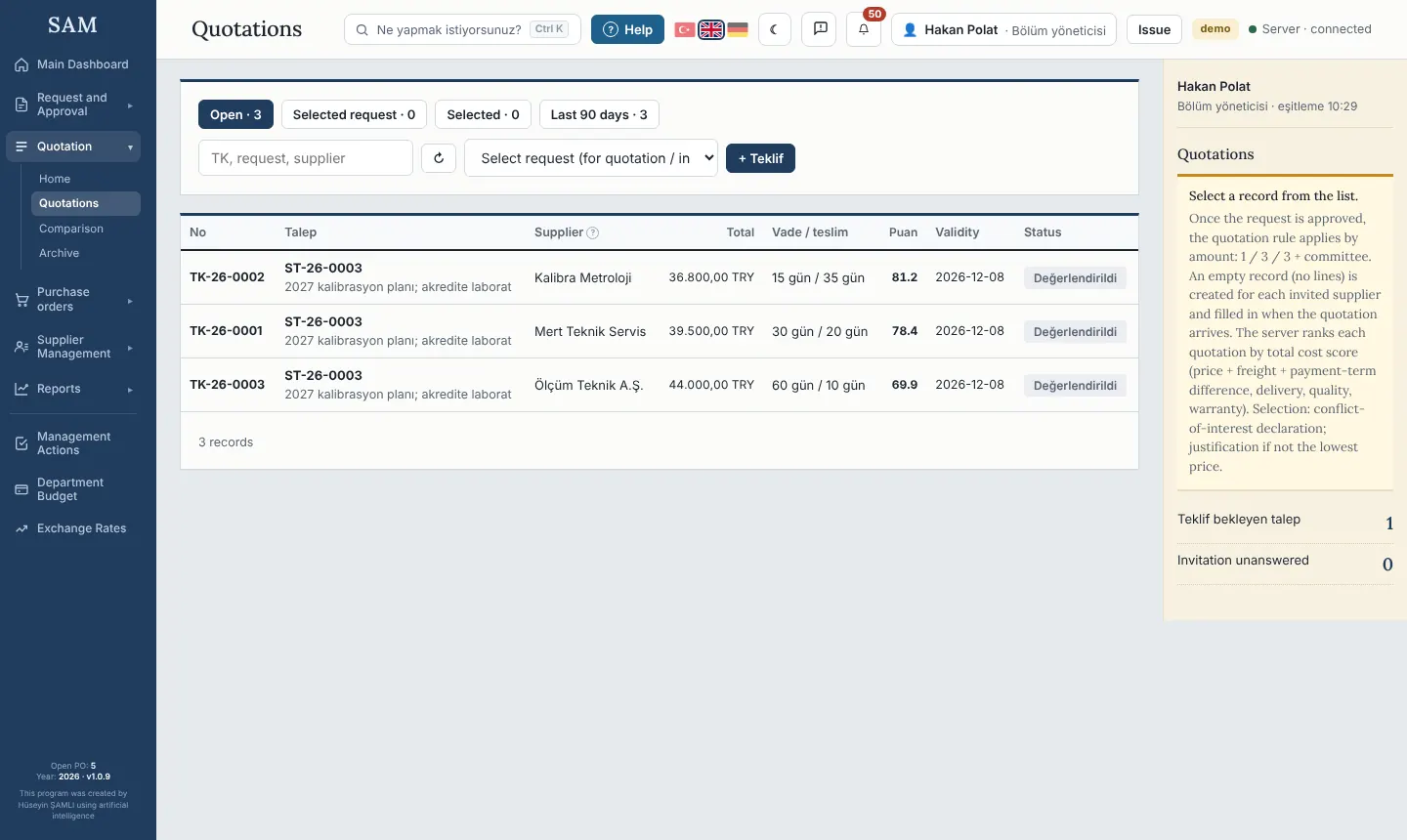
Quotations are collected for the approved requisition; they are scored and compared on price, payment terms, delivery, quality and warranty.
- 1 / 3 / 3 + committee quotation rule by amount
- Total cost score is calculated on the server
- Conflict of interest declaration and justification on selection
- Comparison report is printed
Purchase Orders
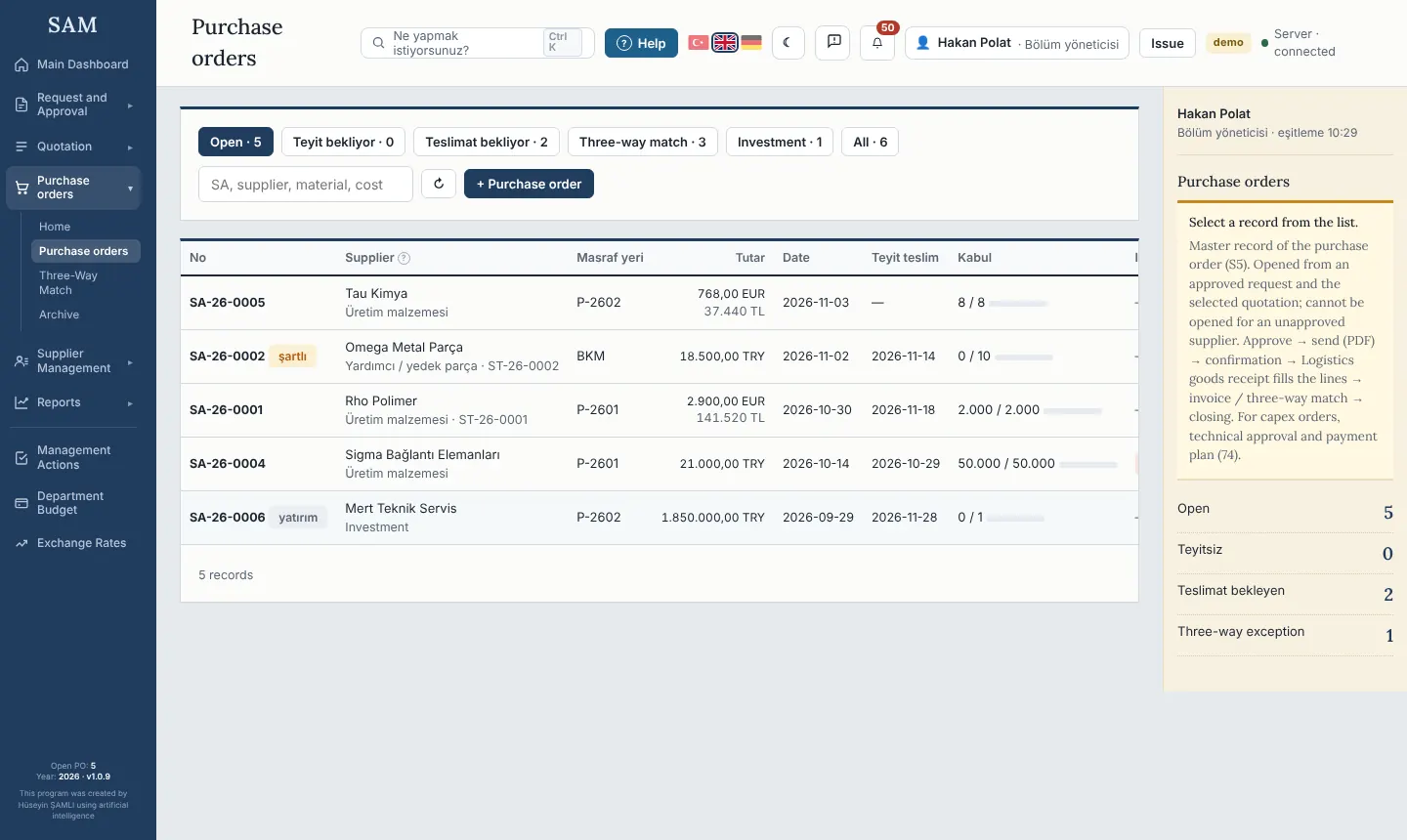
The master record of the purchase order is in this module; sending, confirmation, Logistics receipt and the invoice three-way match are tracked on the order.
- No purchase order to an unapproved supplier
- Sending, confirmation and delivery status
- Three-way match: order – receipt – invoice, duplicate invoice warning
- Technical approval and payment plan for capital expenditure orders
Supplier Management
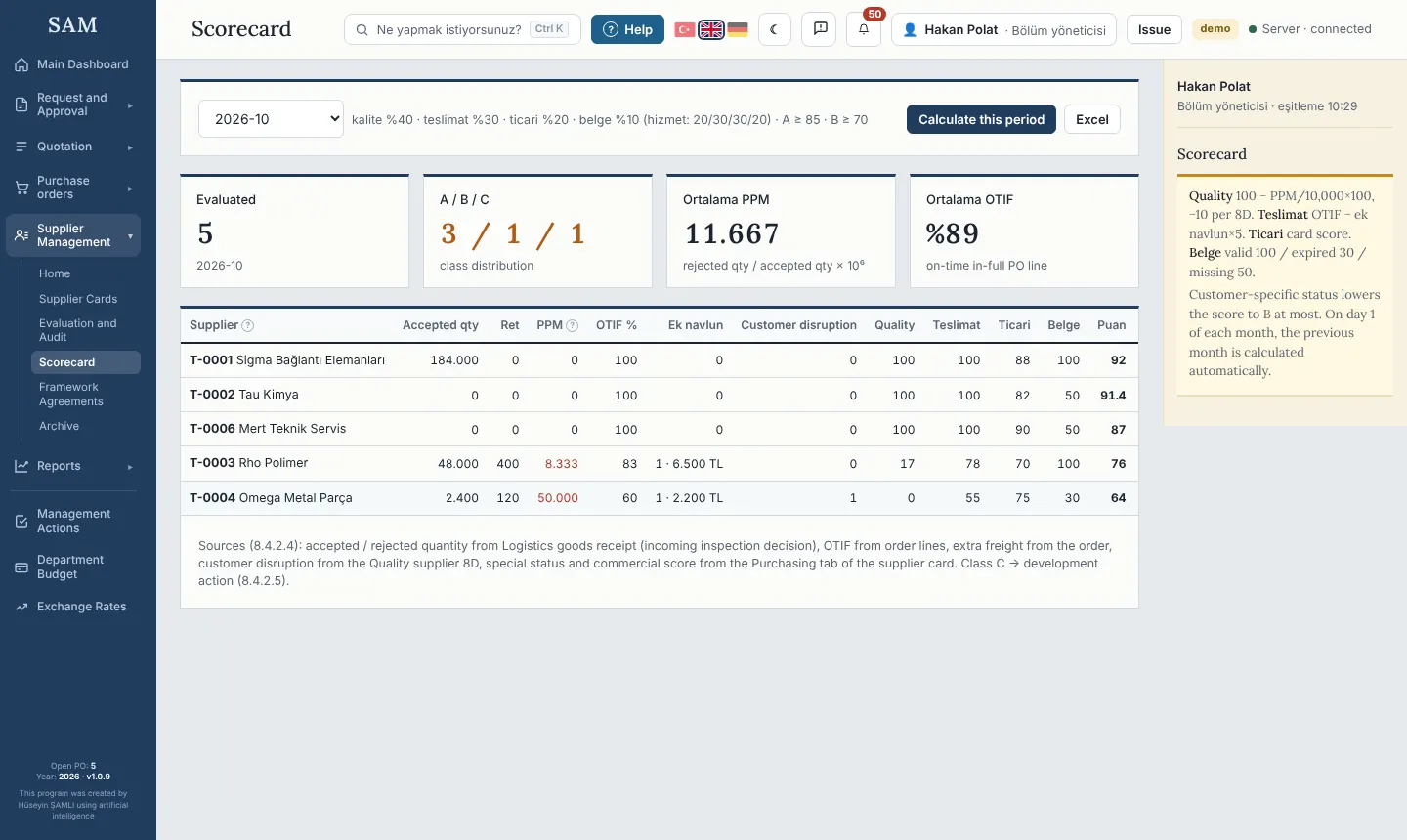
Purchasing owns the supplier card; selection evaluation, second-party audits, the monthly scorecard and framework agreements are here.
- Approved / conditional / candidate / blocked approval status
- Risk-based selection and VDA 6.3 process audit; findings become actions
- Monthly scorecard: class A / B / C
- Framework agreement: price, quantity commitment, renewal
Reports
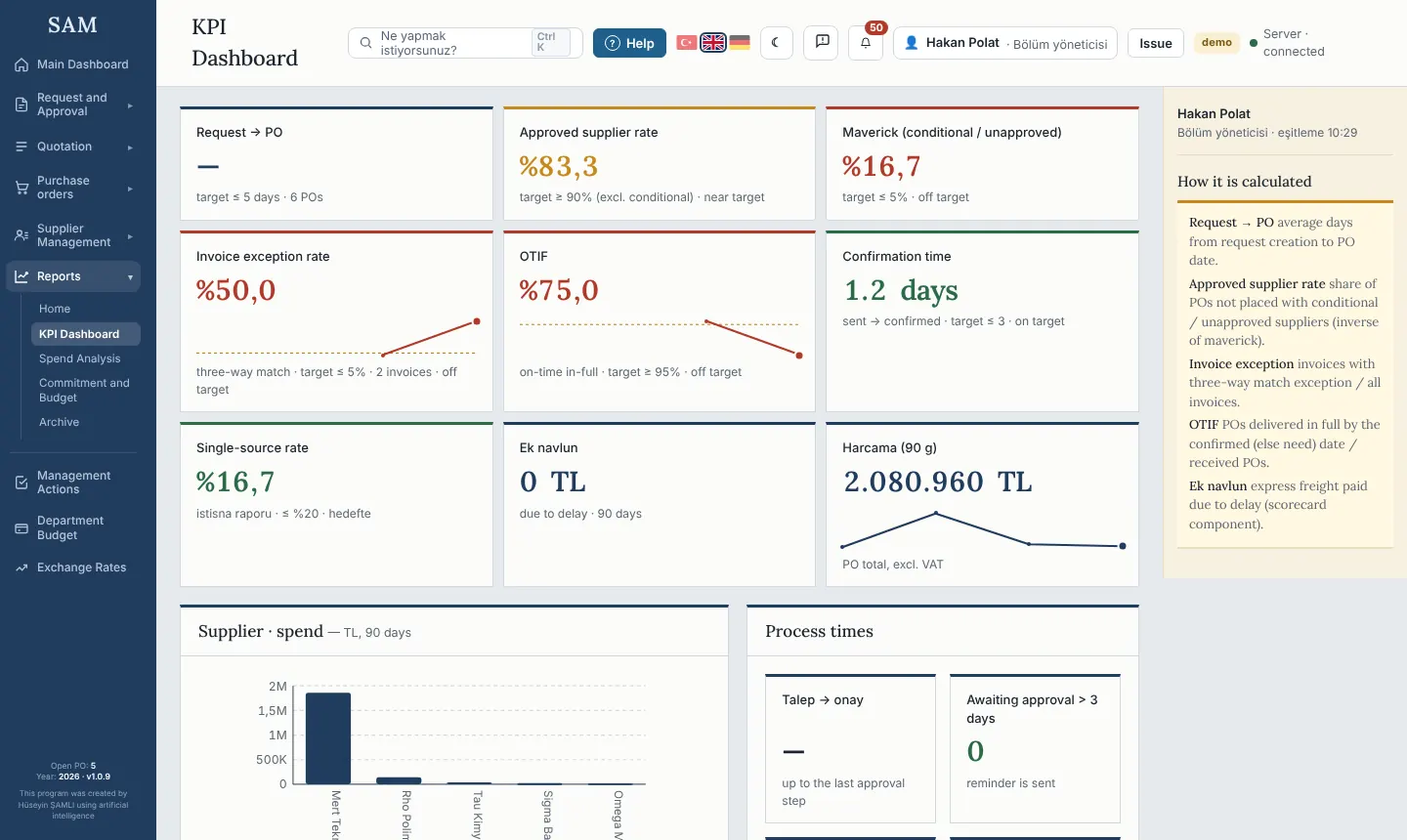
Requisition-to-order time, approved supplier rate, maverick buying, invoice exception rate, OTIF; spend analysis and budget commitment.
- KPI board with nine indicators
- Spend by category, supplier and cost center
- Single-source items
- Commitments are published to the commitment column of the Budget
System features that also work in this module
They work the same way in every module; details on their own pages.
A4 documents produced by the module
Links to other modules
- PlanningOrder proposals come into the forecast and requisitions; on-order quantities and a price summary go to Planning
- LogisticsGoods receipts fill the purchase order lines; OTIF and on-order quantities are derived from them
- AccountingIncoming invoices enter the three-way match; the capital expenditure payment plan is tracked in Accounting
- QualitySupplier quality scores and evaluation results feed the scorecard
- MaintenanceSpare part requisitions are opened from Maintenance
- ProjectThe purchasing price summary is used in quotation costing
- Top ManagementA KPI summary is published; upper-level approvals go to the single approval queue
FAQ
How is the approval chain determined?
Default rule: up to 25,000 TL it is completed by the department, up to 250,000 TL by purchasing, and above that by top management approval; the limits can be changed in Settings. For capital expenditure the chain is always complete. A reason is mandatory for rejection.
How many quotations are required?
The number of quotations depends on the amount: 1 below the threshold, 3 in the middle tier, 3 quotations plus a committee in the top tier. For purchases under a framework agreement, the quotation is a single step.
What does the three-way match compare?
It compares the purchase order, the Logistics receipt and the invoice. If the price or quantity difference exceeds the tolerance in Settings (default price 1%, quantity 2%), or the same invoice arrives a second time, the record becomes an exception.
When is the scorecard calculated?
On the first day of each month, the server calculates the scorecard for the previous month. Default classes: 85 and above A, 70 and above B, below that C.
Try the Purchasing module yourself
Runs the purchasing process from requisition to purchase order and from receipt to invoice check with amount-based rules. The approval chain, number of quotations and three-way match are enforced on the server; suppliers are tracked with evaluations and a monthly scorecard.
Start the demo →Give feedback