The journey of a KPI deviation
In the demo, a module's red indicator is traced from the board to a management decision.
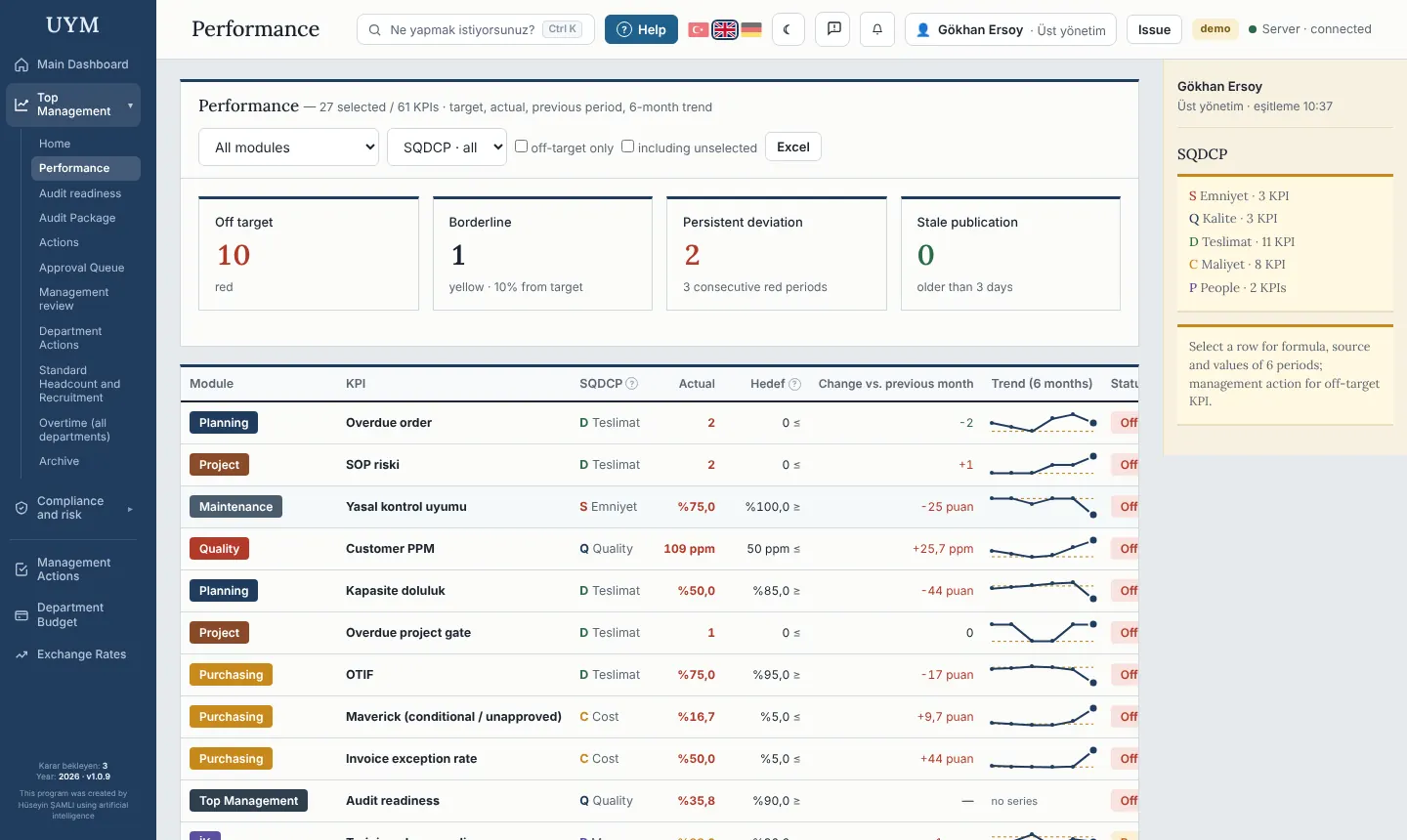
Performance
Selected KPIs are filtered by module and SQDCP heading; the six-month trend and persistent deviations are visible.
- Safety, Quality, Delivery, Cost, People headings
- Six-period trend and difference to the previous period
- Flag for deviations lasting three periods
- KPI glossary and targets in Settings
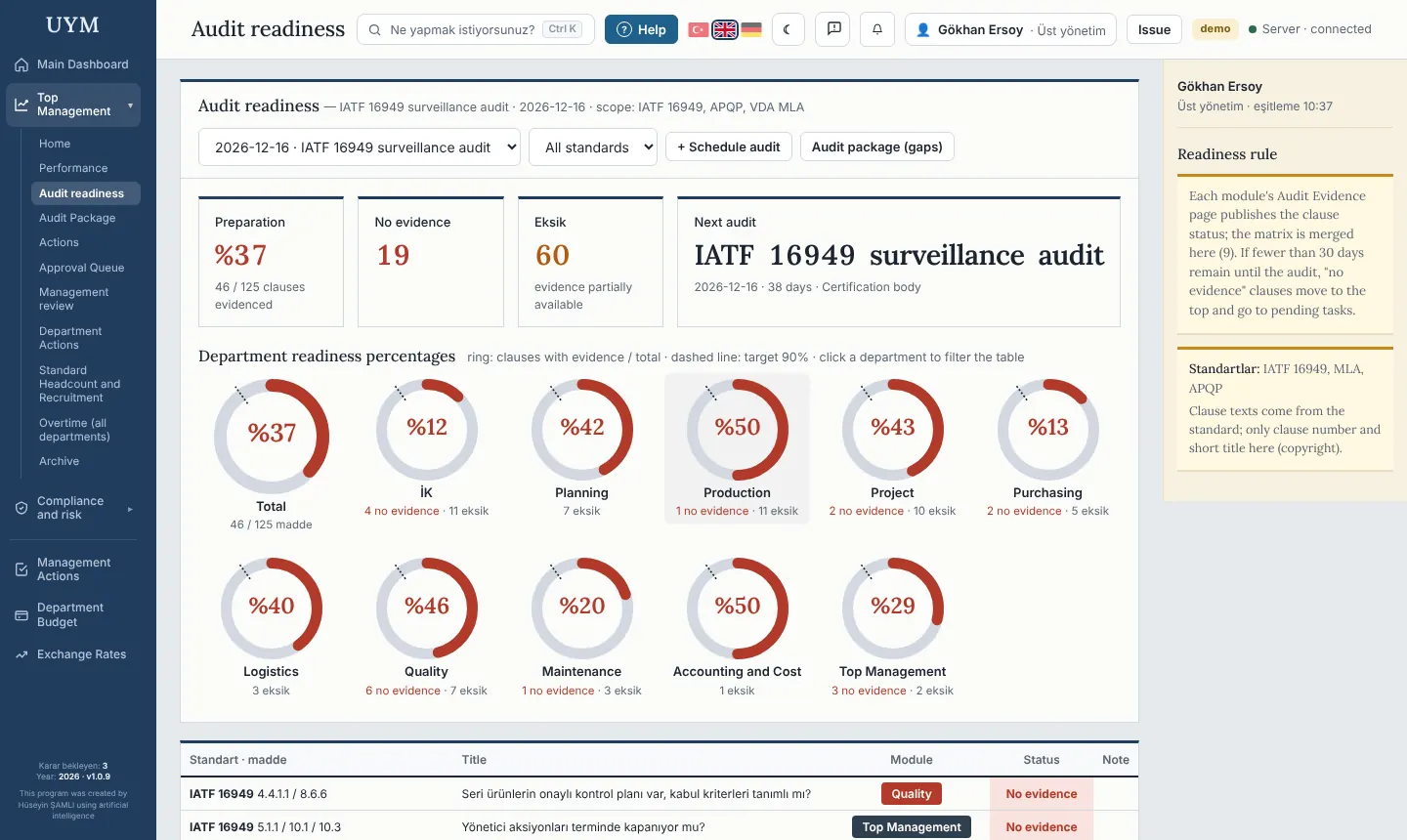
Audit Readiness
The modules' audit evidence publications are combined in a clause × module matrix; upcoming audits are on the calendar, the pack fits on a single A4.
- Readiness percentage per standard and module
- Clauses without evidence move up when an audit is less than 30 days away
- Audit calendar and reminders
- Audit pack: cover, gaps, module clauses, open actions
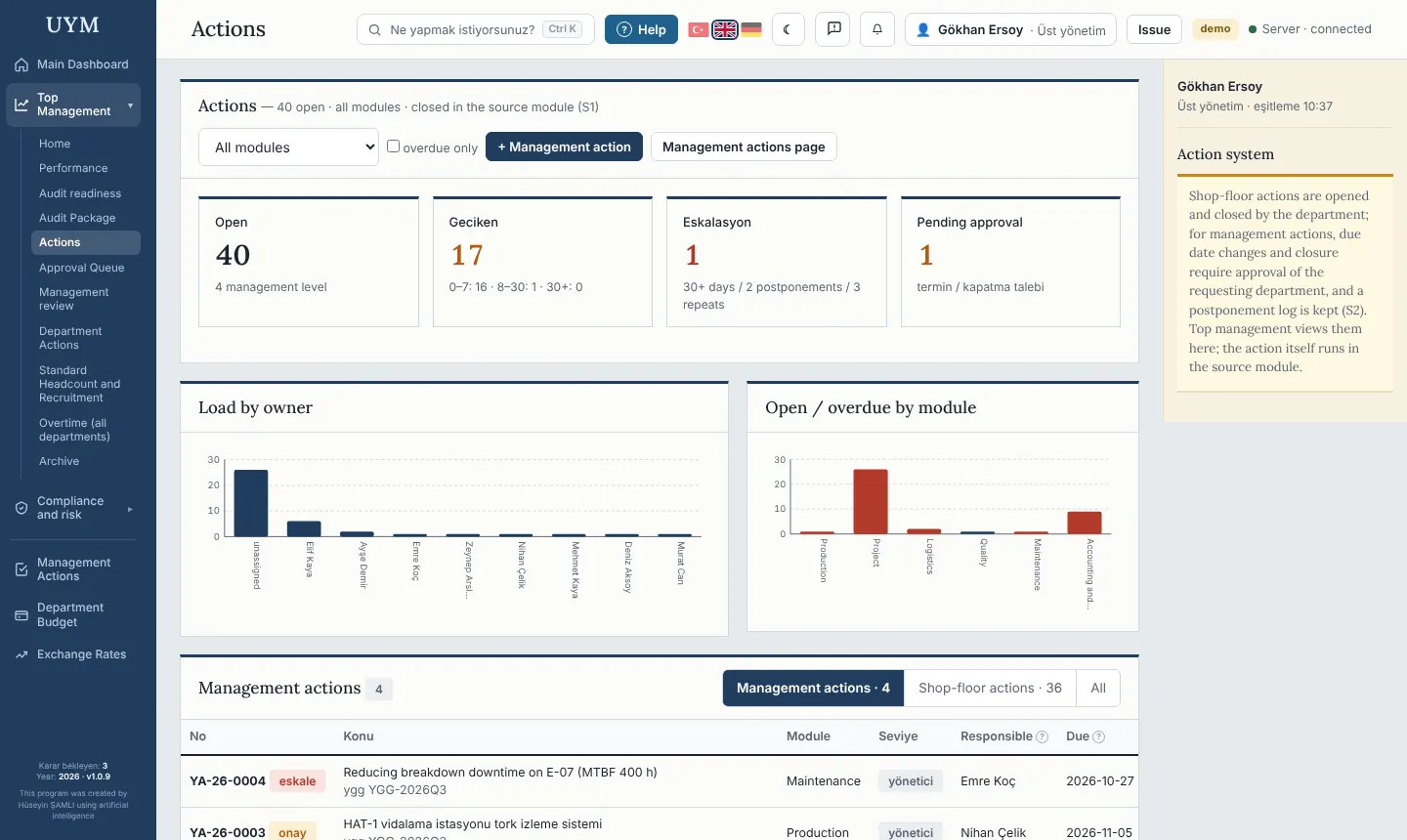
Actions and Approval Queue
Open actions in the shared action table are tracked by ageing and owner workload; everything awaiting a management decision is in a single queue.
- Ageing: 0-7, 8-30, over 30 days overdue
- Escalation: 2 postponements, 3 recurrences or more than 30 days overdue
- In the queue: due dates, closures, escalations, upper-level purchasing approvals, budget, headcount
- Approval and rejection can also be given from a phone
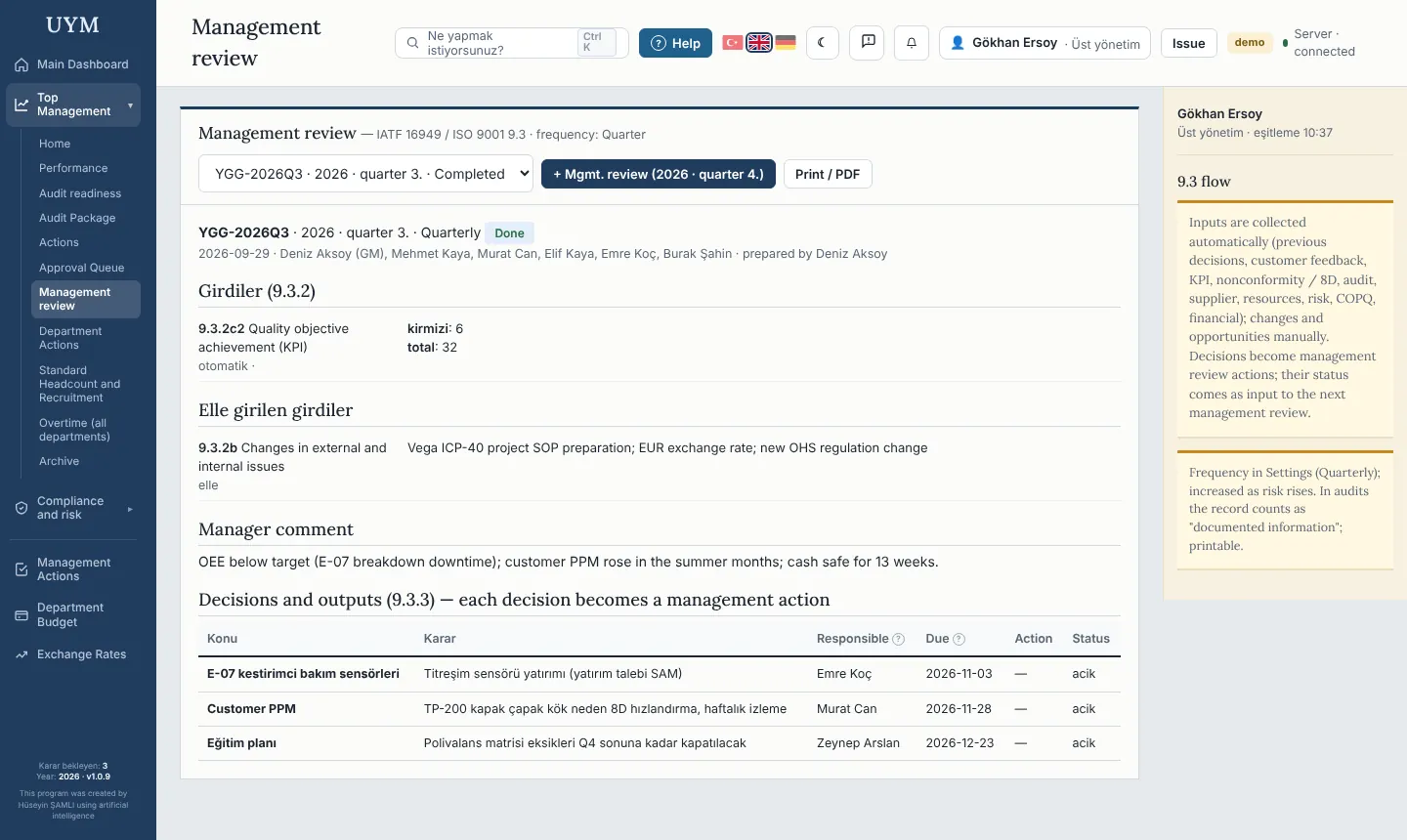
Management Review
When a period record is opened, the 9.3.2 inputs are collected from module publications; comments and decisions are kept in the same record.
- Annual, quarterly or monthly frequency
- Automatic and manually entered inputs
- Every decision becomes a management action and its status is tracked
- Print / PDF
Compliance and Risk
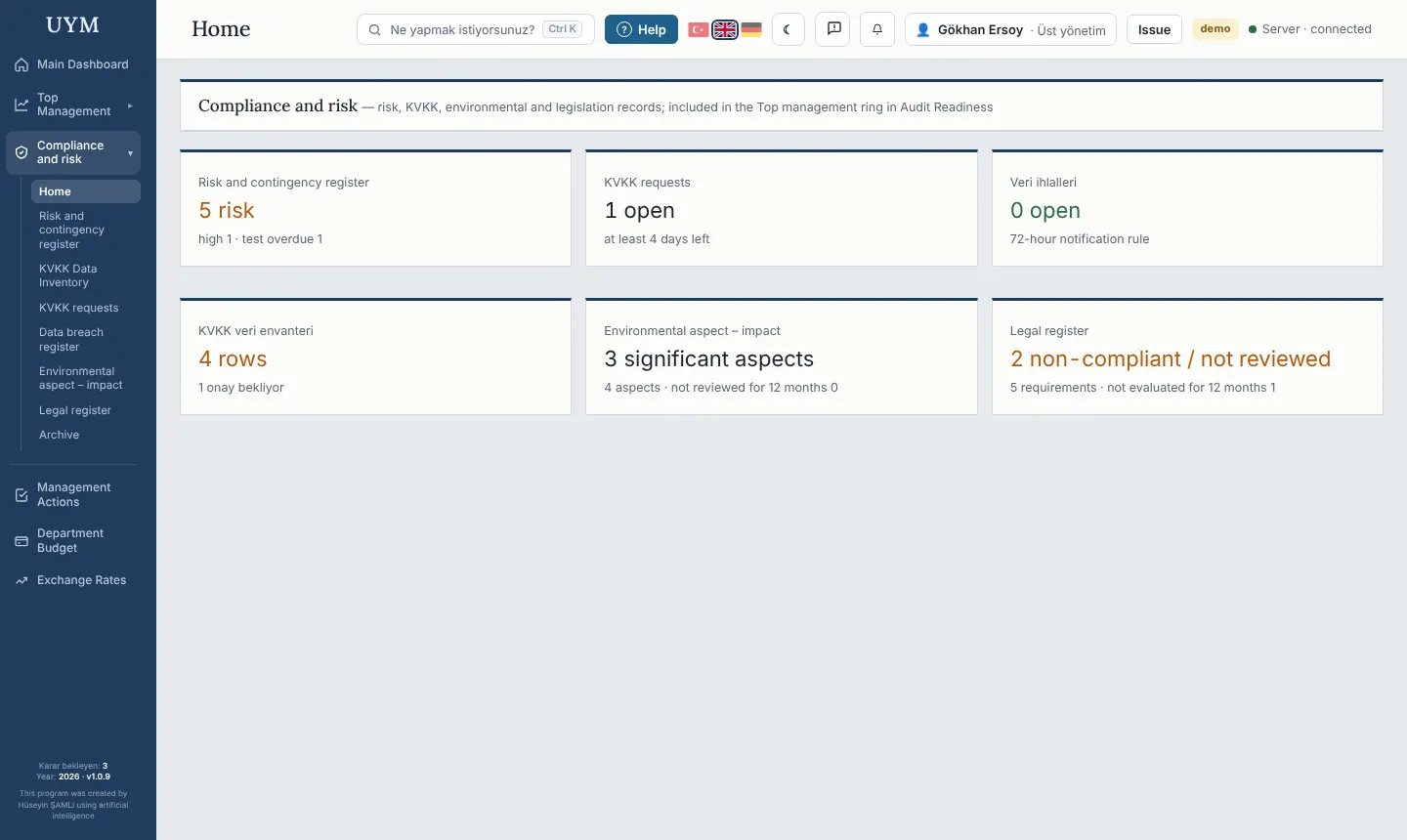
Risk and contingency register, KVKK data inventory, requests and breach log, environmental aspects–impacts and legal register.
- Risk: impact × likelihood, contingency plan and test interval
- Tracking of KVKK requests within 30 days and breach notification within 72 hours
- Significance score for environmental aspects
- Legal compliance is evaluated at least once a year
System features that also work in this module
They work the same way in every module; details on their own pages.
A4 documents produced by the module
Links to other modules
- All modulesReads the KPI, action and audit publications of HR, Planning, Production, Project, Purchasing, Logistics, Quality, Maintenance and Accounting
- KPI targetsThe KPI glossary and targets are kept in Settings and offered to the modules via a bridge publication
- PurchasingUpper-level approvals of requisitions and purchase orders go to the approval queue
- BudgetBudget requests requiring general manager approval come to the queue
- HRHeadcount requests are decided in the queue
- QualityThe internal audit scope is included in the audit pack
FAQ
Are records corrected in the Top Management module?
No. The module does not correct records in place: it reads the other modules' publications and the shared action, request and budget records. Actions are closed in the source module; Top Management gives approvals, rejections and management decisions.
What happens if a publication becomes stale?
The age of the publication is shown on the module card; a publication older than 3 days is flagged as stale. The server calculates action and summary publications every hour, and they can also be refreshed manually from the board.
When does an action escalate?
An action whose due date has been postponed twice, that recurs three times or that is overdue longer than the period in Settings (default 30 days) moves to the top of the list as an escalation. The escalation decision is signed with a PIN.
Where do the management review inputs come from?
When a period record is opened, the 9.3.2 inputs are collected automatically from module publications and tables. Inputs that are not collected automatically are entered manually; every decision becomes a management action with an owner and due date.
Try the Top Management module yourself
Gathers the KPIs, actions and audit evidence published by nine modules on a single board; approvals awaiting a decision are in a single queue. Management review inputs arrive automatically, and the risk, KVKK (Turkish data protection law), environmental and legal registers are kept in the same module.
Start the demo →Give feedback