The journey of a lot
In the demo, the path of a material lot from the dock to the customer is visible in the movement records.
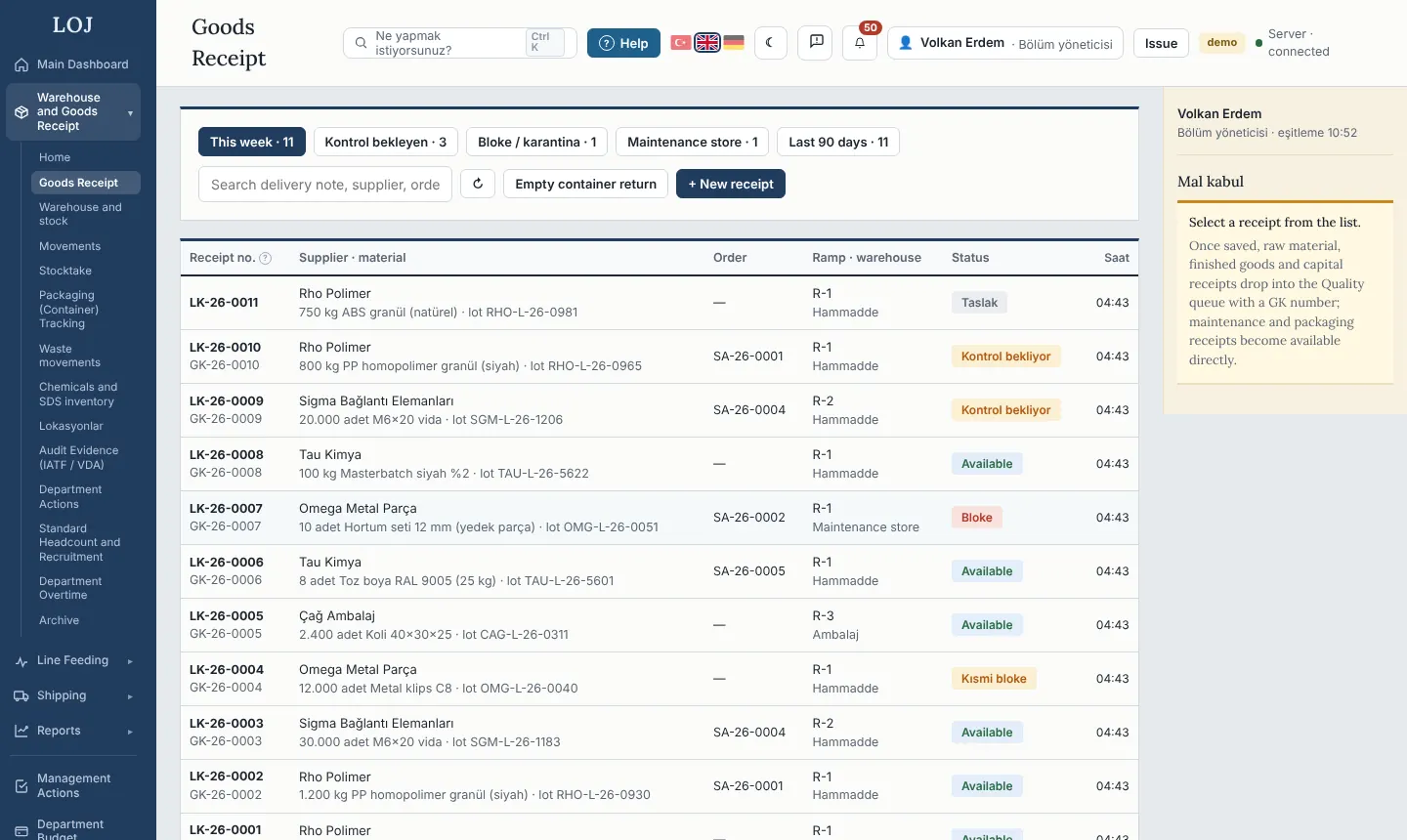
Warehouse and Goods Receipt
Warehouse work from delivery note receipt to lots, locations, transfers and stocktaking; packaging, waste and chemical inventories are also in this section.
- The receipt record automatically opens the stock lot and the incoming inspection record
- A receipt exceeding the order quantity is partially blocked
- Transfers, issues and quantity corrections are written as movements
- Container, waste and SDS inventories on separate pages
Line Feeding
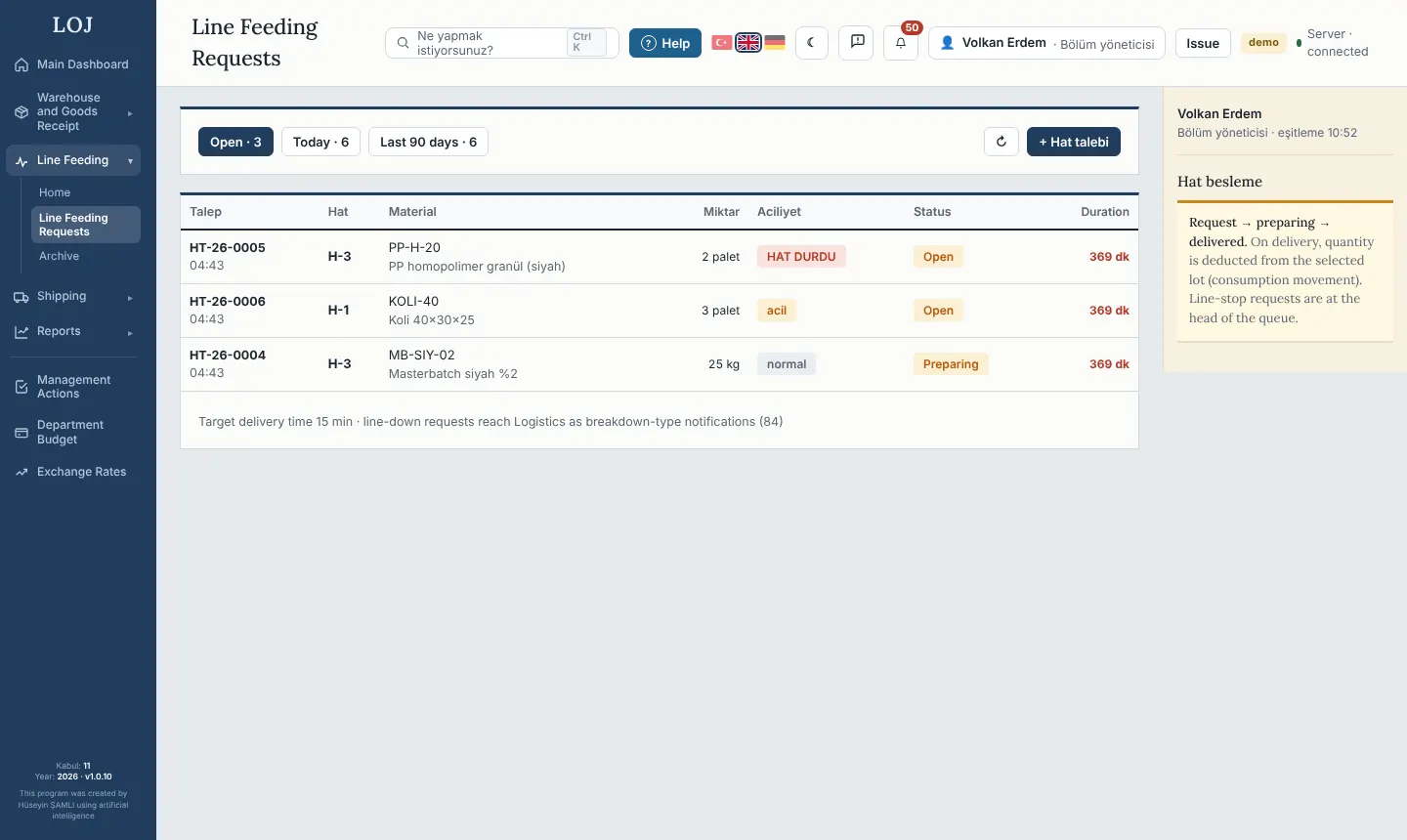
Material requests from production lines are ranked by urgency; delivery time is tracked in minutes.
- Normal, urgent and line stopped urgency
- Notification to Logistics users when a request is opened
- On delivery the quantity is deducted from the selected lot and an issue movement is written
- Open requests go to the task queue
Shipment
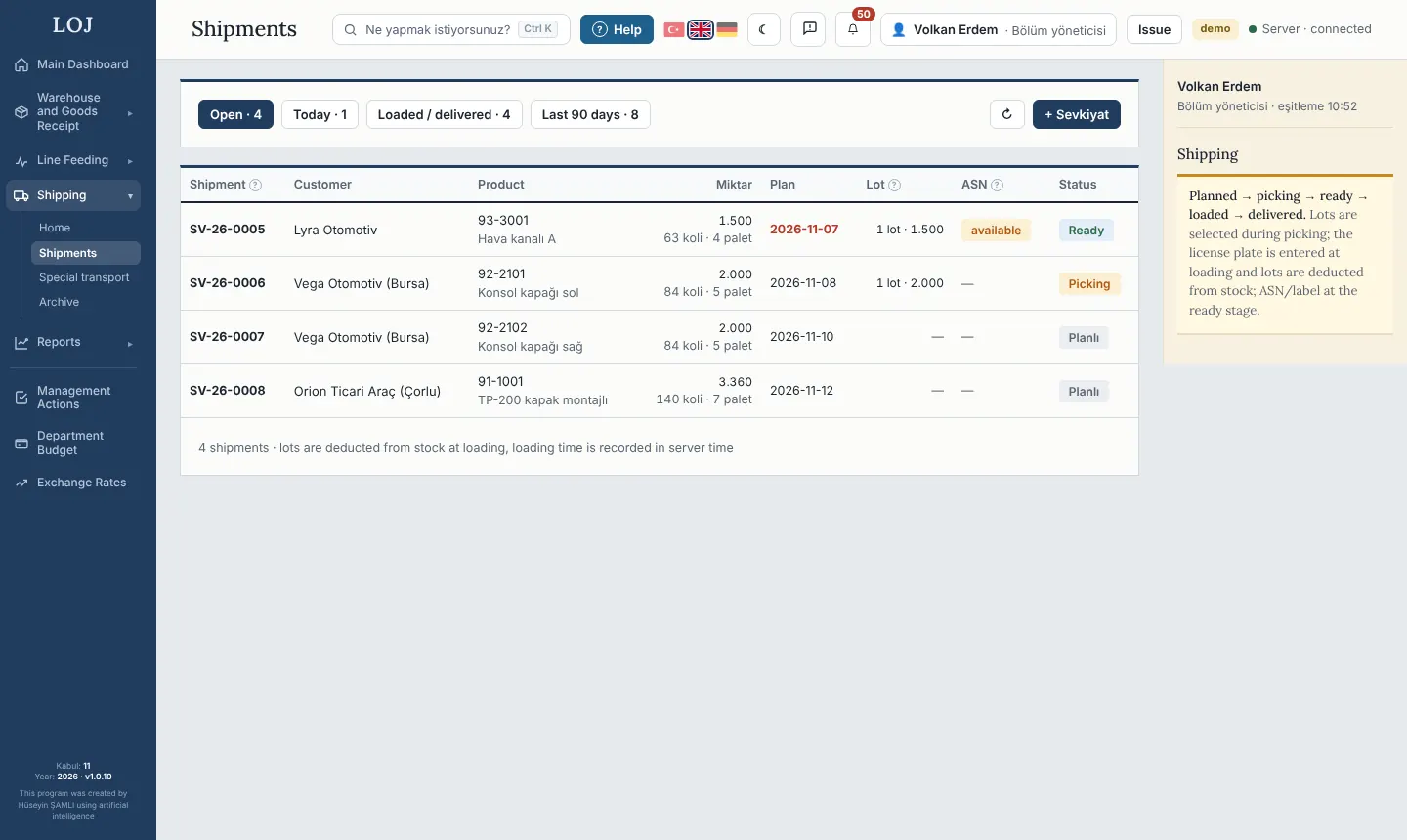
Customer shipments are planned, lots are picked, loading and ASN are tracked; unplanned premium freight is recorded separately.
- Lot picking with a FIFO suggestion
- Lots are deducted from stock with the loaded record
- An ASN file is generated for customers with an EDI profile
- A root cause action is opened from internally caused premium freight
Reports
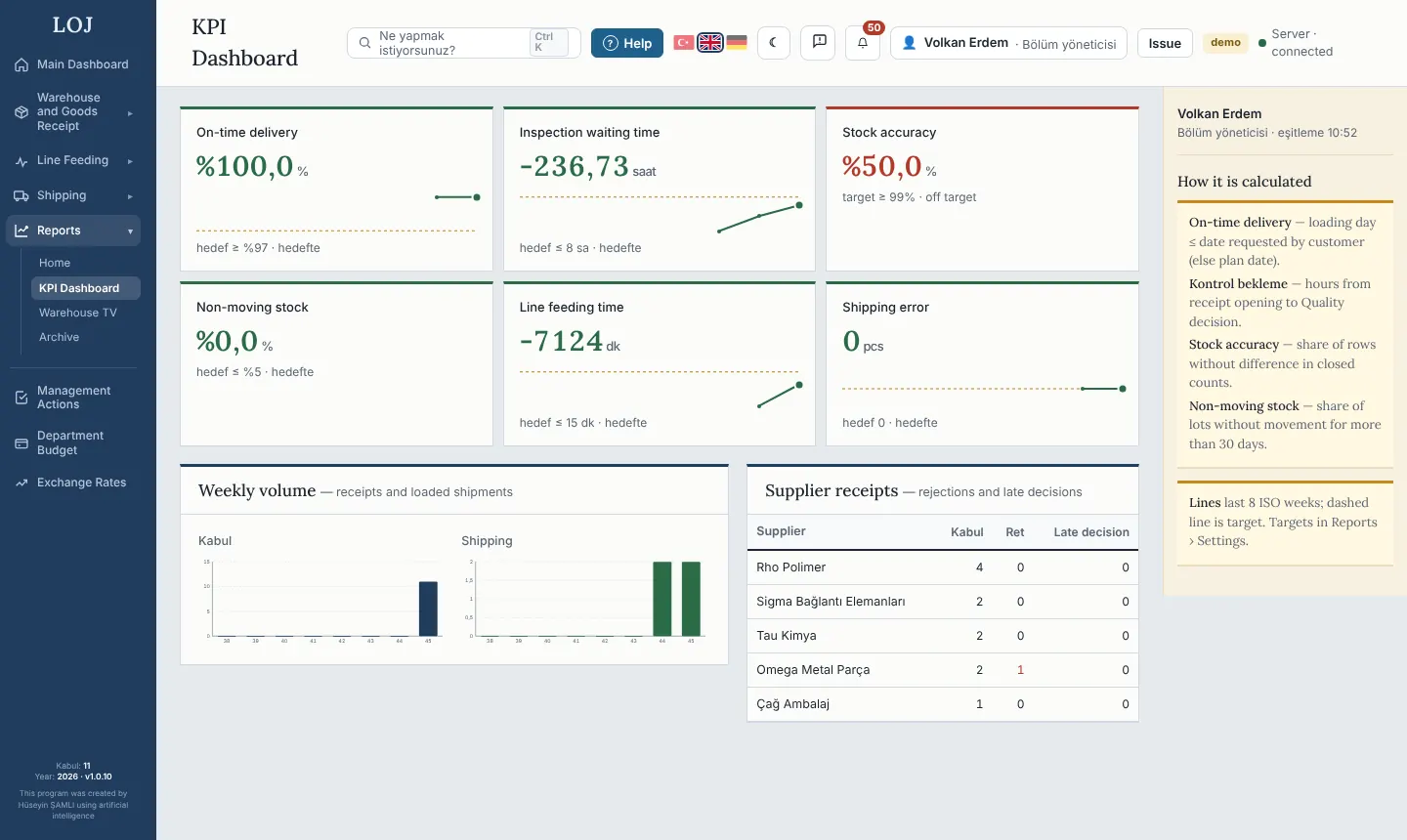
On-time delivery, inspection waiting time, stock accuracy, slow-moving stock, line feeding time and shipment errors; warehouse TV board.
- Six KPIs, targets in Settings
- Weekly series lines
- Warehouse TV: dark background, refresh every 30 seconds
- Opens automatically with the TV device login
System features that also work in this module
They work the same way in every module; details on their own pages.
A4 documents produced by the module
Links to other modules
- QualityThe incoming inspection decision sets the lot status; only Quality changes the stock status
- PurchasingGoods receipts are written to purchase order lines; open orders and OTIF are calculated from here
- PlanningAn available stock summary is published per material
- ProductionLine feeding requests come from the lines; the stock summary also goes to Production
- MaintenanceSpare part lots going to the maintenance warehouse are held under Maintenance ownership
- AccountingStock valuation is Logistics stock × standard cost; premium freight cost is included in reports
FAQ
Who makes the incoming inspection decision?
Quality makes the decision: accept, conditional accept or reject; a reason is mandatory for rejection. When the decision is saved, a server hook updates the status of the lot and the receipt. A Logistics user cannot change the lot status.
Does every receipt go to incoming inspection?
No. Receipts going to the raw material, finished goods and capital equipment warehouses go to the inspection queue and receive a GK number. Receipts going to the maintenance and packaging warehouses become available directly.
What happens if more material arrives than ordered?
If the received quantity exceeds the order quantity, the receipt is partially blocked and a warning is shown that Purchasing approval is required for the excess.
Does it work without a server connection?
Receipt, stock, movement, line feeding, shipment and stocktaking records are held in tables on the server. Without a connection, only the settings can be edited in this module.
Try the Logistics module yourself
Tracks every lot in the warehouse from goods receipt to shipment, with its location, status and movements. Receipt opens the incoming inspection queue, line feeding requests are served in order of priority, and shipments are picked with a FIFO suggestion and their delivery note printed.
Start the demo →Give feedback