Layout to suit the screen
The mode is selected automatically based on the screen and the device registration.
Device login without a person
Shared TVs and tablets open with a device token instead of a personal PIN.
The shop floor at a glance
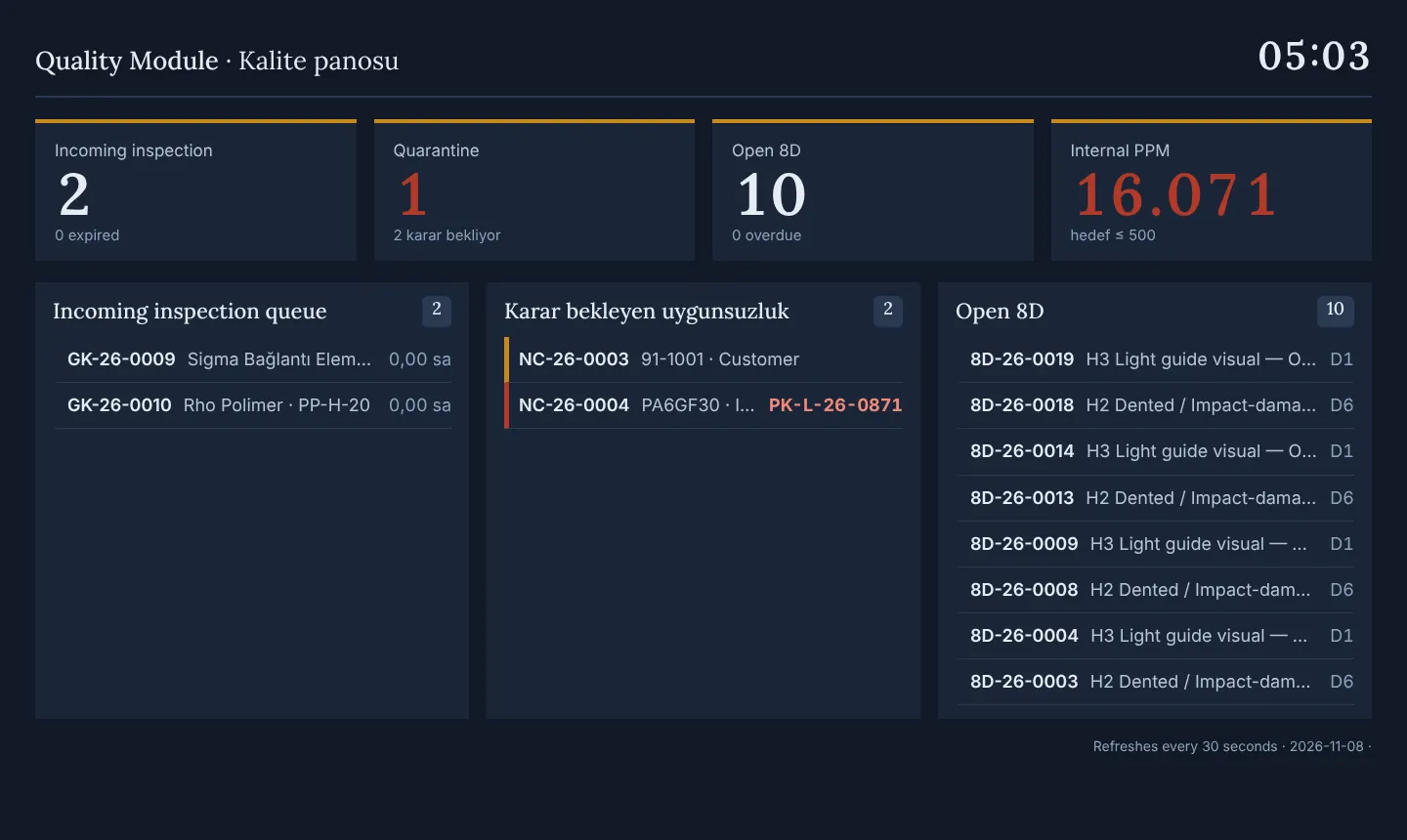
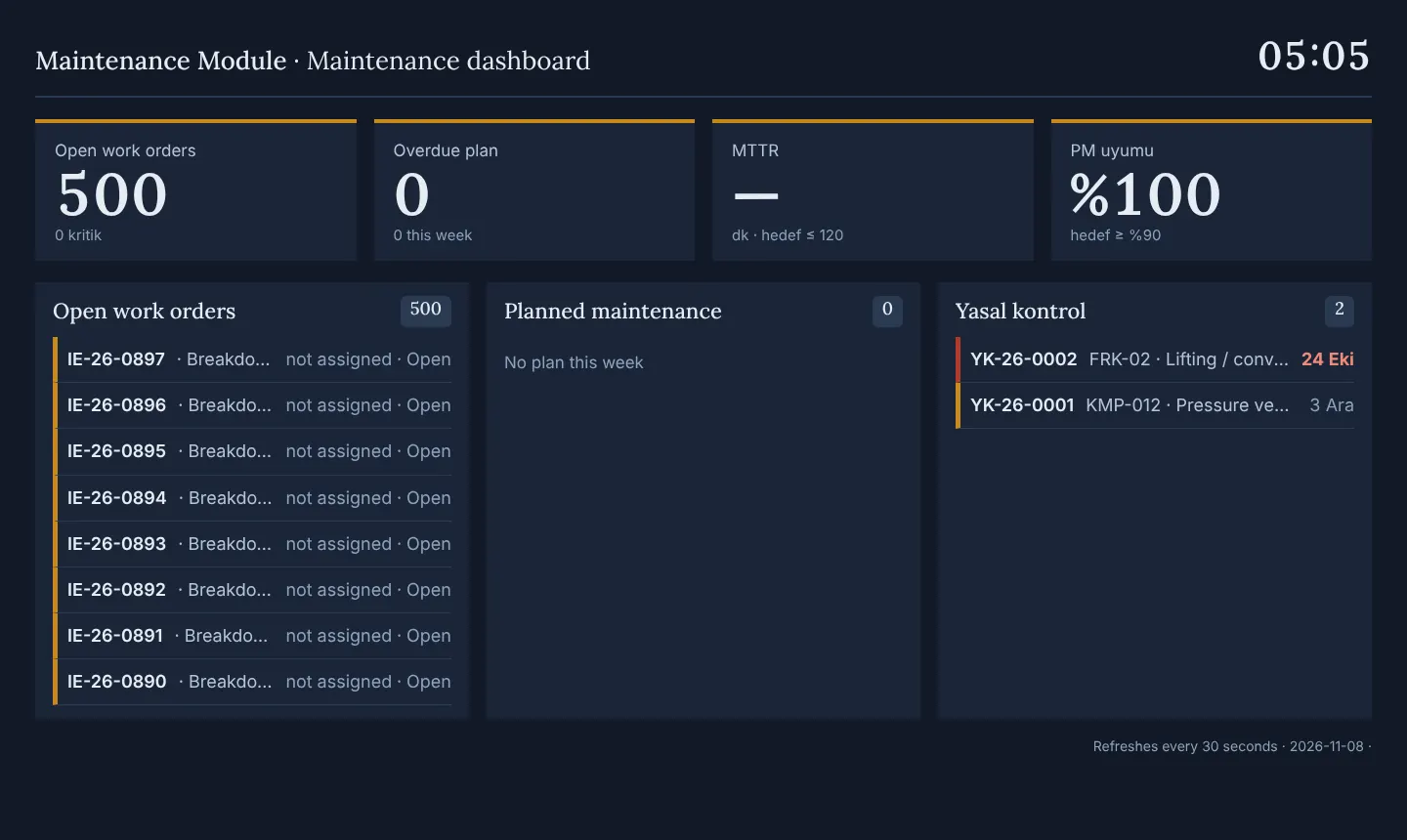
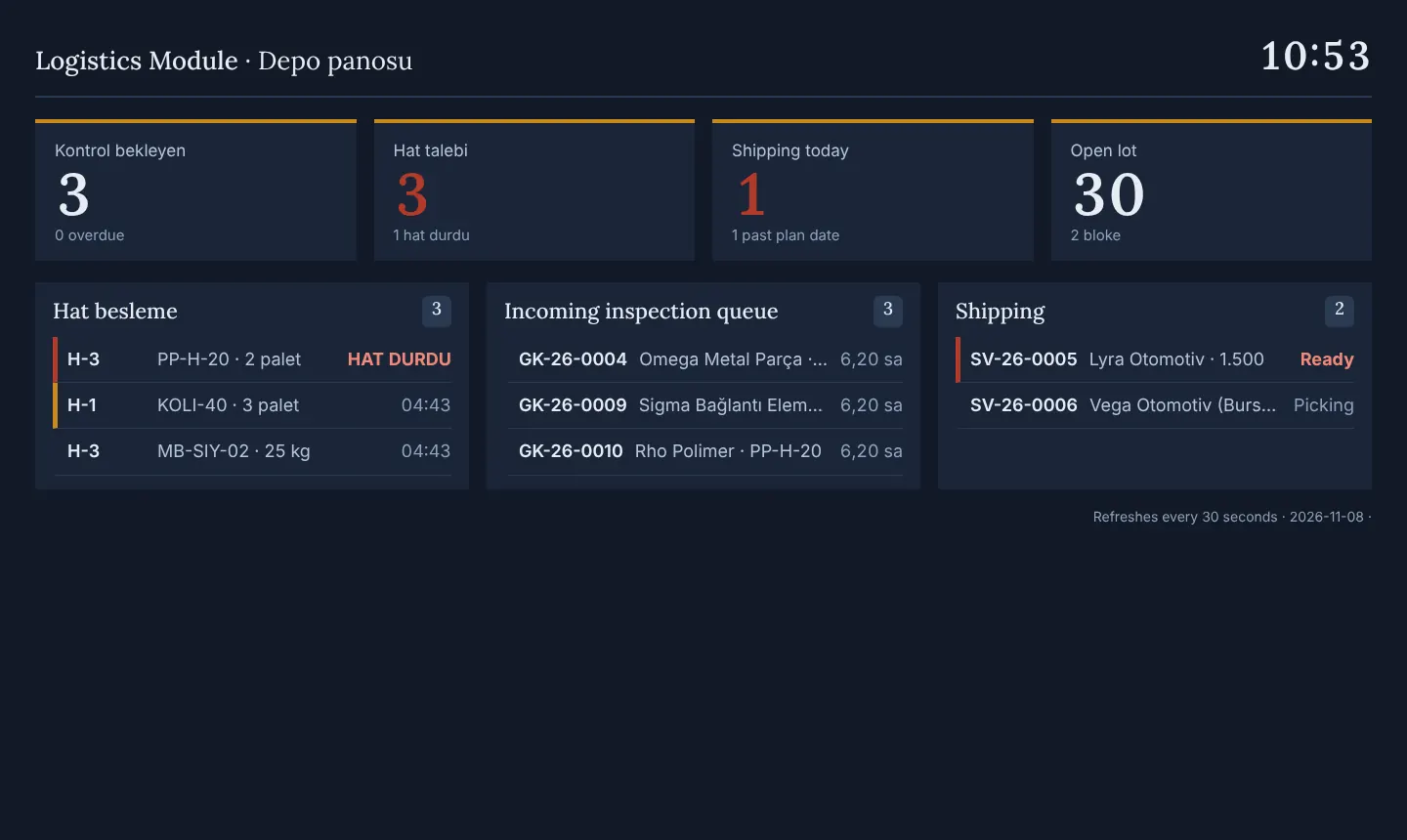
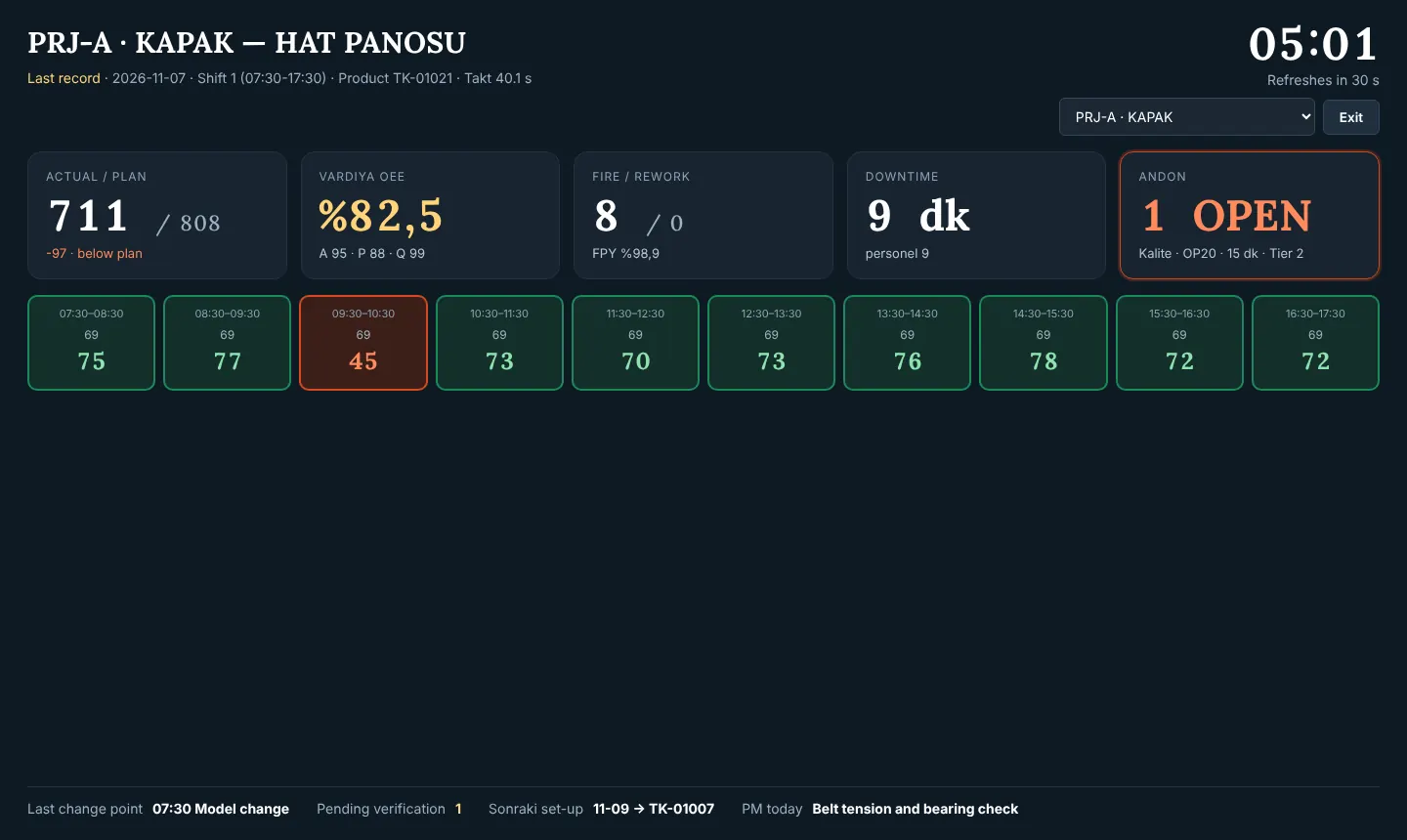
Boards refresh every 30 seconds.
Incoming inspection queue, nonconformities awaiting a decision, quarantine and open 8Ds; overdue items in red.
Open work orders, planned maintenance and statutory inspections; indicators for open work orders, overdue plans, MTTR and PM compliance.
Goods receipts awaiting incoming inspection and line feeding requests.
The line's latest entry, downtime, andon, latest change point and pending verifications; added as a button on kiosk devices.
One scan field
On tablet forms the scan field is always in focus; the scanned value is written to the right field based on its prefix.
- Internal barcode — Prefixes LOT, LOK (location), KAP, IE (work order), EKP (equipment), KLP (mould), PER (employee), SA, LK, SV.
- External label — GS1 (GTIN, lot, quantity) and VDA label fields are parsed.
- Document number — The program's document numbers are recognised directly.
How it looks in the program
Not on its own
The My Tasks box sorts a person's open actions by delay and priority.
Action and Approval System →The device account is a separate role; no personal PIN is required.
Permissions and Hierarchy →Barcodes and document numbers are resolved with the same rule.
Search and Assistant →Use module by module
Shop-floor tablet pages (shift log, downtime, andon) and the Line TV Board
Quality TV; tablet entry for measurements
Breakdown reporting on the tablet; Maintenance TV
Warehouse TV
My Tasks box on the main dashboard
Frequently asked questions
Is a separate program needed for the TV?
No. The same program opens in TV mode; the device token gives a login without a person and the registered page opens.
What if a session is left open on a tablet?
In tablet mode, the session closes automatically after 10 minutes of inactivity.
Which barcodes can it read?
The program's prefixed internal barcodes, document numbers, and GS1 and VDA label fields.
See for yourself
The same program opens on the desktop, on the shop-floor tablet and on the line or warehouse TV. The tablet works with large buttons and a barcode scan field, the TV with self-refreshing boards.
Start the demo →