Five figures per line
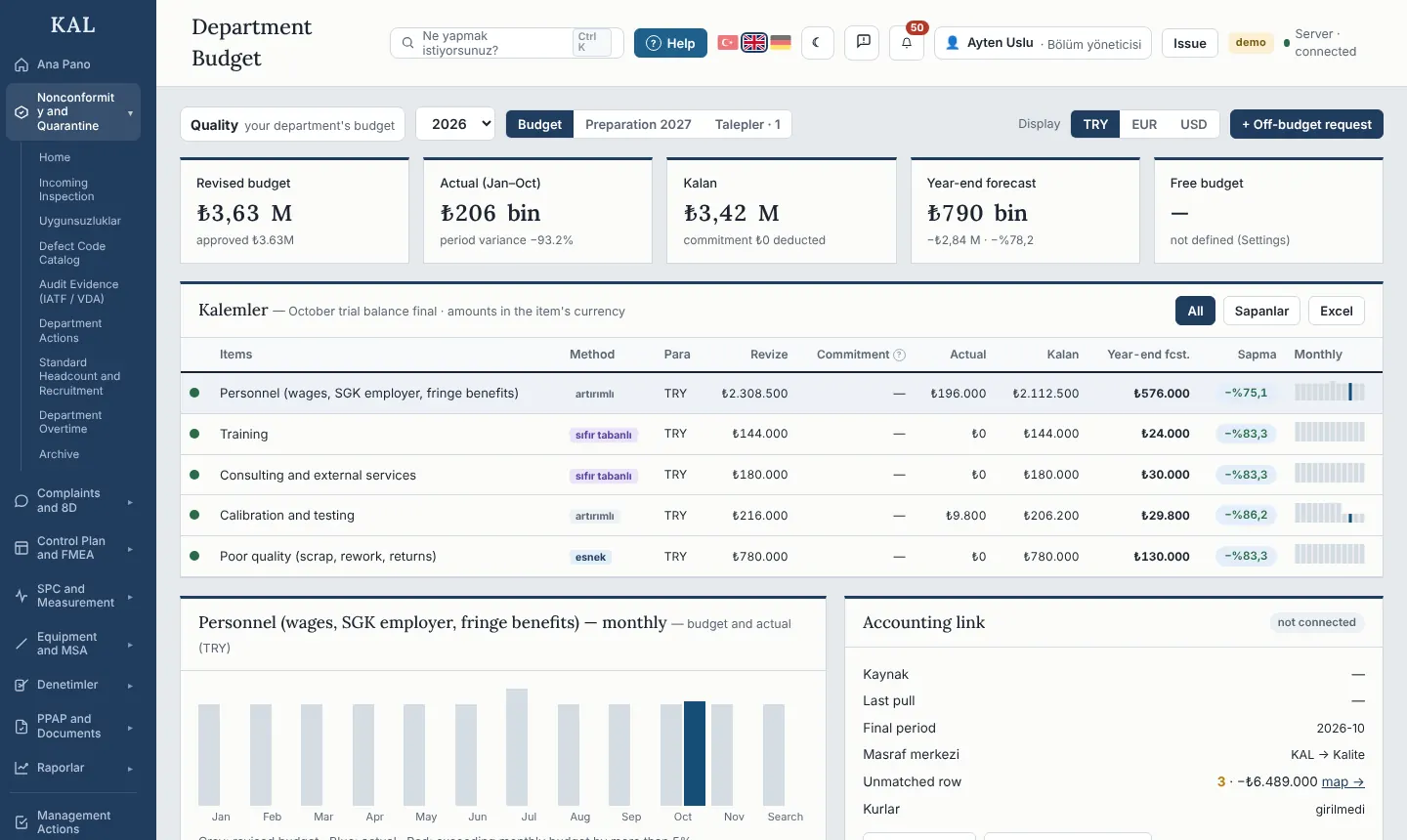
Budget cell: year × month × cost center × line × currency.
The cause of a variance is broken down
The method per line is chosen in the settings: incremental, flexible or zero-based.
For lines such as energy, consumables and overtime, flexible budget = unit rate × actual production volume. The variance is split into volume effect and spending effect.
Each line can be in TRY, EUR or USD. Exchange rate effect = foreign currency amount × (actual rate − budget rate). Totals are shown separately in TRY, EUR and USD.
Green, yellow or red according to the variance percentage; thresholds can be changed in the settings. The "Deviating" filter lists only problem lines.
Unbudgeted spending follows rules
Transfer, overrun, unbudgeted and investment requests are first checked against the department's discretionary budget, then against the approval matrix.
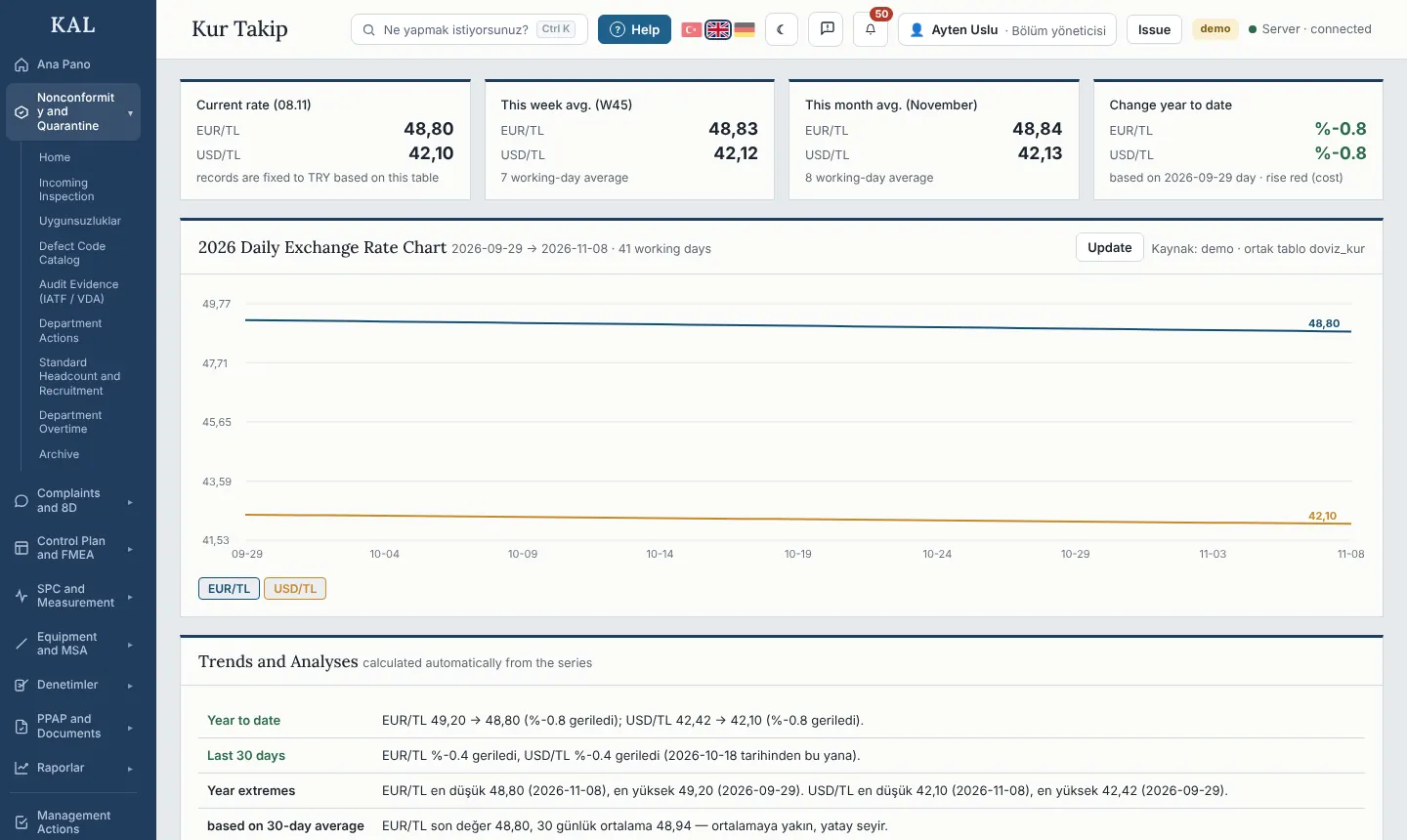
No manual rate entry
The Exchange Rates page is the same in all modules.
- Source — The server fetches TCMB indicative rates (buying/selling) on weekdays at 15:35 and 16:05 and fills in missing days every 30 minutes.
- Fallback — If the server cannot reach TCMB, ECB rates are used as a fallback.
- Use — Budget conversions and purchasing TRY equivalents read the same exchange rate table.
How it looks in the program
Not on its own
Budget requests at the general manager tier sit in the same queue as action approvals.
Action and Approval System →A department sees its own cost center; top management and finance see all of them.
Permissions and Hierarchy →Monthly management report and KPI summaries.
Documents and Reports →Use module by module
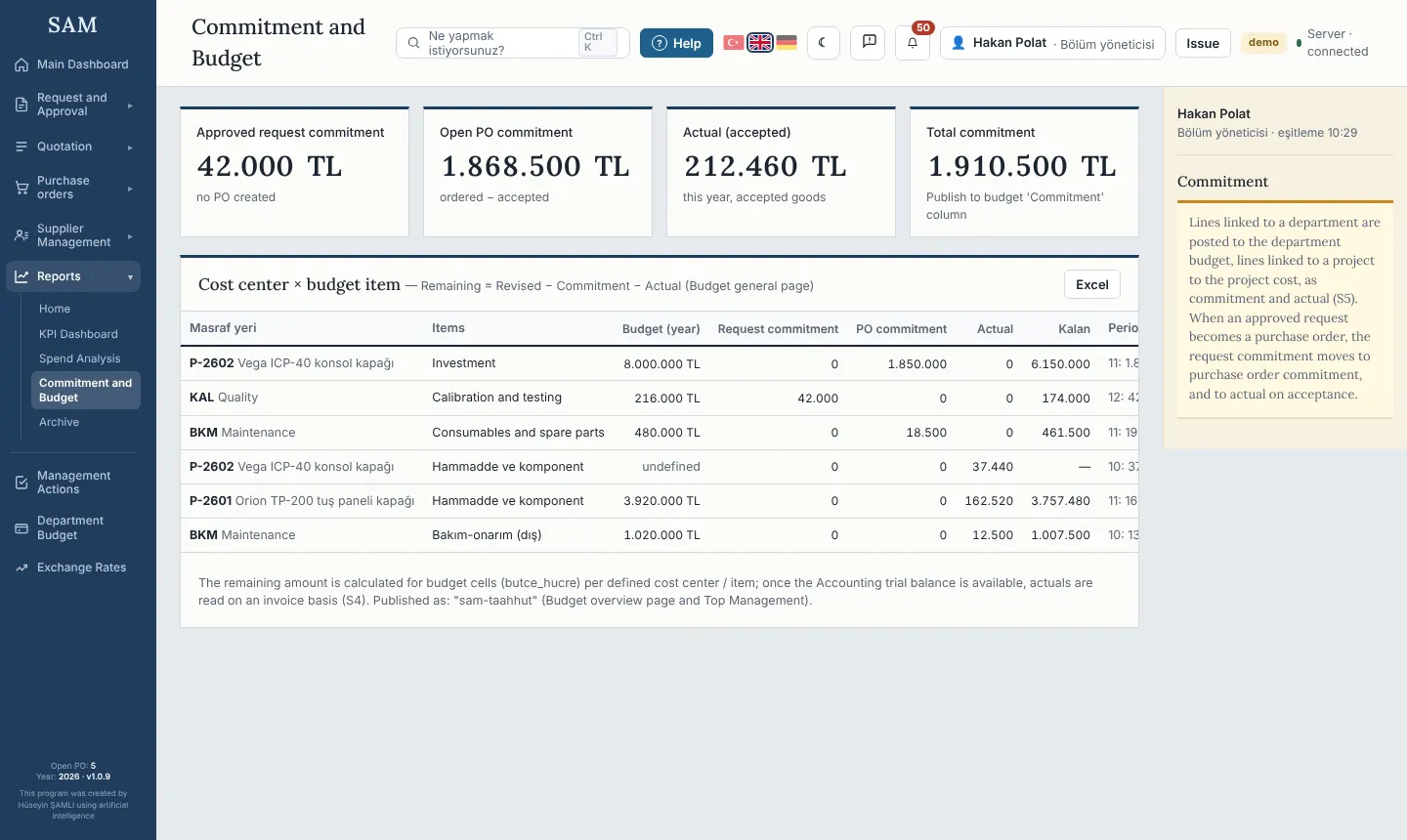
Open orders are published to the budget as commitments
The trial balance is written to a shared table; actuals are read from there
Requests at the general manager tier in the Approval Queue
The Department Budget page opens with the user's own cost center
Frequently asked questions
Where do actuals come from?
From the accounting trial balance. The trial balance is written to a shared table from the TAKMOS Accounting Module, from the accounting bridge on the company server or from a monthly trial balance Excel/CSV file; it is linked to the budget via account code → line mapping.
Can a department see another department's budget?
No. The department page only opens the cost center of the user's own department; top management and finance see all of them.
Can the budget be revised during the year?
The revision policy is chosen in the settings: none, in July, quarterly or open.
Is inflation adjustment applied?
The budget is kept in nominal TRY. Regulatory parameters (SGK (Turkish social security) employer share, minimum wage, fixed asset threshold, etc.) are updated every year in the settings.
See for yourself
Each department prepares and tracks the budget of its own cost center on the same page. Actuals come from the accounting trial balance and commitments from purchase orders; variances are visible line by line.
Start the demo →