Clause → evidence → location in the program
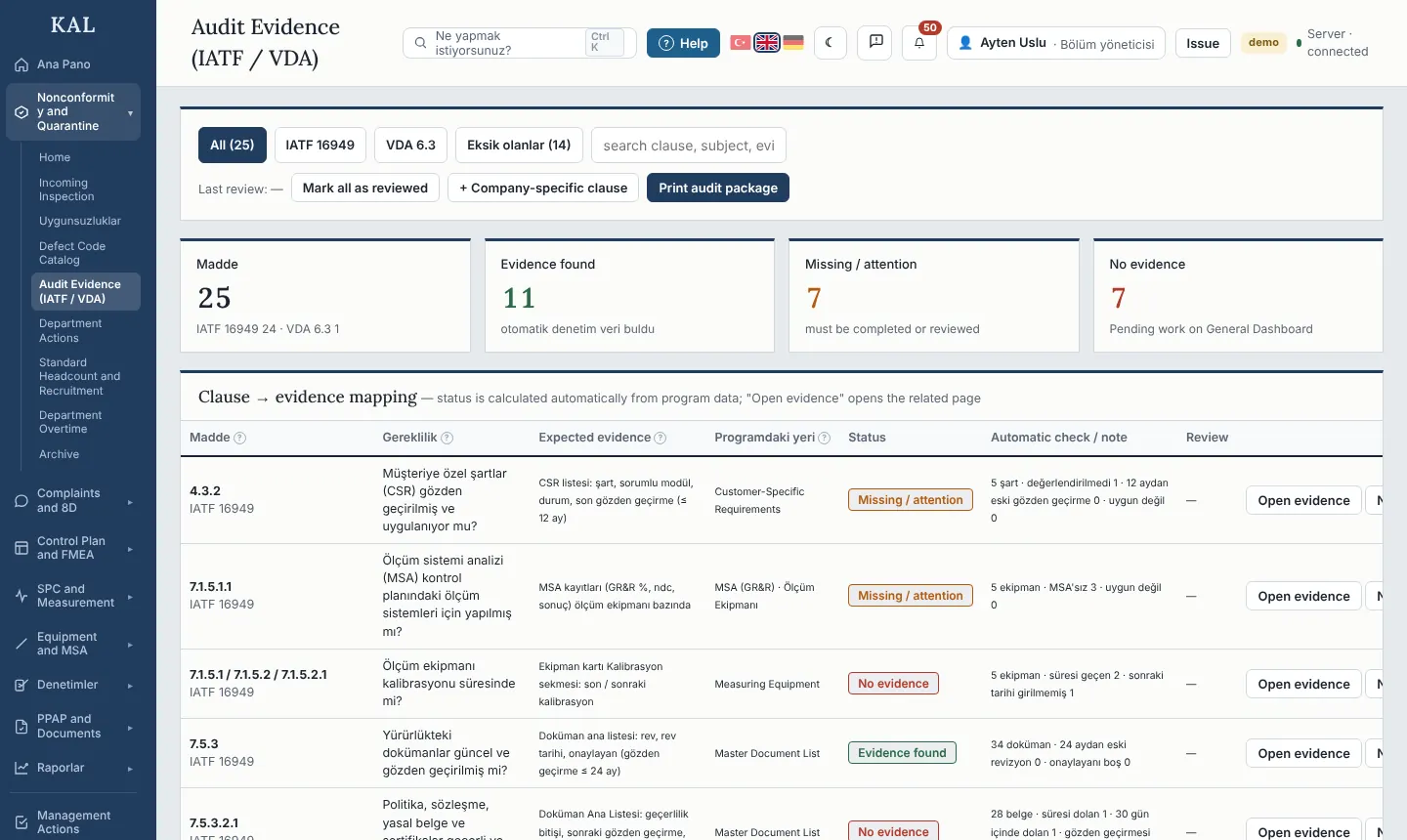
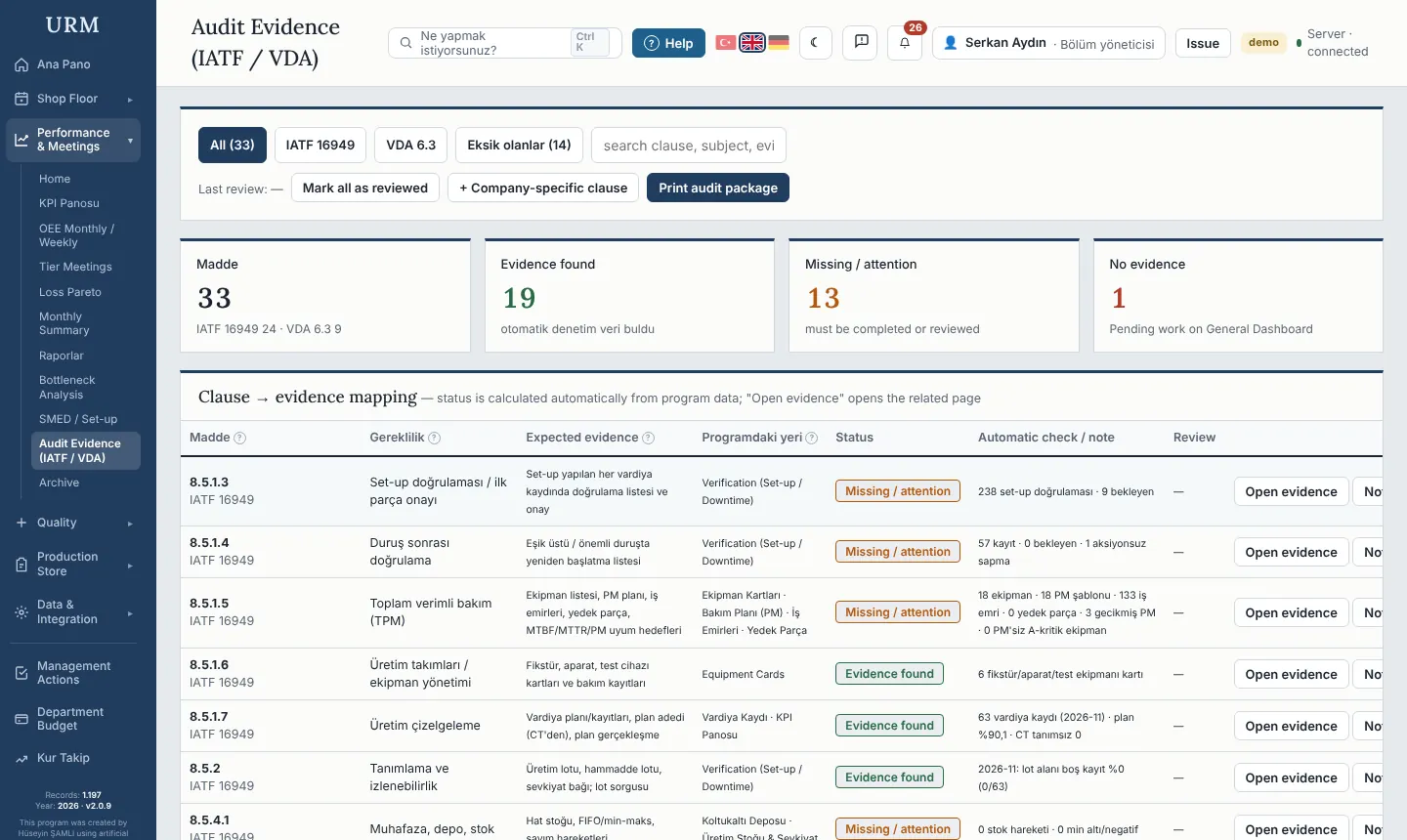
The same page layout in all modules.
Status is calculated from data
For clauses with a check function in the module's audit catalogue, status is calculated from how current and complete the records are.
The record is current and sufficient.
A record exists but is outdated or incomplete. Clauses without an automatic check are reviewed and marked manually.
No counterpart in the program, or empty. Gaps appear as pending work on the module's main dashboard.
Find the gaps before the audit
"Evidence available" does not replace the auditor's judgement of conformity; clause titles are summaries and must be checked against the text of the standard.
- Filter — Standard buttons, "Incomplete only" and search.
- Company- / customer-specific clause — Clauses not in the catalogue are added and tracked in the same table.
- Review log — Bulk or individual markings are stored with who / when information.
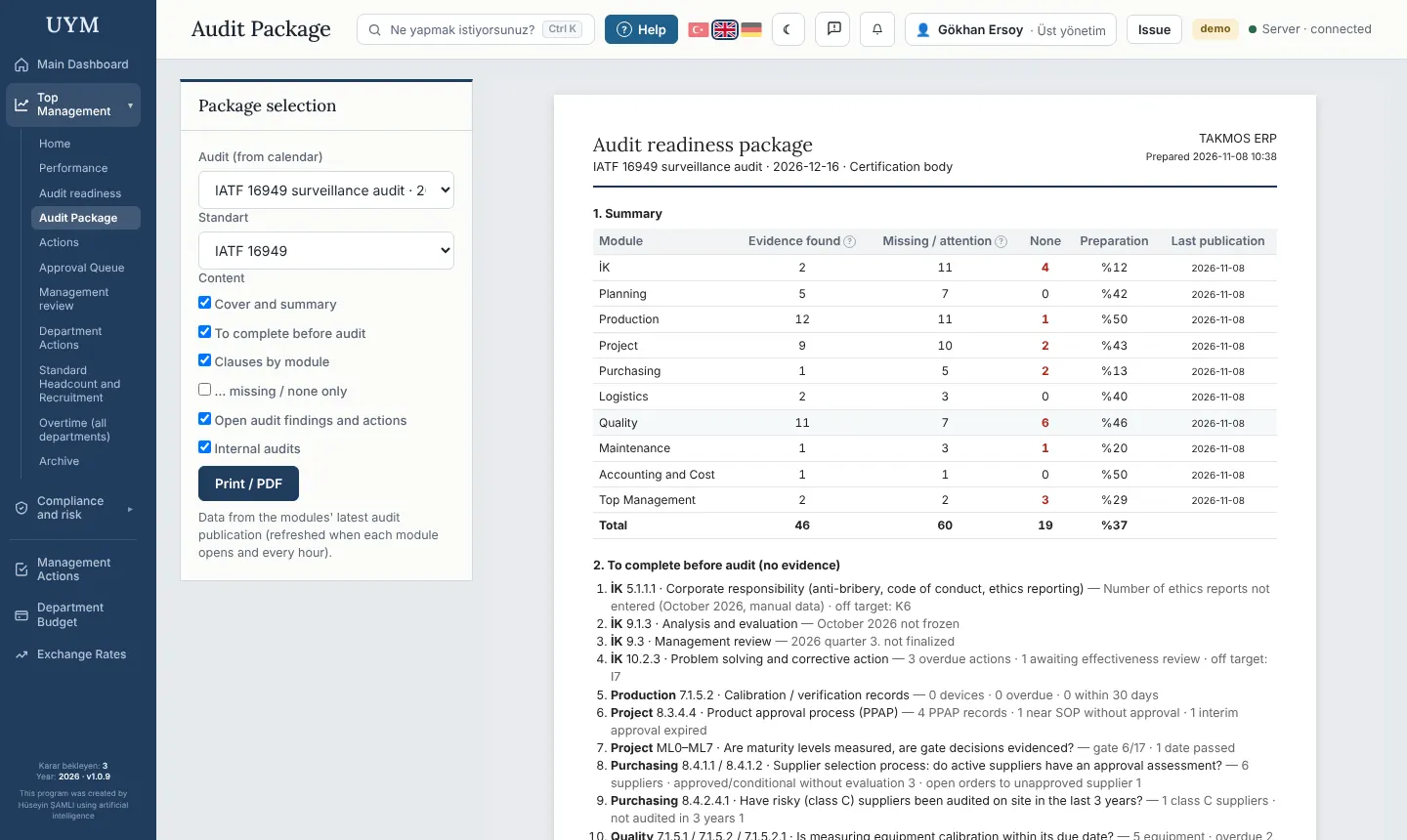
- Audit pack — The clauses in the selected filter are printed on A4 with their evidence summaries.
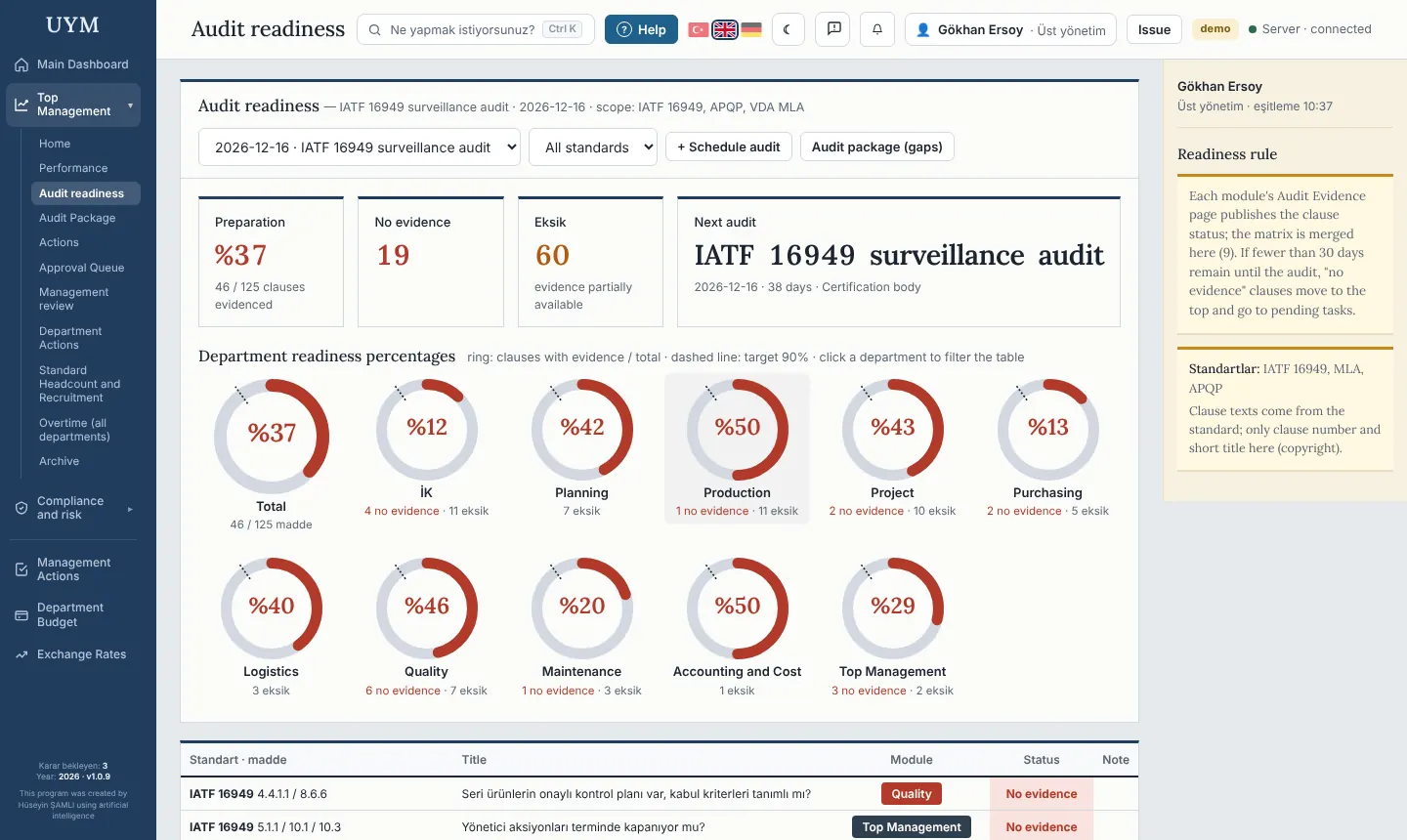
All modules in one matrix
Modules publish their audit status to Top Management.
How it looks in the program
Not on its own
An audit finding becomes a shop-floor action; the pack lists open audit actions.
Action and Approval System →The audit pack and audit reports are printed on A4.
Documents and Reports →Evidence records are backed by the undeletable audit log.
Data Assurance →Use module by module
The widest catalogue; audit programme, VDA 6.5 product audit, checklists
IATF, OHS, VDA 6.3 and ISO 14001 clauses from maintenance records
Evidence from goods receipt, stock and shipment records
Supplier approval, evaluation and audit records
VUK and closing checks
Audit Readiness matrix and Audit Pack
Frequently asked questions
Does "Evidence available" mean we passed the audit?
No. It shows that the expected record exists in the program and is current; the auditor decides on conformity. Clause titles are summaries and should be checked against the text of the standard.
Can we add our own customer requirements?
Yes. With "+ Company-specific clause", clauses not in the catalogue are added and tracked in the same table.
What happens to clauses without an automatic check?
They start as "Incomplete / attention"; the reviewer marks the status manually, and who and when are written to the log.
See for yourself
Every module has an Audit Evidence page that maps audit clauses to records in the program. Where possible, status is calculated automatically from the program's data; Top Management sees all modules in one matrix.
Start the demo →