Closing and Control
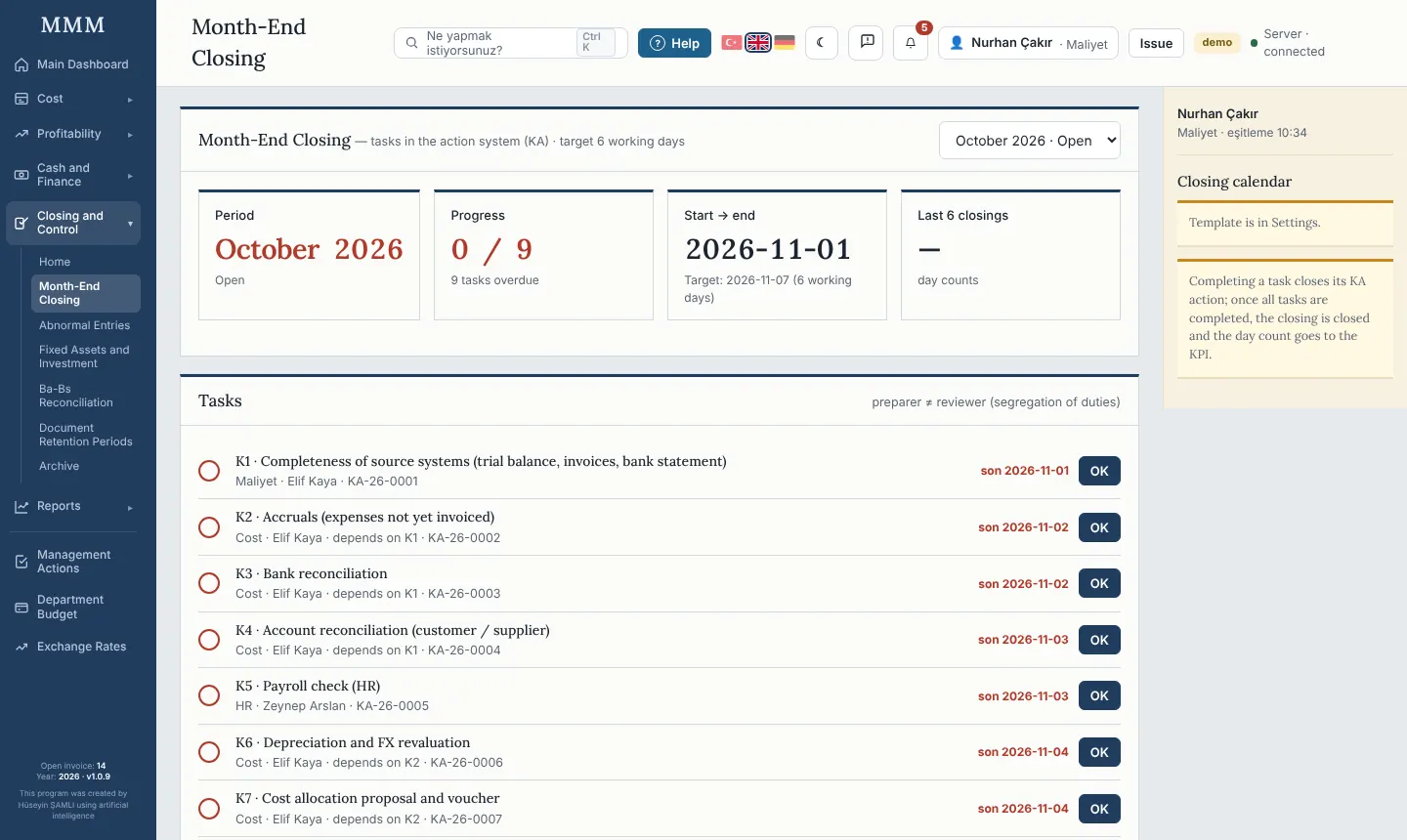
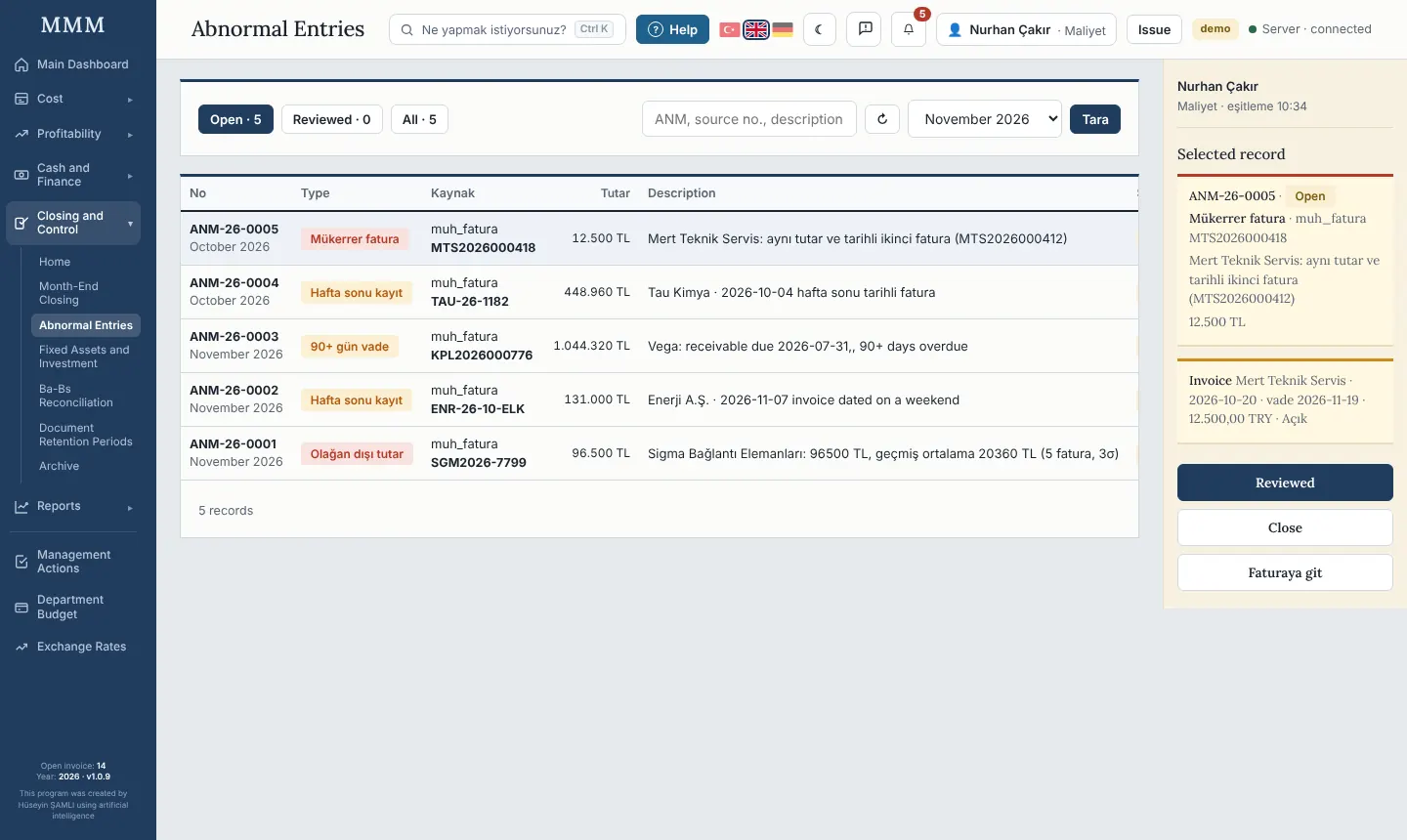
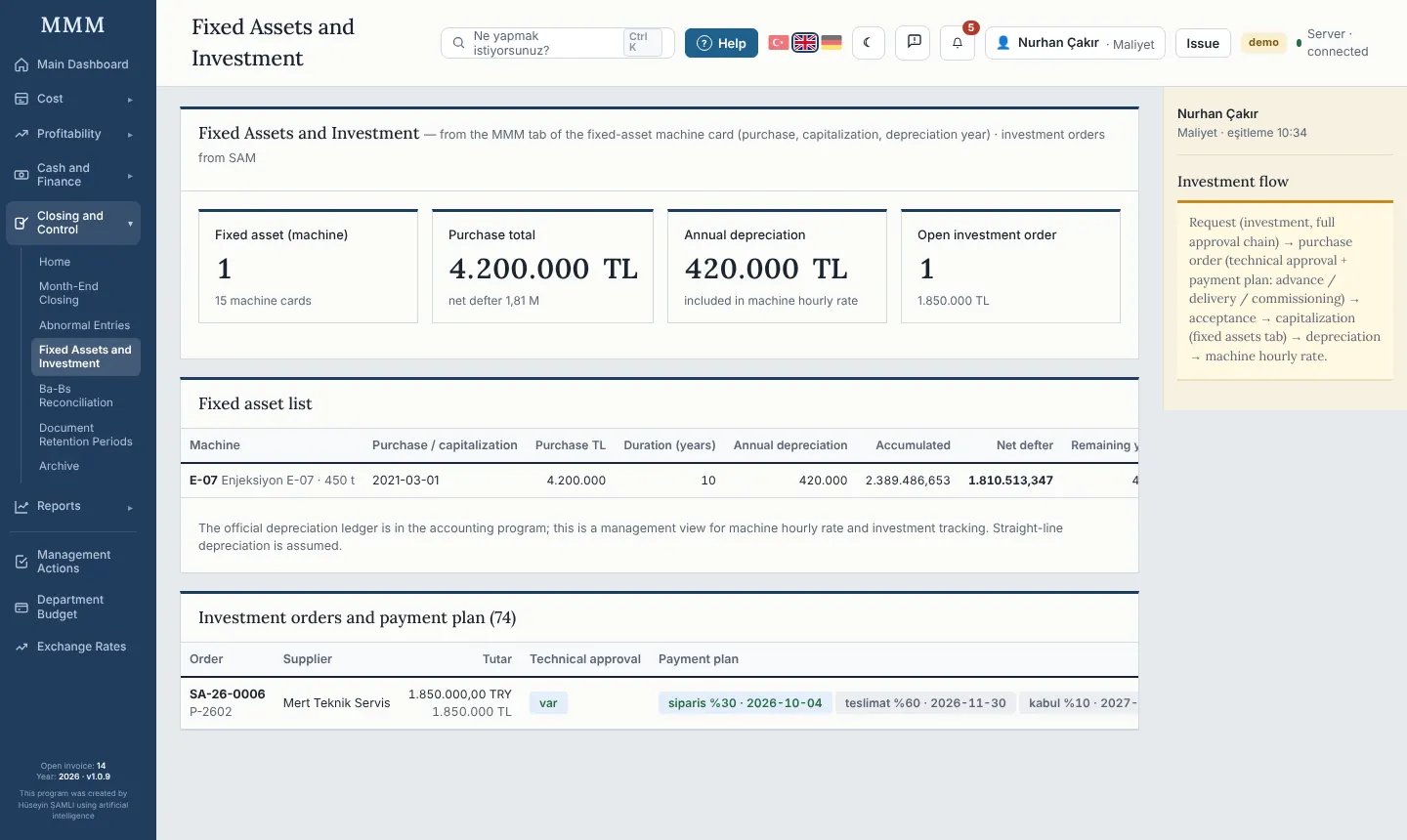
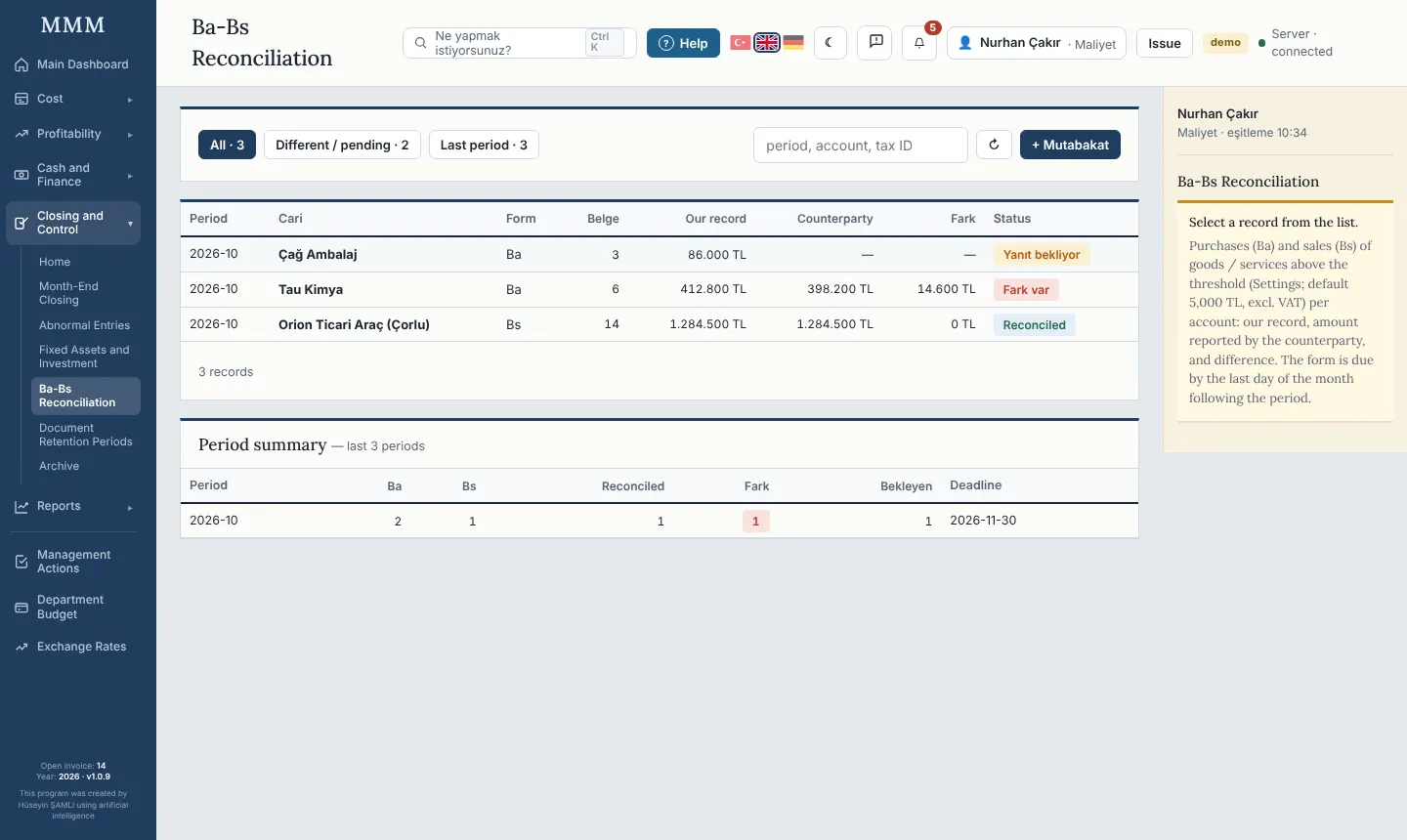
On the 1st of each month the previous month's closing opens; tasks are created as actions with owner and deadline. When completing a task, a reviewer other than the preparer is selected. The same section holds unusual entries screened every morning, the machine fixed asset list, Ba-Bs reconciliation and document retention periods.
From month end to closed period
The closing target is defined in Settings in working days; the default is 6 days.
Main screens of the section
Links to other sections and modules
- PurchasingThe payment plan and technical approval of capital expenditure orders are tracked here; split purchase request warnings enter the unusual entry screening.
- BudgetA cost center with an amount in the trial balance but no budget triggers an unbudgeted cost warning.
- HRThe payroll check task in the closing template opens for the HR role.
- HR · QualityThe retention period table also holds HR and Quality document types; the audit check requires Accounting, HR and Quality types to be defined.
Guides, templates and features
Frequently asked questions
How are closing tasks opened?
The server opens the closing for the previous month on the 1st of each month; tasks are created as action records with owner and deadline. If the closing has not been opened, you can also open it manually with the button on the screen.
What does the unusual entry screening look for?
Unusual purchase amounts compared with the account's history, invoices dated on a weekend or public holiday, duplicate invoices with the same account, amount and date, split purchase requests, cost centers without a budget and receivables more than 90 days overdue.
What is tracked in Ba-Bs reconciliation?
For purchases (Ba) and sales (Bs) above the threshold, our record is compared with the amount reported by the counterparty per account. If there is a difference, an explanation is written; accounts without a reply appear as waiting. The threshold is 5,000 TL by default and can be changed in Settings.
Is the fixed asset list the official depreciation register?
No. The list is a management view calculated with the straight-line method from the purchase amount and depreciation years on the machine card; official depreciation is kept in the accounting software.
Is there a step you find missing? Write anonymously; leave an e-mail if you would like a reply.
Give feedback