Costing
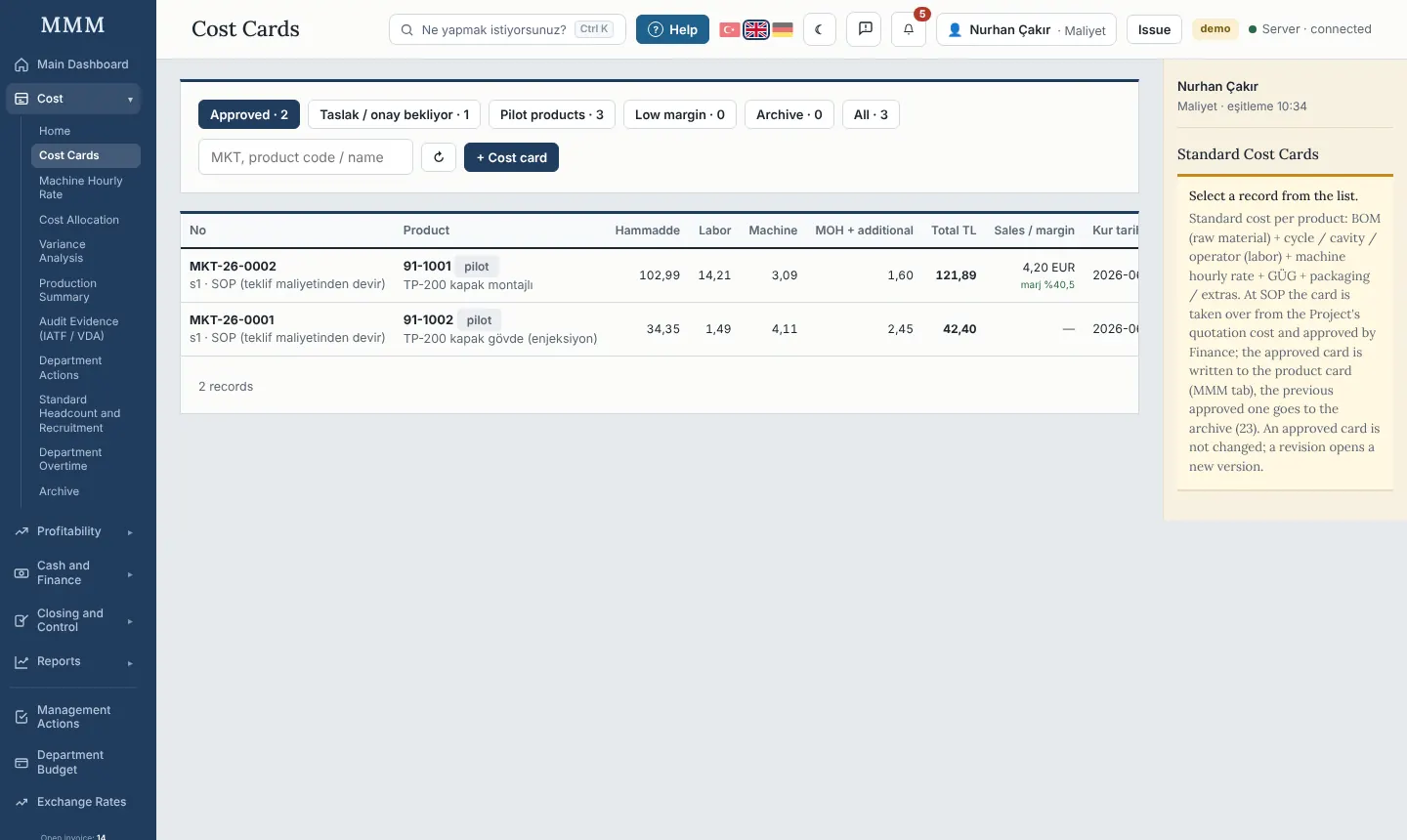
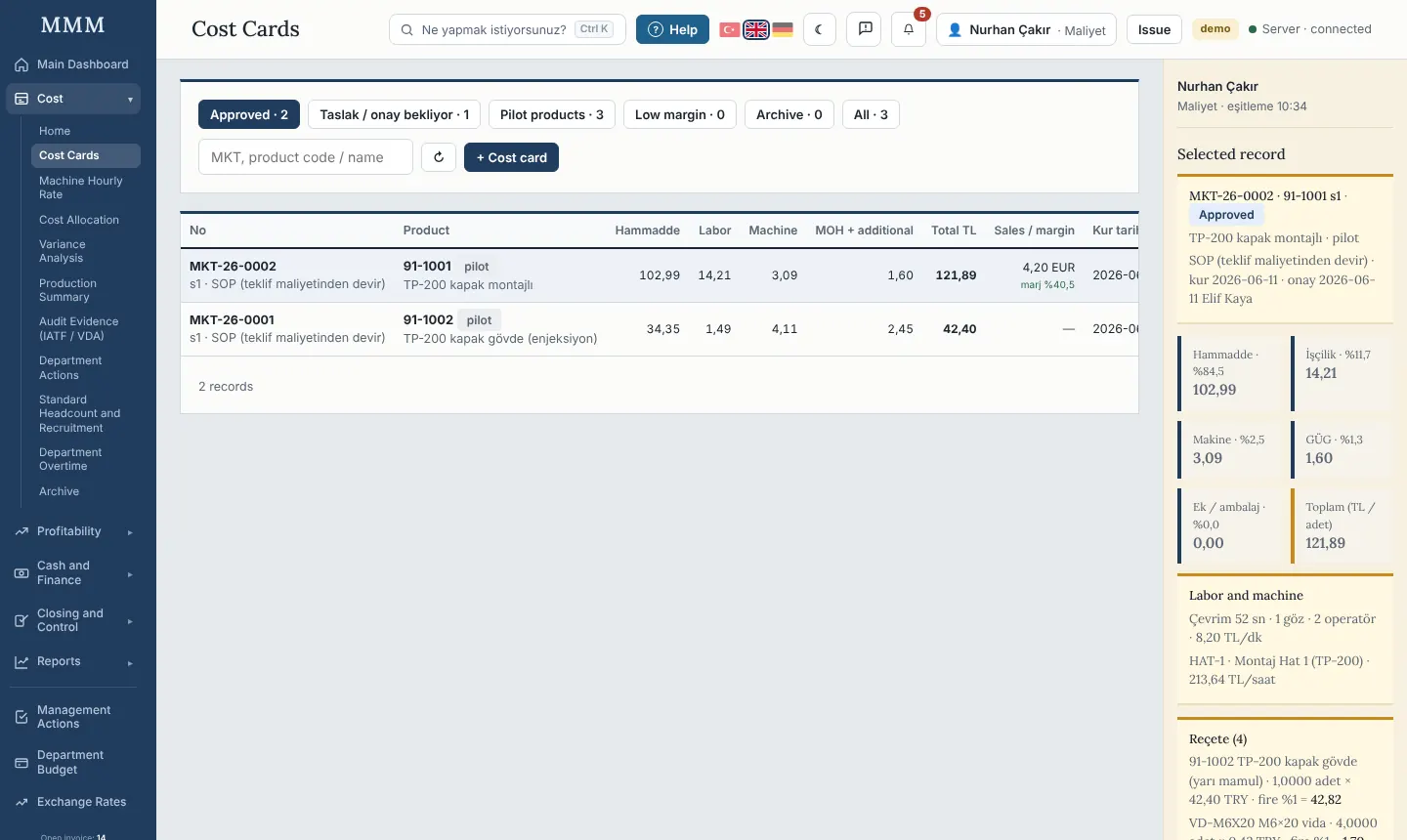
Open a standard cost card for each product: bill of materials (raw material including scrap and exchange rate), labour from cycle time, cavities and number of operators, machine hourly rate, manufacturing overhead, packaging and additional items. The total is calculated on the server; the form shows a preview. Accounting approves the card; an approved card is not changed, and a revision opens as a new version.
From cost card to monthly variance
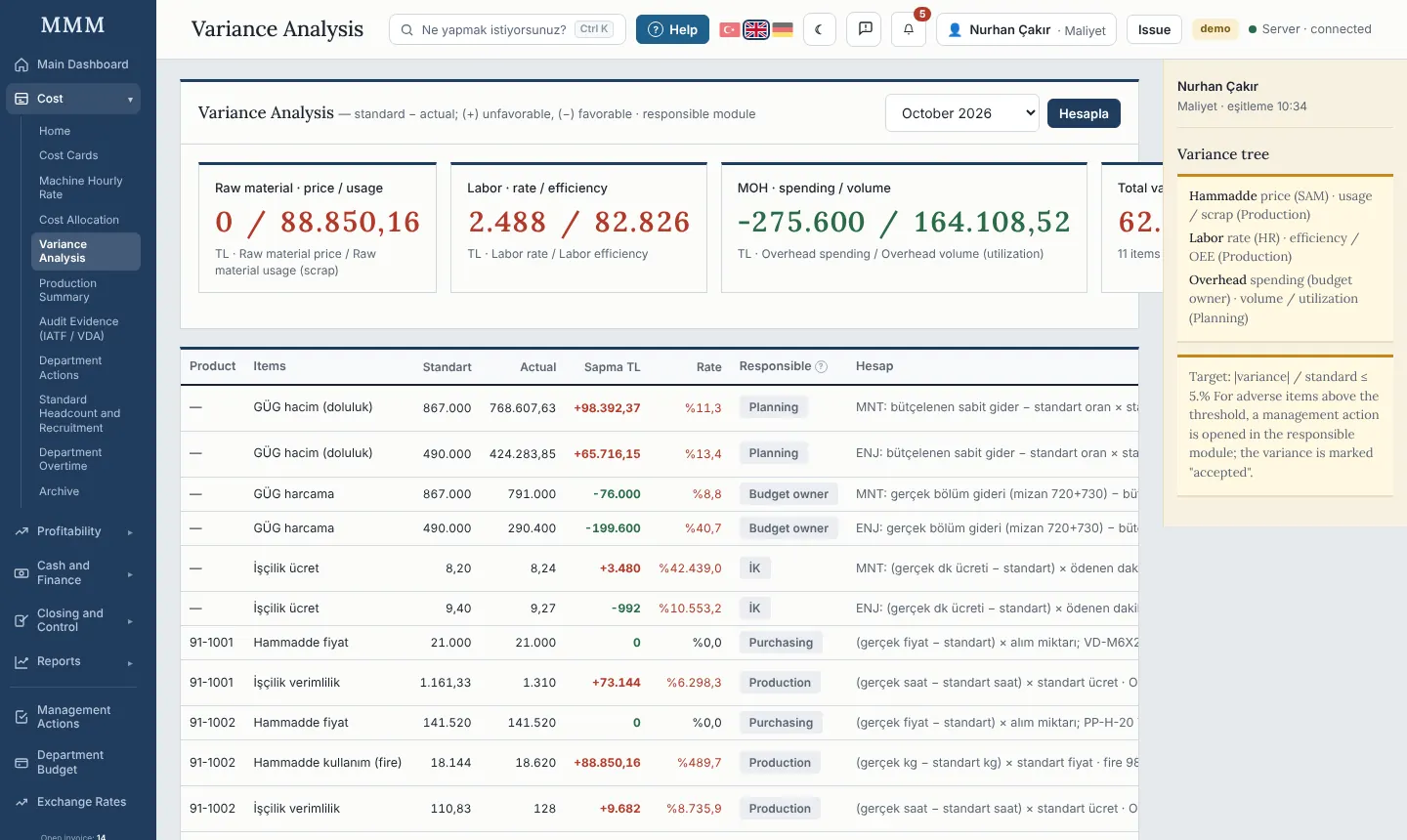
For variance, the period's production quantity, scrap and labour hours are entered on the Production Summary page; until the Production bridge is available, this entry is manual.
Main screens of the section
Links to other sections and modules
- ProjectAt SOP the quotation cost is transferred to the product card; the cost card compares the quotation cost with the series cost.
- PurchasingRaw material price variance is calculated from the period's purchase order prices; Purchasing is the owner.
- BudgetWithout a trial balance, the allocation amount comes from the department budget; approved cards and trial balance actuals are published to Budget.
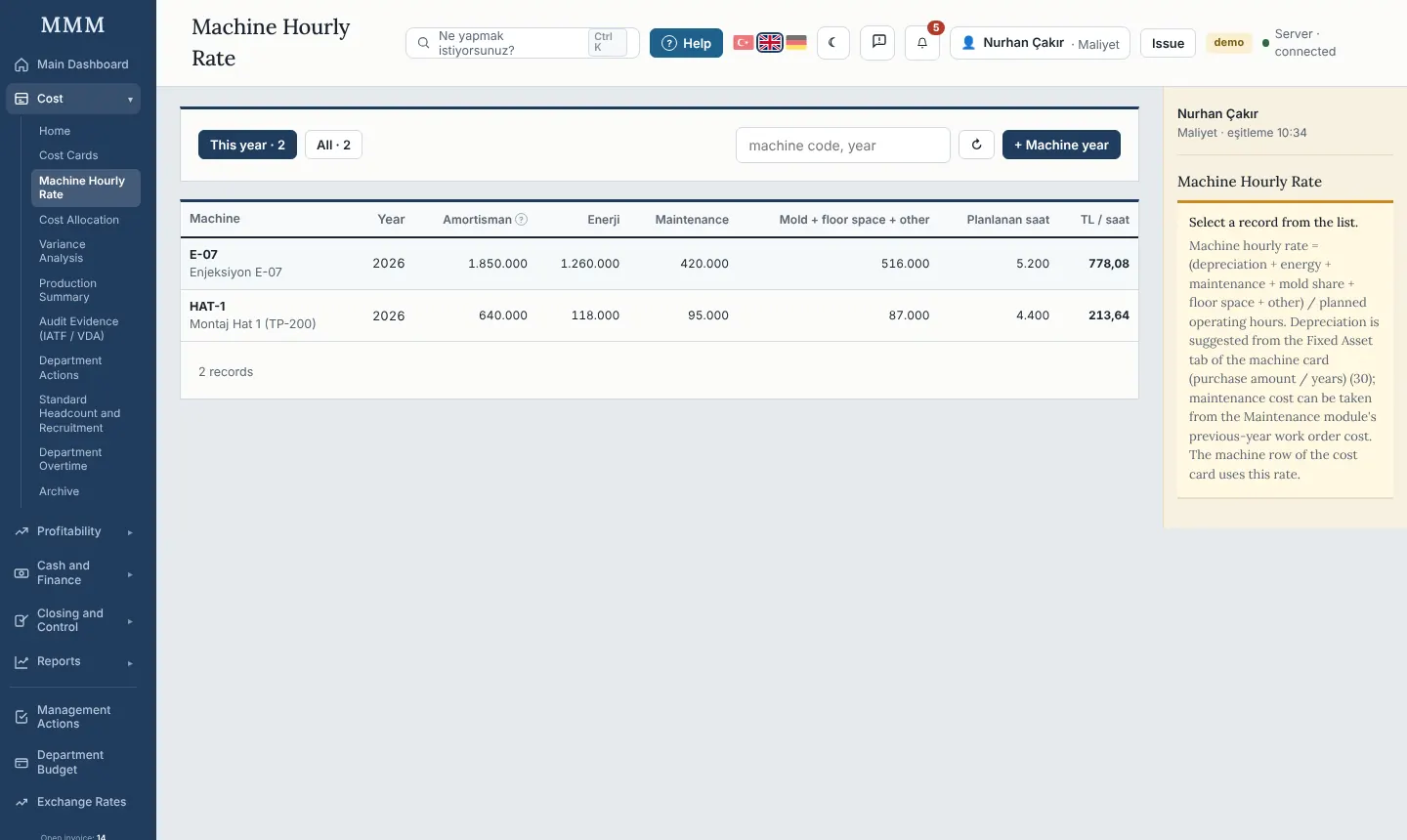
- MaintenanceLast year's maintenance cost can be entered in the maintenance item of the machine hourly rate.
Guides, templates and features
Frequently asked questions
How is the standard cost calculated?
Raw material: quantity × price × exchange rate × (1 + scrap). Labour: cycle time / cavities × number of operators × minute rate. Machine: cycle time / cavities × machine hourly rate. Overhead, packaging and additional items are added; the calculation runs on the server.
What happens if an approved card needs to change?
The bill of materials, cycle and rate fields of an approved card cannot be changed; the server rejects such a change. A new version is opened; once it is approved, the previous approved card moves to the archive and the standard cost on the product card is updated.
Does the overhead allocation create an accounting entry?
No. The module produces the allocation proposal; the entry is posted in the accounting software and the voucher number is entered here. When you recalculate, only proposal lines are renewed; posted lines are kept.
Who is responsible for a variance?
Raw material price goes to Purchasing, usage and labour efficiency to Production, labour rate to HR, overhead spending to the budget owner and overhead volume to Planning. For an unfavourable item above target, a management action for the owner opens with one click.
Is there a step you find missing? Write anonymously; leave an e-mail if you would like a reply.
Give feedback