Reports
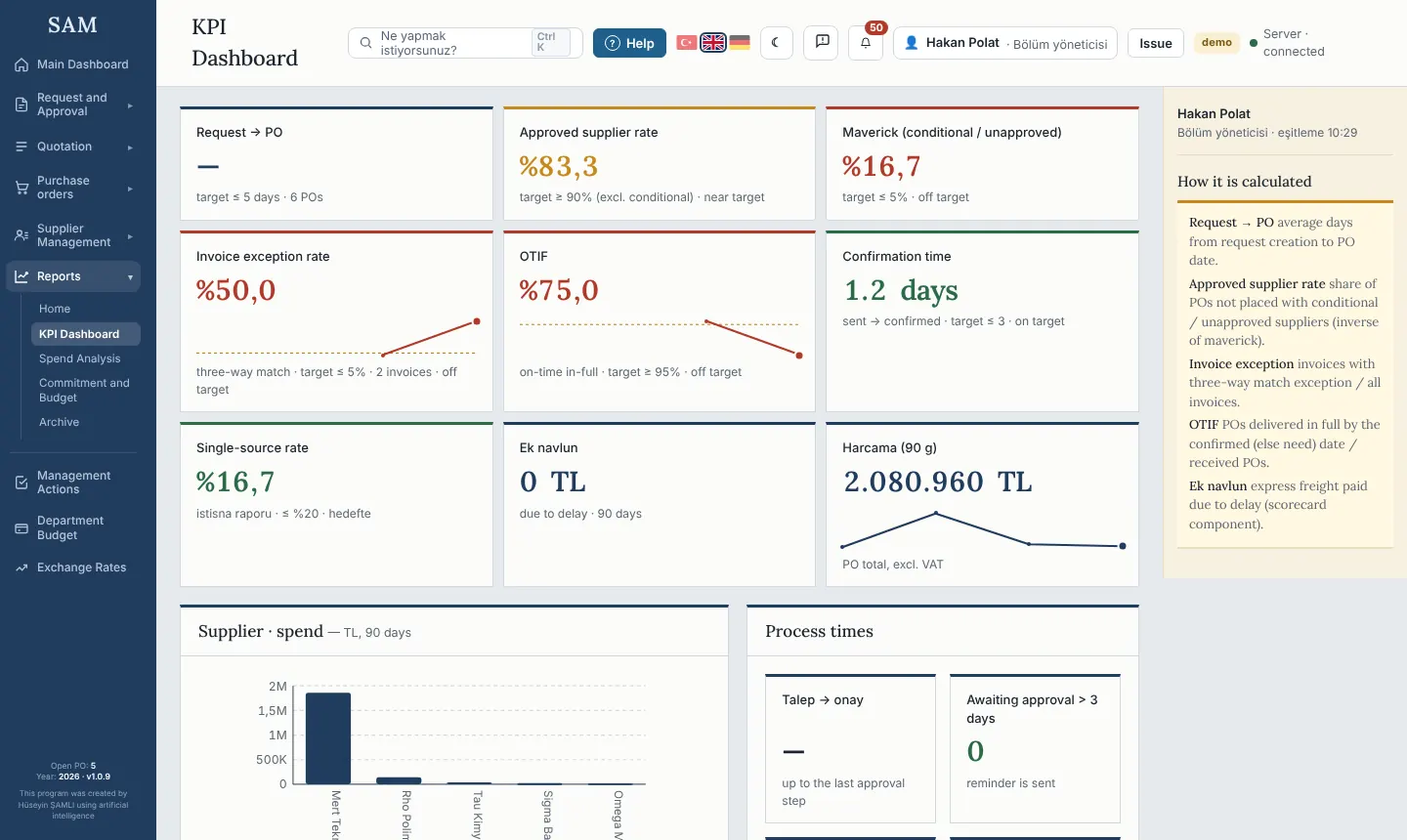
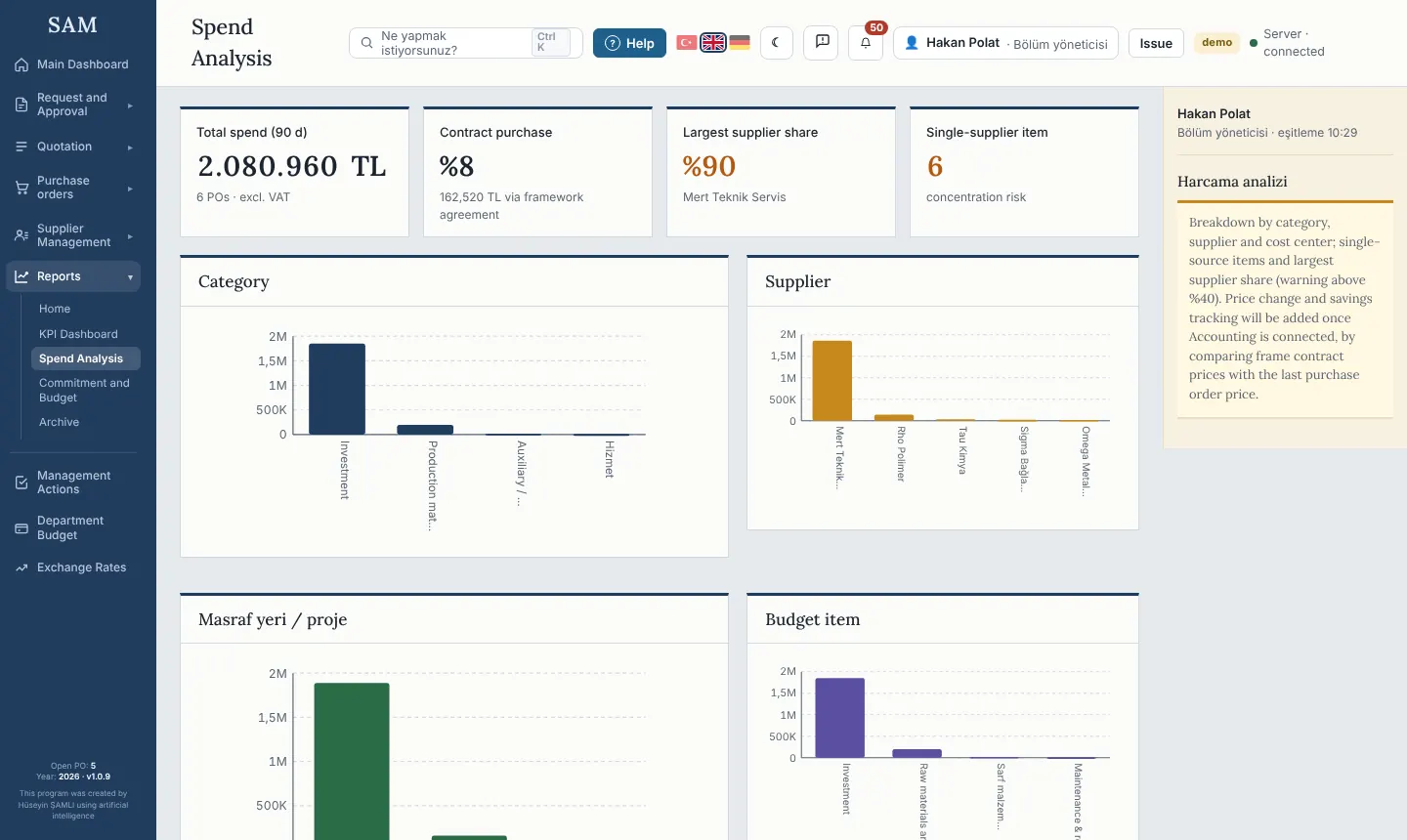
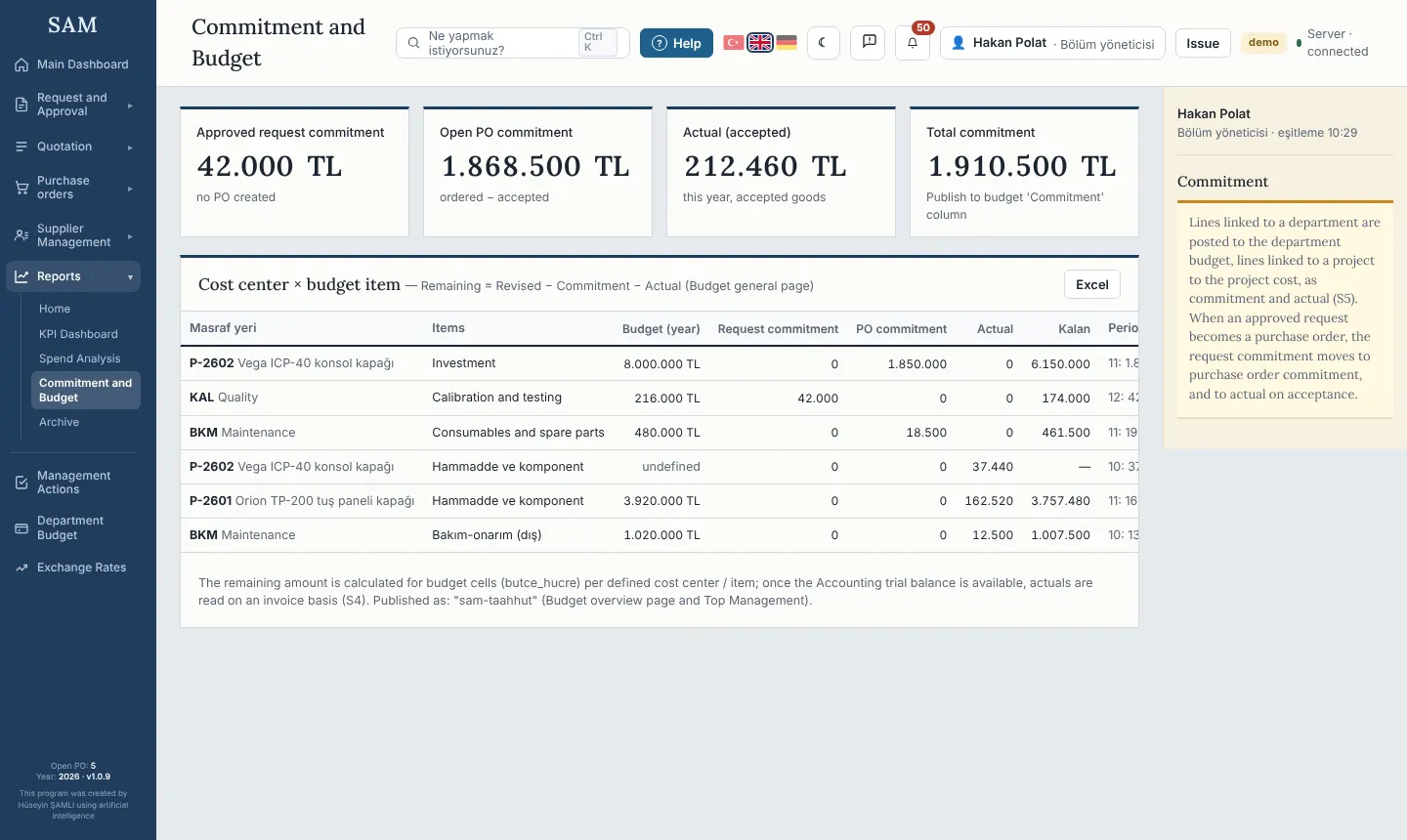
Nine indicators are compared with targets: requisition-to-order time, approved supplier rate, maverick, invoice exception rate, OTIF, confirmation time, single-source rate, premium freight and spend. Spend is broken down by category, supplier, cost center and budget item. The commitment table feeds the commitment column in Budget.
From records to indicators
A line linked to a department goes to the department budget, a line linked to a project to project cost.
Main screens of the section
Document outputs
A4 · management review input · nine indicators, value, target and status
Links to other sections and modules
- Top ManagementThe KPI summary is published as management review input.
- BudgetCommitment by cost center × item × period goes to the Commitment column of the Budget overview page.
- Planning and ProjectPrice summary: framework agreement or last order price, MOQ and lead time.
Guides, templates and features
Frequently asked questions
What does the maverick rate show?
The share of purchase orders placed with conditional suppliers in all orders. Orders to unapproved suppliers cannot be placed at all; the default target is at most 5%.
How is commitment calculated?
Approved requisitions not yet ordered are requisition commitment; the unreceived part of an open order is order commitment. Received goods move to actuals; the remaining budget is found by deducting all three.
What is a single-supplier item?
A material code bought from only one supplier in the orders. For an item whose spend exceeds the 3-quotation threshold (by default 250,000 TL), a second-source suggestion is shown.
Is there a step you find missing? Write anonymously; leave an e-mail if you would like a reply.
Give feedback