Reports
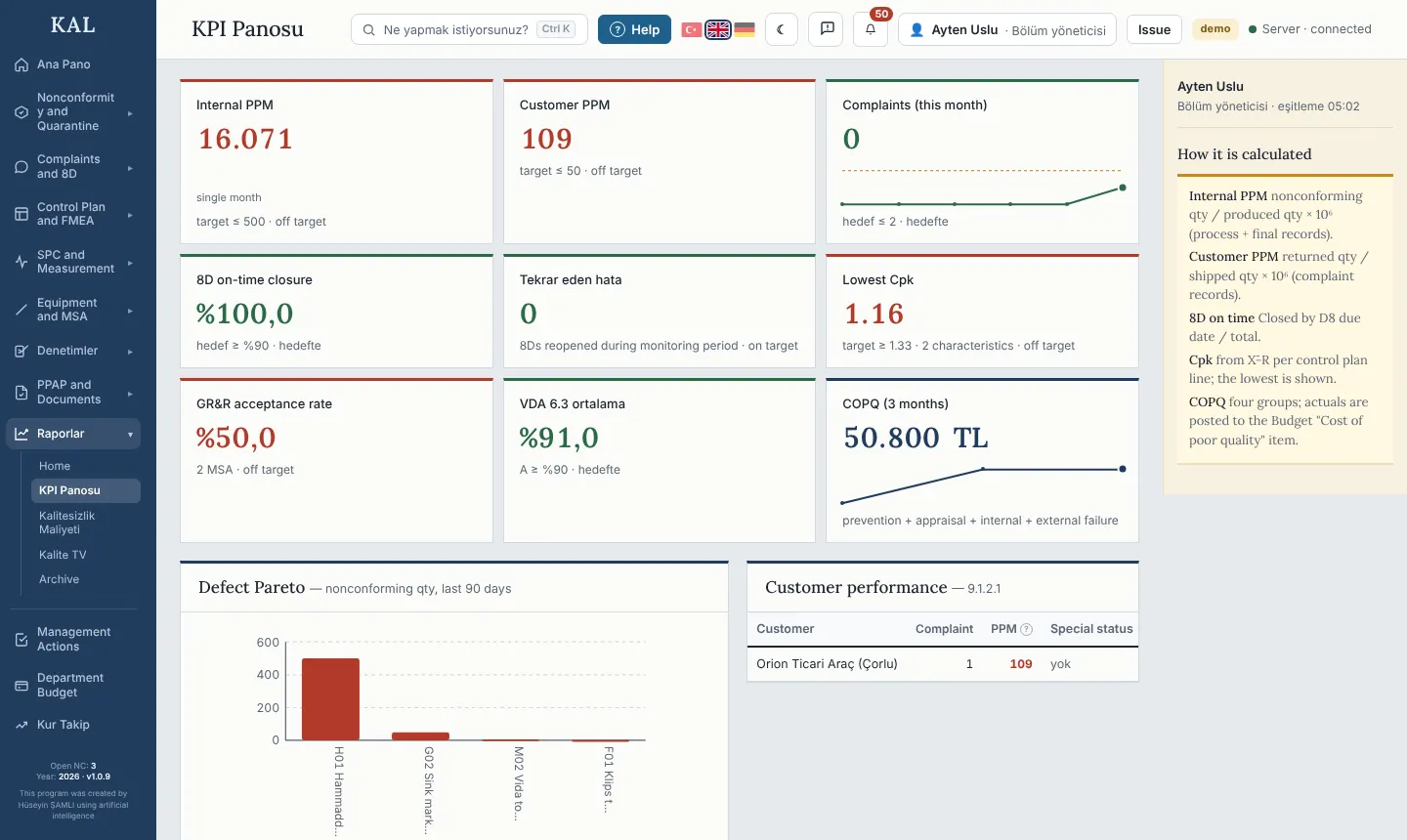
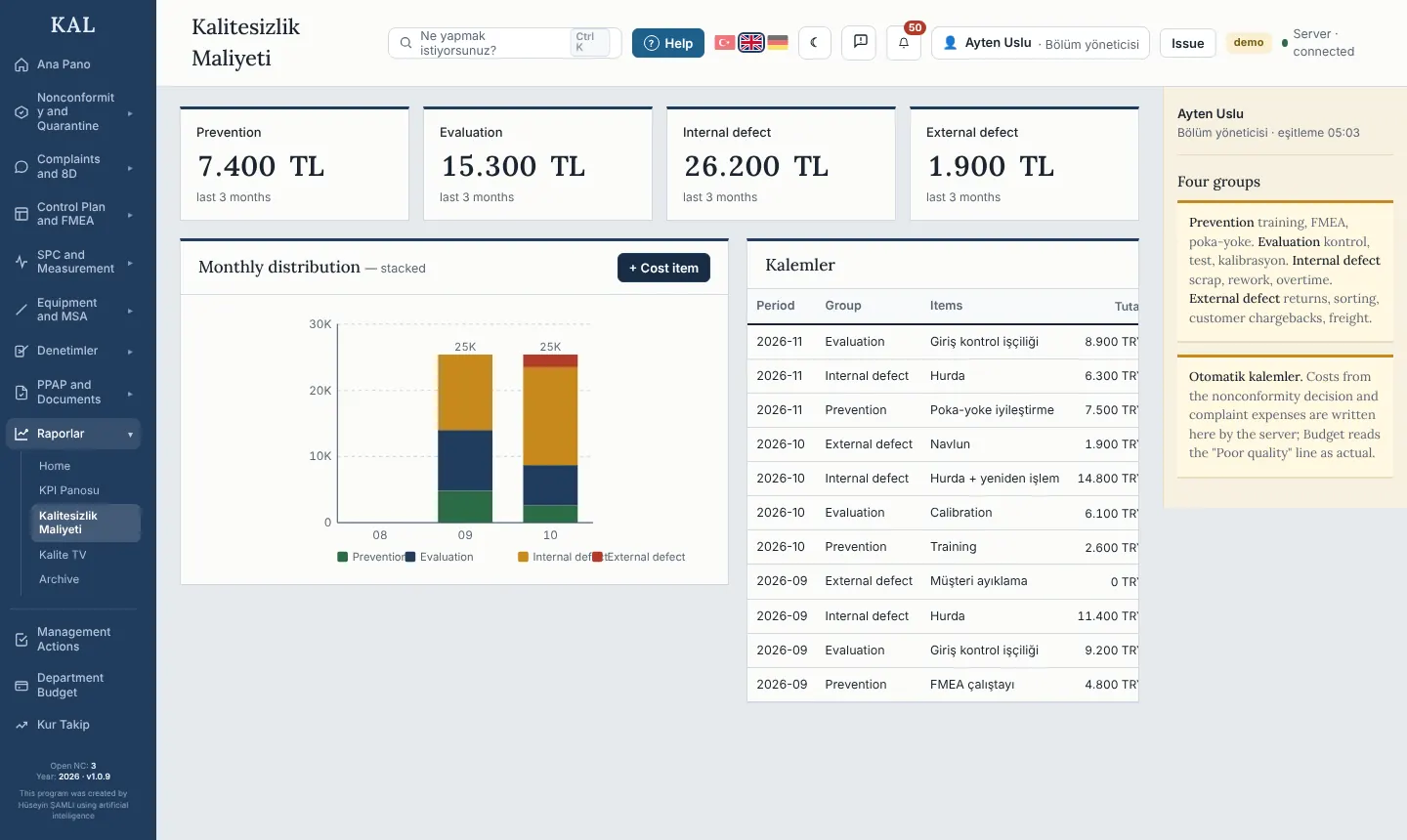
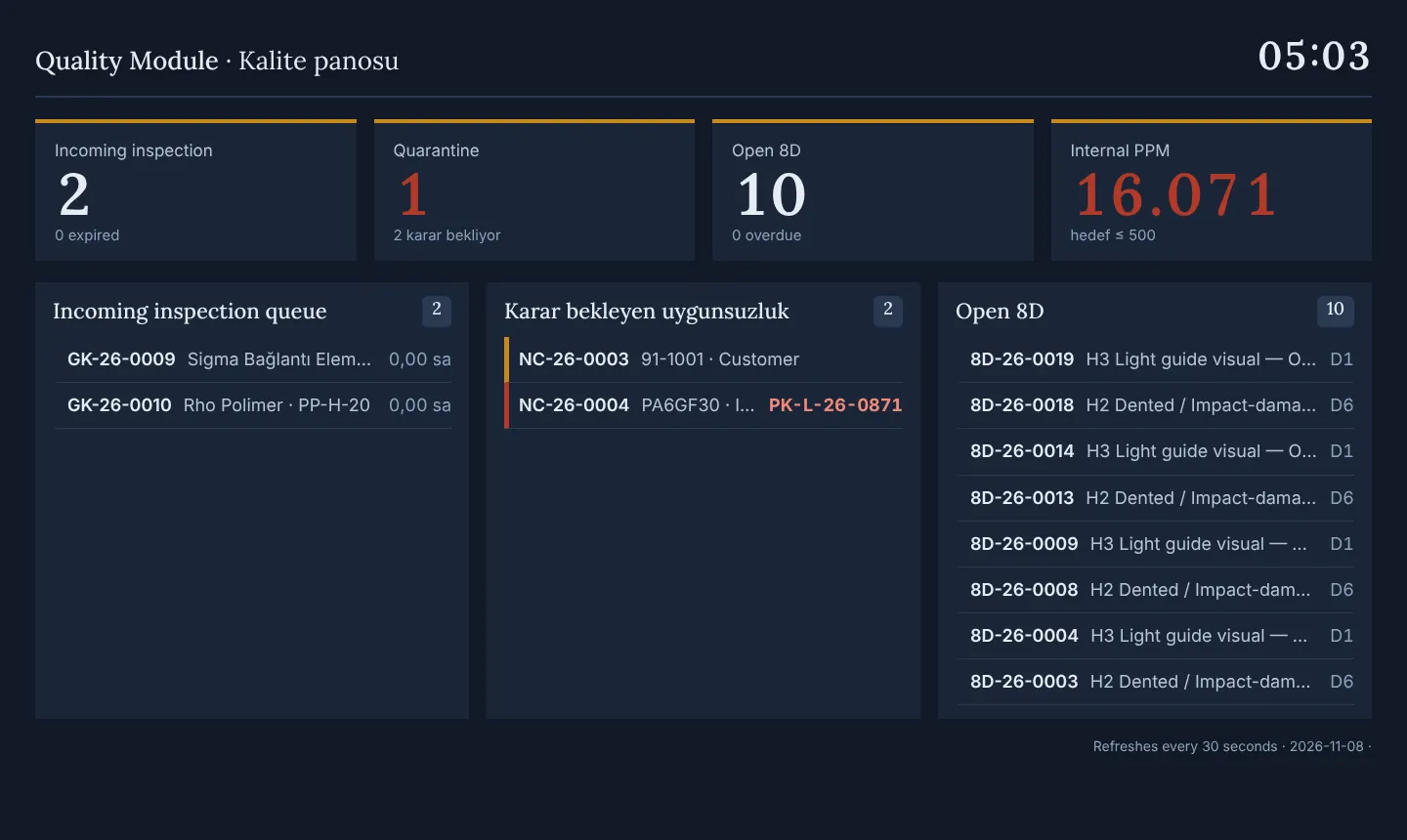
The KPI dashboard shows internal PPM, customer PPM, monthly complaints, 8D on-time closure, repeat defects, lowest Cpk, GR&R acceptance rate and cost of poor quality, each with its target. Cost of poor quality is grouped into prevention, appraisal, internal failure and external failure; nonconformity dispositions and complaint costs are written automatically by the server. Quality TV shows the incoming inspection queue, nonconformities awaiting disposition and open 8Ds on the shop-floor screen.
From records to management review
Main screens of the section
Document outputs
A4 · management review input; indicator, value, target and status
Links to other sections and modules
- Top ManagementThe KPI summary (PPM, 8D, Cpk, cost of poor quality) is sent as a publication.
- BudgetCost of poor quality is read as actuals into the 'Poor quality' budget line.
- 01–06Indicators are calculated from the records in the sections; no separate data entry is needed.
Guides, templates and features
Frequently asked questions
Where are KPI targets changed?
Targets for internal PPM, customer PPM, Cpk, 8D on-time closure and monthly complaints are entered under Reports › Settings. Defaults are internal PPM ≤ 500, customer PPM ≤ 50, Cpk ≥ 1.33 and 90% on-time closure.
Is cost of poor quality entered manually?
The cost in a nonconformity disposition and the charged-back costs in a complaint are written automatically by the server. Prevention and appraisal items such as training and calibration are added manually.
How is Quality TV opened?
The Quality TV page is opened on the shop-floor screen with a device login and refreshes every 30 seconds.
Is there a step you find missing? Write anonymously; leave an e-mail if you would like a reply.
Give feedback