Reports
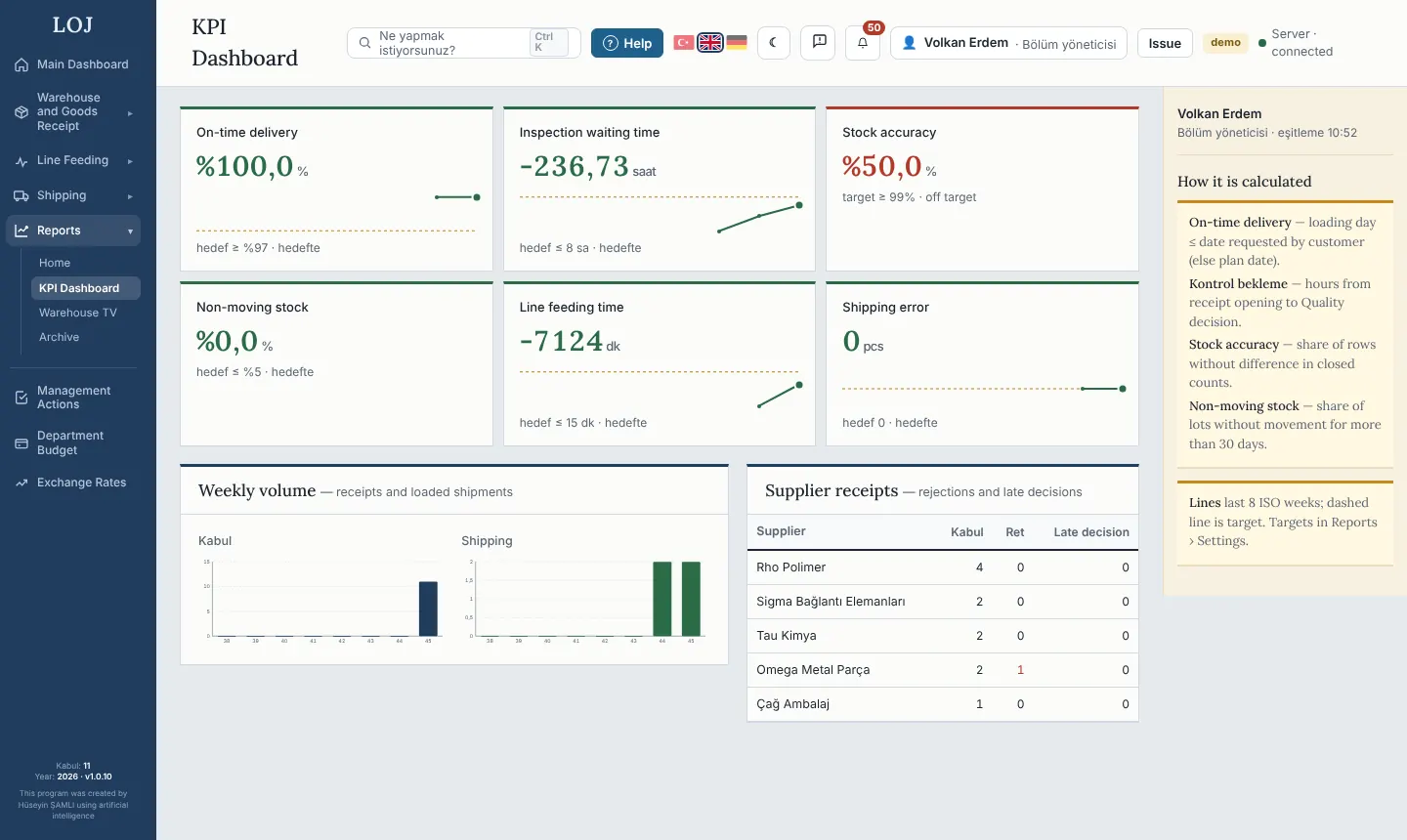
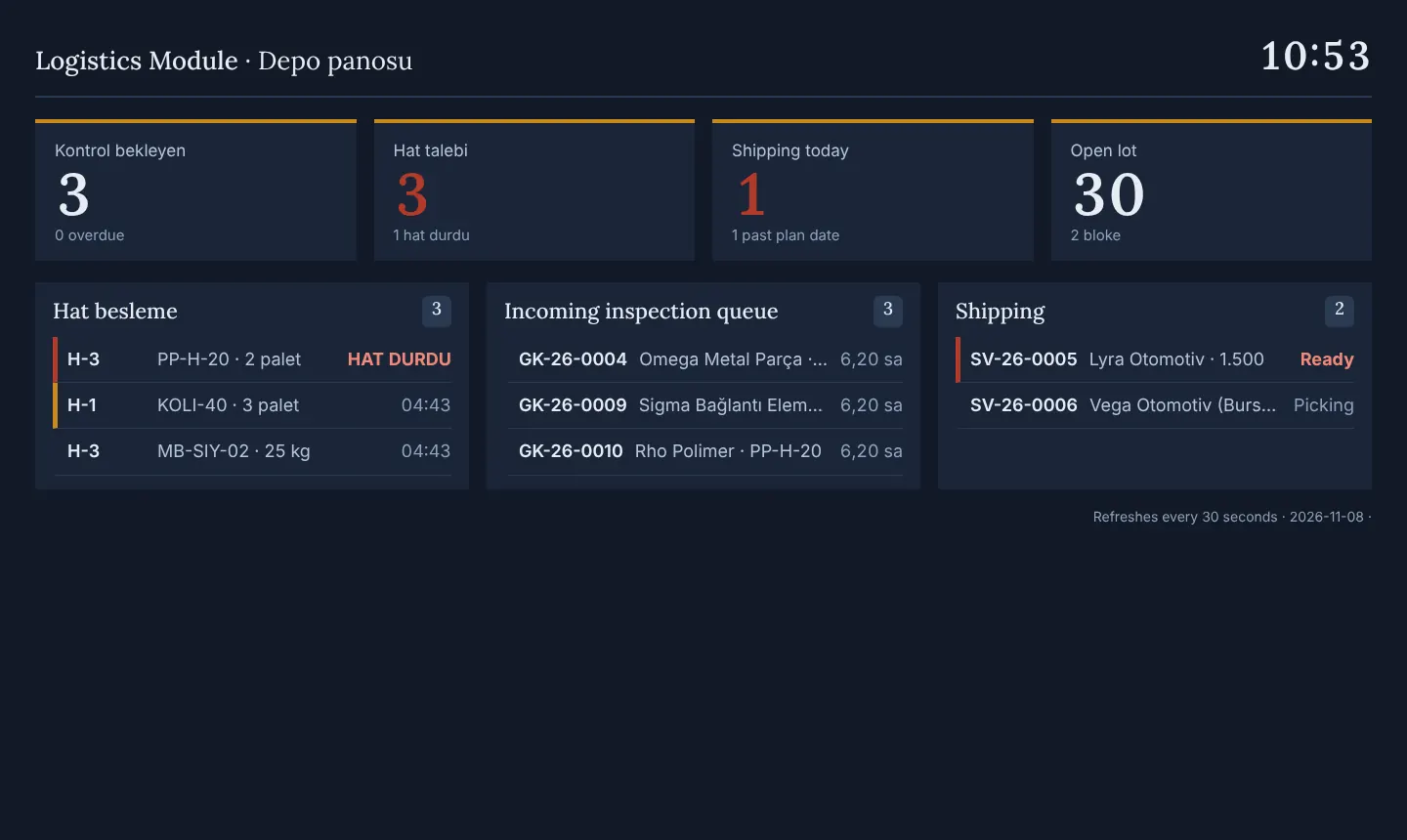
Six logistics KPIs are calculated from the records of the last 90 days and compared with the target in Settings. Four KPIs have a trend line for the last 8 ISO weeks; a table of rejects and late decisions per supplier is on the same page. The warehouse TV board shows open work on a dark background and refreshes every 30 seconds.
From records to indicators
The KPI definitions are written in the page's side note; for example, on-time delivery means the loading day is not later than the date requested by the customer (or the planned date).
Main screens of the section
Links to other sections and modules
- Warehouse and Goods ReceiptInspection waiting time, stock accuracy and slow-moving stock come from receipt, stocktaking and lot records.
- Line FeedingLine feeding time is the minutes from opening to delivery for delivered requests.
- ShipmentOn-time delivery and shipping errors are calculated from loaded shipments.
Guides, templates and features
Frequently asked questions
What does the shipping error KPI count?
It counts loaded or delivered shipments where the picked lot quantity is below the shipment quantity. The default target is zero.
Where are the targets changed?
The targets of the six KPIs are entered under Reports › Settings. Defaults: on-time delivery ≥ 97%, inspection waiting ≤ 8 h, stock accuracy ≥ 99%, slow-moving stock ≤ 5%, line feeding ≤ 15 min, shipping errors 0.
How is the warehouse TV screen opened?
Open the Reports › Warehouse TV page or assign this page to the TV device record; the screen then goes straight to this page when the device logs in. The page refreshes every 30 seconds, and there is no session timeout in TV mode.
Is there a step you find missing? Write anonymously; leave an e-mail if you would like a reply.
Give feedback