TAKMOSPRODUCTION ERP
Excel templates FREE Try the demo
Home › Modules › Logistics › Warehouse and Goods Receipt
LOGISTICS · 01 / 04

Warehouse and Goods Receipt

Record the delivery note at the dock; the stock lot and the receipt movement are opened automatically on the server. Raw material, finished goods and capital goods receipts go to Quality's incoming inspection queue with a GK number; only Quality changes the lot status. Location transfers, issues, stocktaking and the container, waste and chemical inventories are also in this section.

Evidence mapping: IATF 8.5.2IATF 8.5.2.1IATF 8.5.4IATF 8.5.4.1IATF 8.6.4MMOG M5ISO 14001 8.1ISO 45001 8.1
Process

From dock to rack

1Delivery note recordSupplier, purchase order and delivery note number, dock, target warehouse, material, quantity, boxes and lot. Receipts from a blocked supplier are refused; the same lot number cannot be entered twice.
2Lot and inspection queueOn saving, the server opens the stock lot and the receipt movement. Raw material, finished goods and capital goods receipts go to the Quality queue with a GK number; maintenance and packaging receipts become available directly.
3Incoming inspection decisionQuality decides accept, conditional accept or reject; a reason is mandatory for a reject. Acceptance makes the lot available; a reject blocks it and opens a supplier 8D.
4Put-away and movementsThe lot is transferred to a rack; a LOK: barcode can be scanned. Issues and quantity corrections are also written as movements; lots without movement for more than 30 days are flagged.
5StocktakingLots at the location are listed with their system quantity and the counted quantity is entered. When a user with approval permission approves, the difference is posted to the stock quantity.

The goods receipt form opens in tablet mode with large fields; the single scan field writes lot, quantity and material code from GS1 and VDA labels into the right fields.

Screens

Main screens of the section

Goods receipt
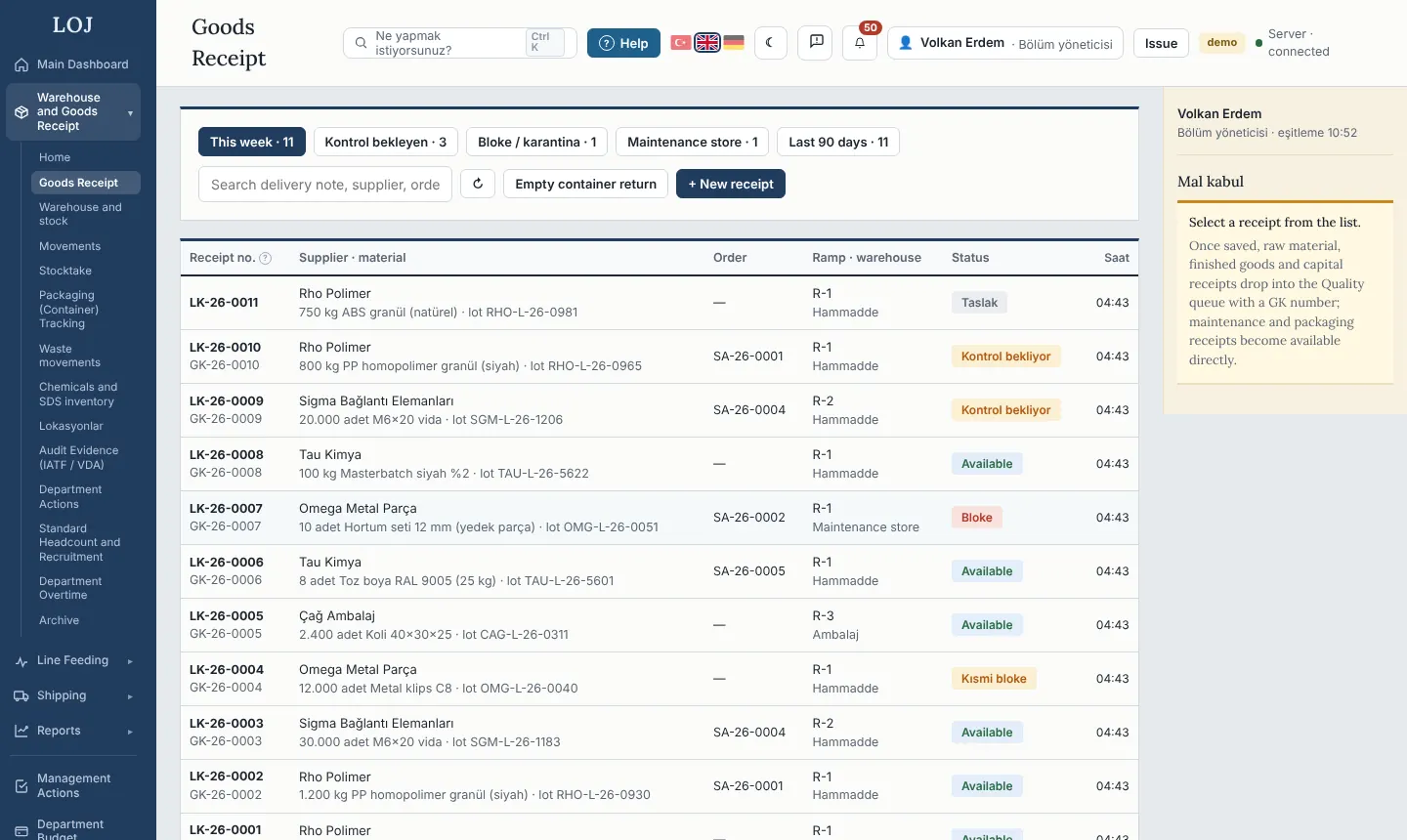
01.1Goods receiptFilters for this week, awaiting inspection, blocked / quarantine and maintenance warehouse; receipt number, GK number, supplier, order, dock and status in one row.
Warehouse and stock
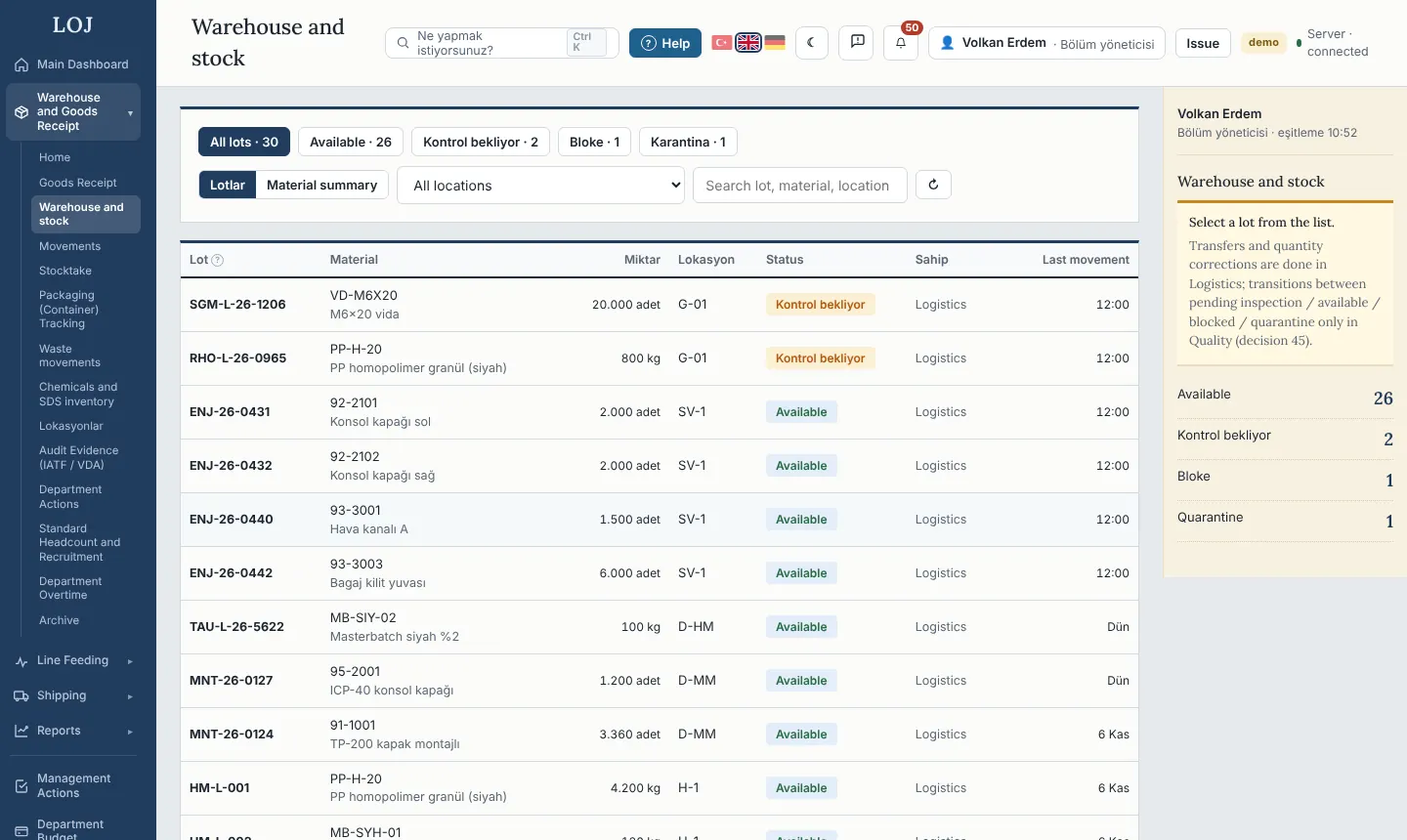
01.2Warehouse and stockLot, material, quantity, location, status and owner (Logistics / Maintenance); status and location filters, material summary view.
Stocktaking
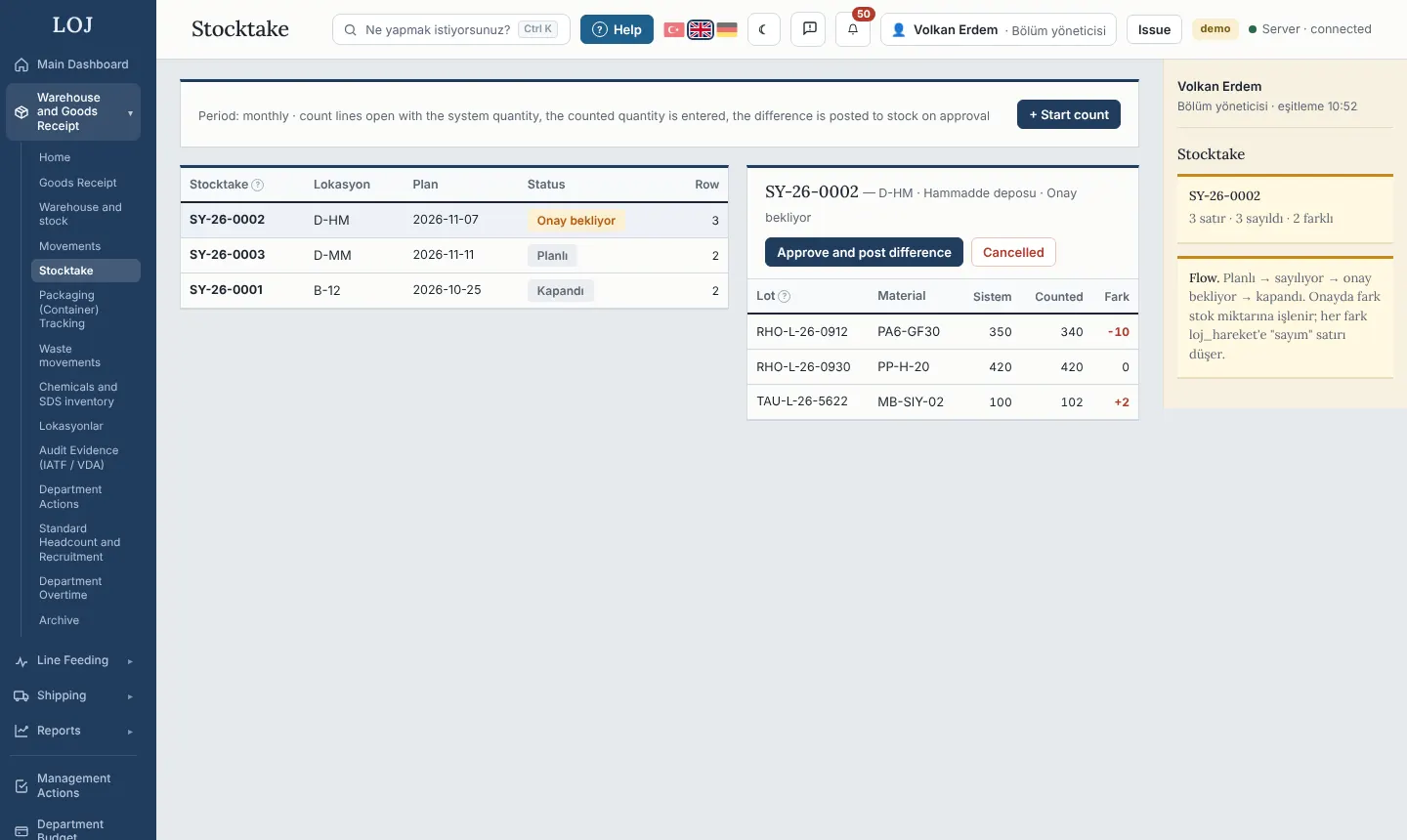
01.3StocktakingFor the selected stocktake, system quantity, counted quantity and difference per lot; flow planned, counting, awaiting approval, closed.
Container tracking
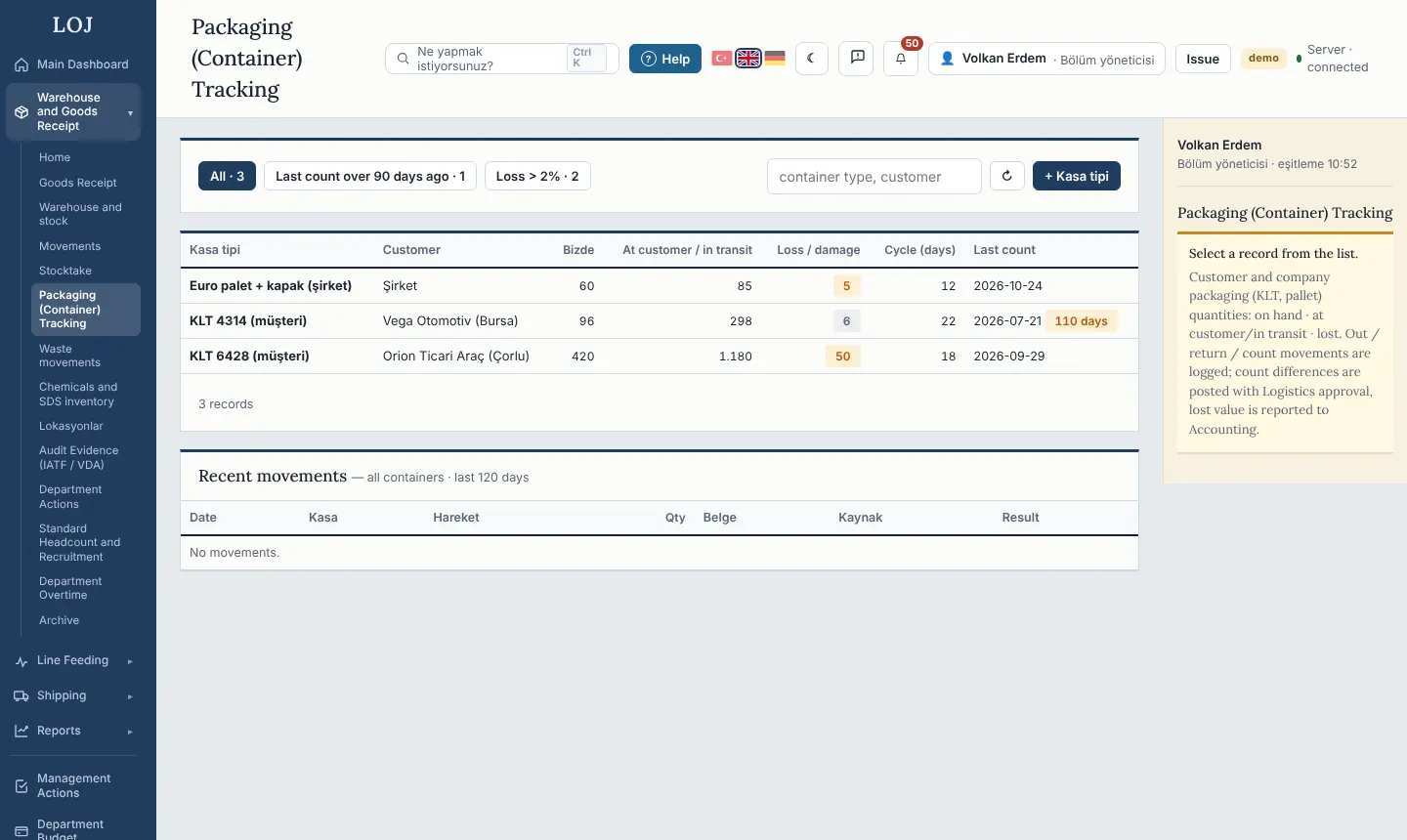
01.4Container trackingPer container type: on site, at customer / in transit and lost quantity, cycle time and last count; counts older than 90 days are flagged.

Links to other sections and modules

  • QualityThe incoming inspection record goes to the Quality queue; the decision sets the lot status, a reject opens a supplier 8D and a nonconformity record.
  • PurchasingReceipts entered with a purchase order number are written to the order lines as received and rejected quantities.
  • MaintenanceSpare part lots received into the maintenance warehouse are held under Maintenance ownership; parts used in a work order are deducted from these lots.
  • PlanningAn available stock summary per material is published to Planning and Production.
Related

Guides, templates and features

FAQ

Frequently asked questions

Who changes the lot status?

Only the Quality role changes between awaiting inspection, available, blocked and quarantine; the server rejects the change from any other role. Logistics makes transfers, issues and quantity corrections.

Can a blocked lot or a lot awaiting inspection be sent to the line?

No. Line delivery and shipment picking only list available lots.

How is a stocktaking difference posted to stock?

For a stocktake awaiting approval, a user with approval permission clicks 'Approve and post difference'; on rows with a difference the lot quantity is set to the counted value and every change is written as a movement. The stock accuracy KPI is calculated from closed stocktakes.

Your feedback on this section

Is there a step you find missing? Write anonymously; leave an e-mail if you would like a reply.

Give feedback