Capacity
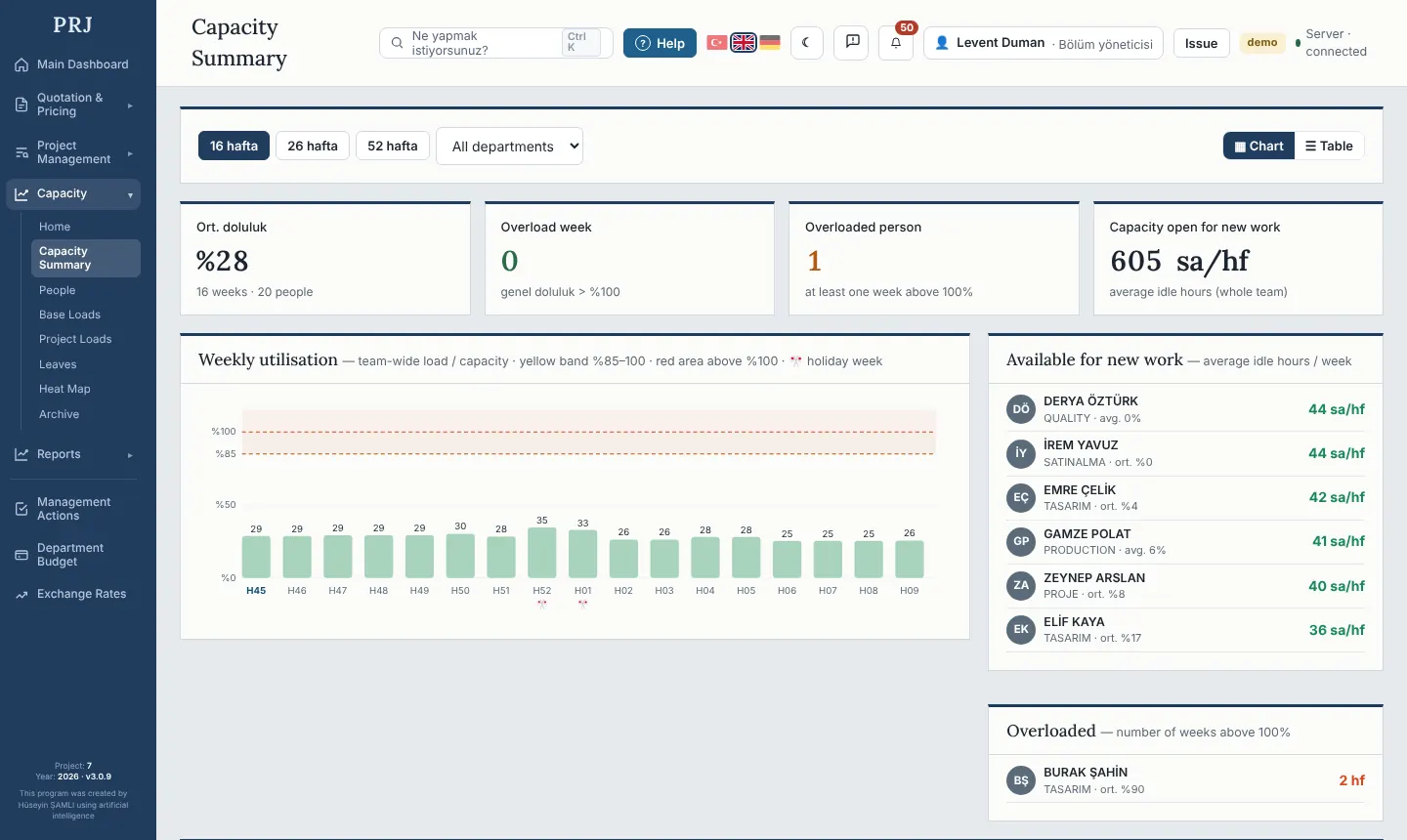
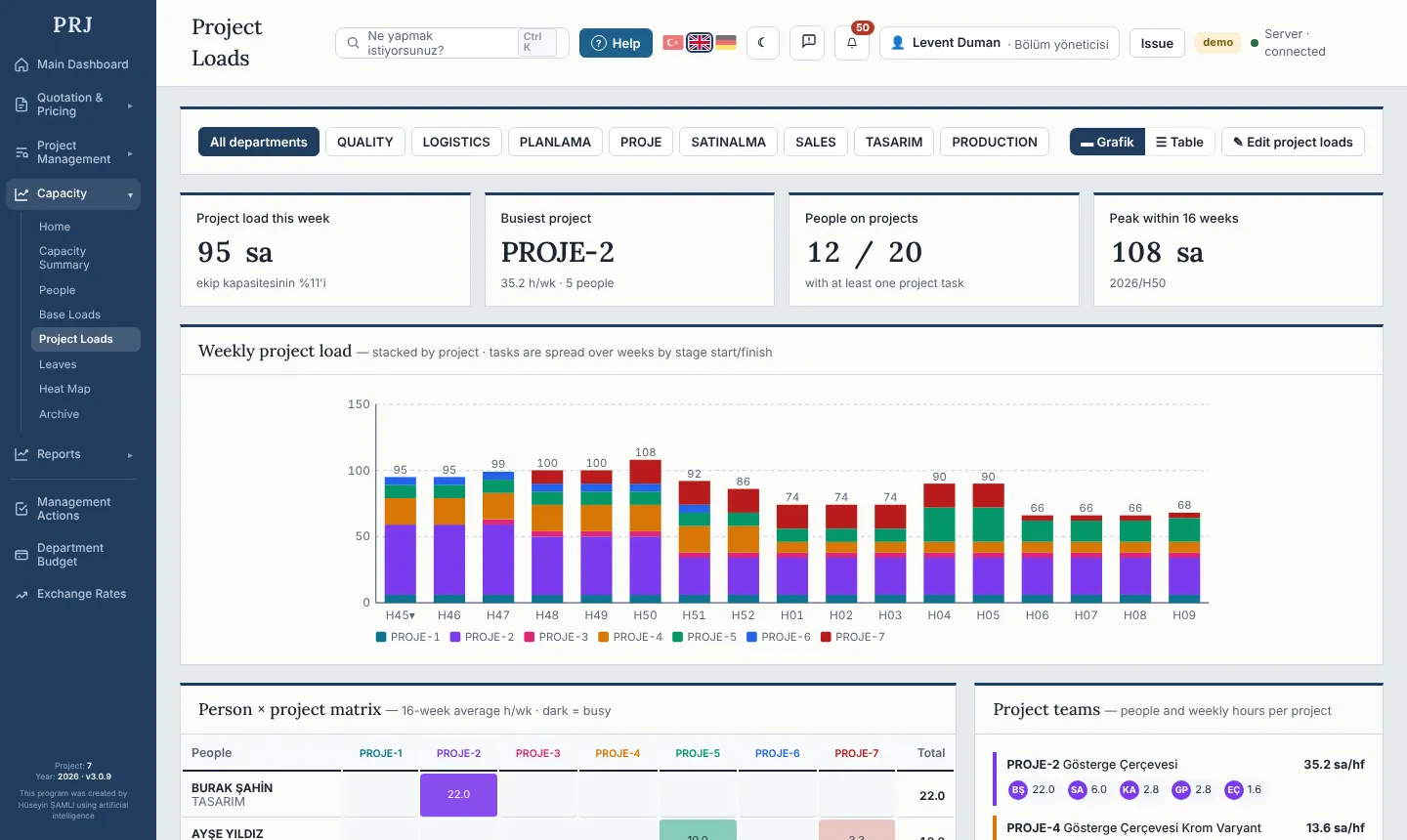
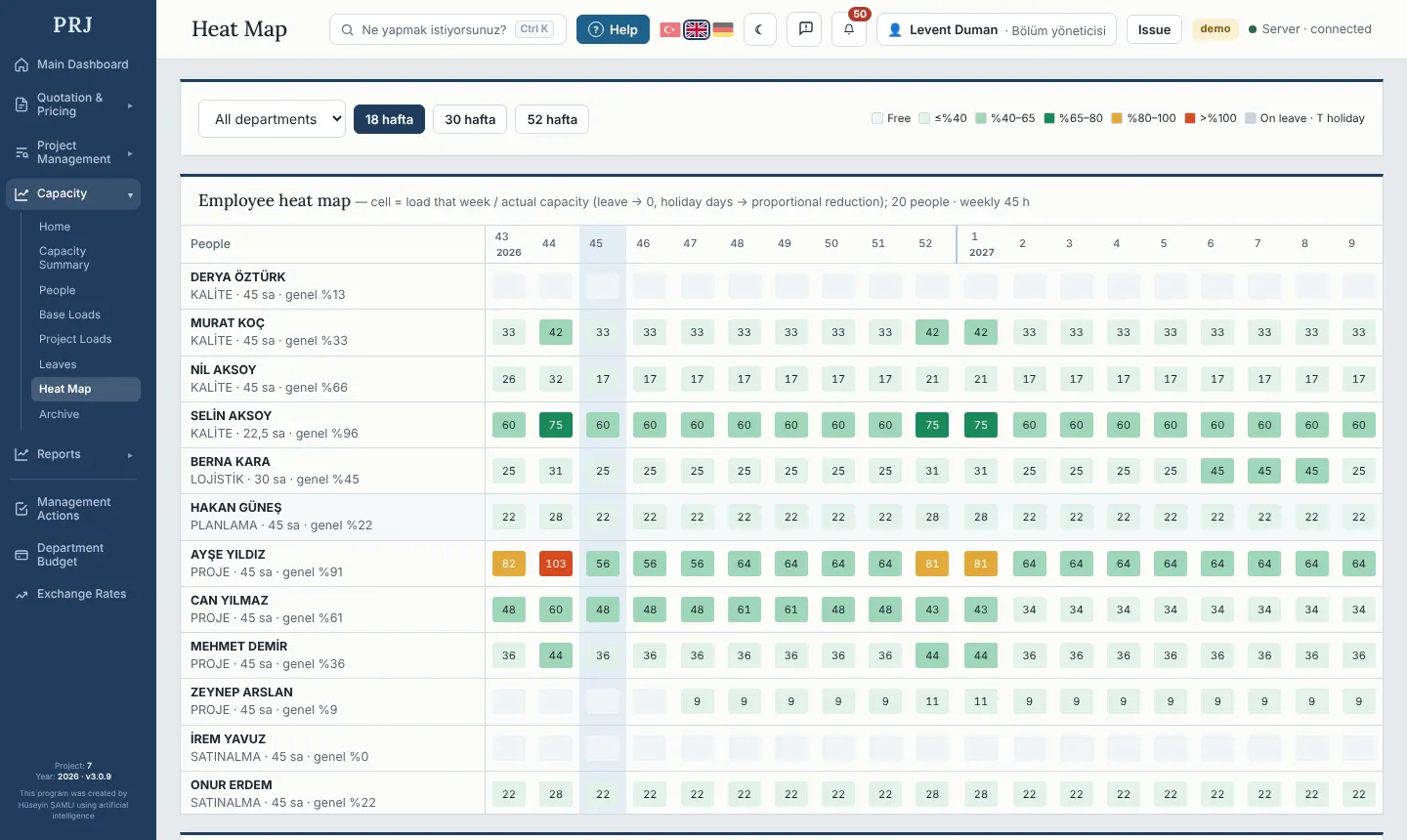
The project team's weekly capacity is calculated from working days and daily hours, less leave and public holidays. Routine work is written to every week, project tasks only to the weeks of the stage they belong to. Overloaded person-weeks turn red on the heat map; the levelling assistant suggests people with free capacity in the same department.
From team to weekly utilisation
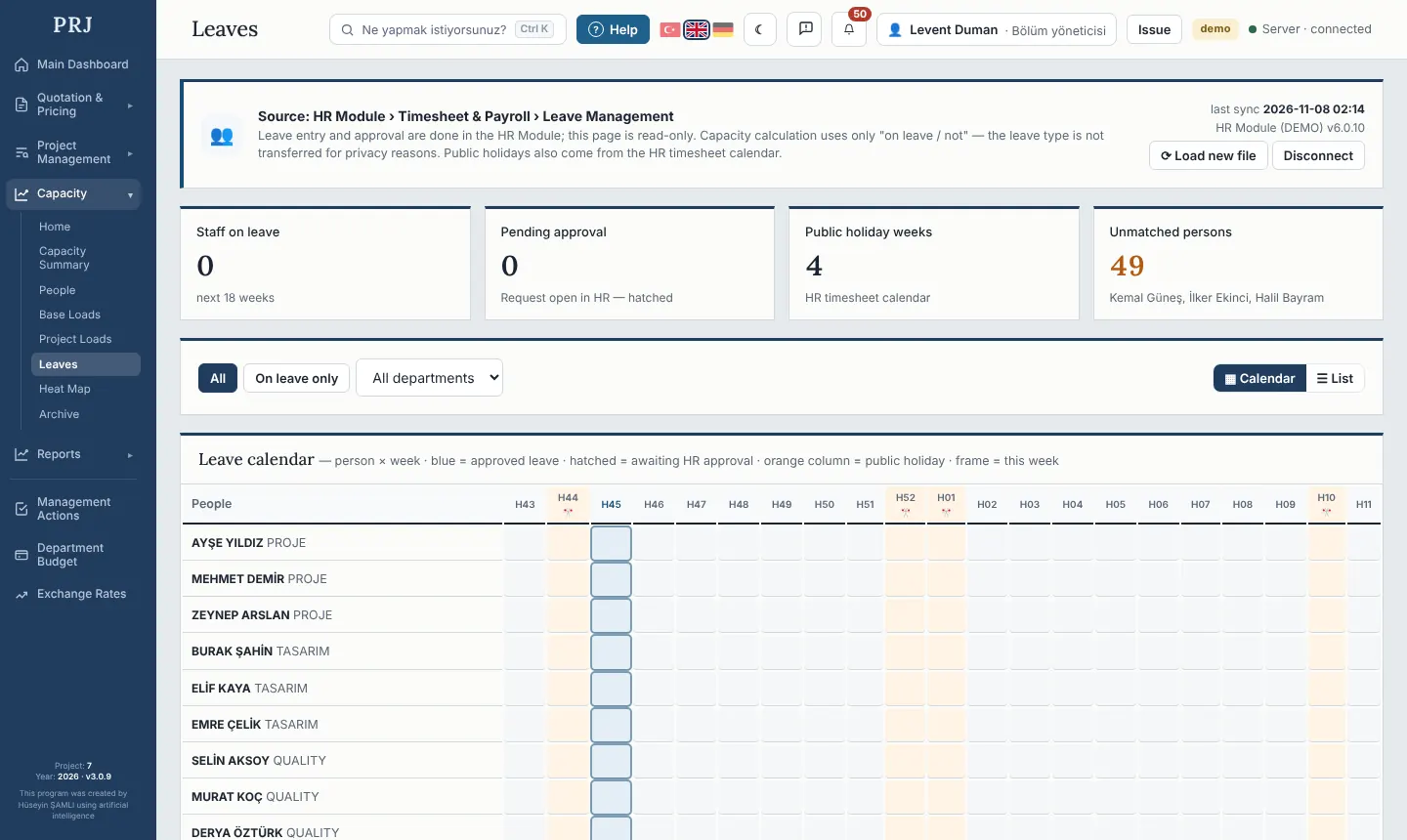
A week counts as leave when more than half of its working days are on leave.
Main screens of the section
Links to other sections and modules
- HRThe project team is matched to HR employee cards; approved and pending leave and public holidays come from HR.
- 02 Project ManagementProject tasks are spread over weeks by stage start and finish.
- Top ManagementProject team utilisation is published with the KPI summary.
Guides, templates and features
Frequently asked questions
Why is the leave type not shown?
The capacity calculation only uses whether the person is on leave that week. For privacy, the leave type is not transferred from HR.
Does the levelling assistant move load by itself?
No. It lists person-weeks over capacity and up to three people with free capacity in the same department; you make the decision.
How does leave arrive if the data store is not connected?
The HR Module's leave summary file (JSON) is uploaded on the Leave page. If the connection is cut, the last synchronised leave stays as local records and can be edited.
Is there a step you find missing? Write anonymously; leave an e-mail if you would like a reply.
Give feedback