Audit Readiness
Each module publishes the status of its standard clauses from its Audit Evidence page; this page combines the publications in a clause × module table. When you select an audit from the calendar, only the clauses in that audit's scope are counted. Clauses without evidence stay at the top of the table; the gaps are printed in a single A4 pack.
From evidence publication to audit pack
If clauses without evidence remain and the audit is 30 days away or less, a red pending task appears on the dashboard.
Main screens of the section
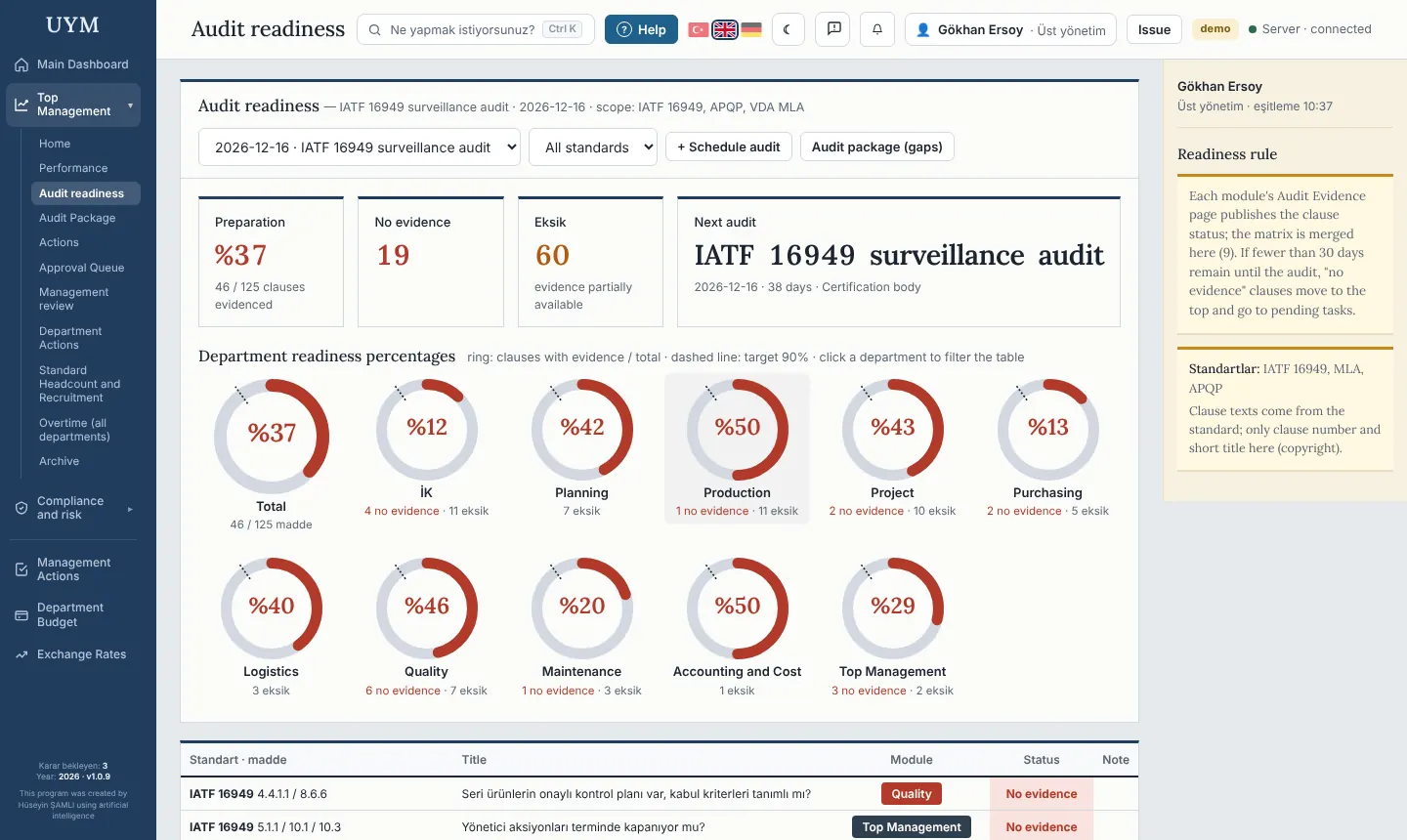
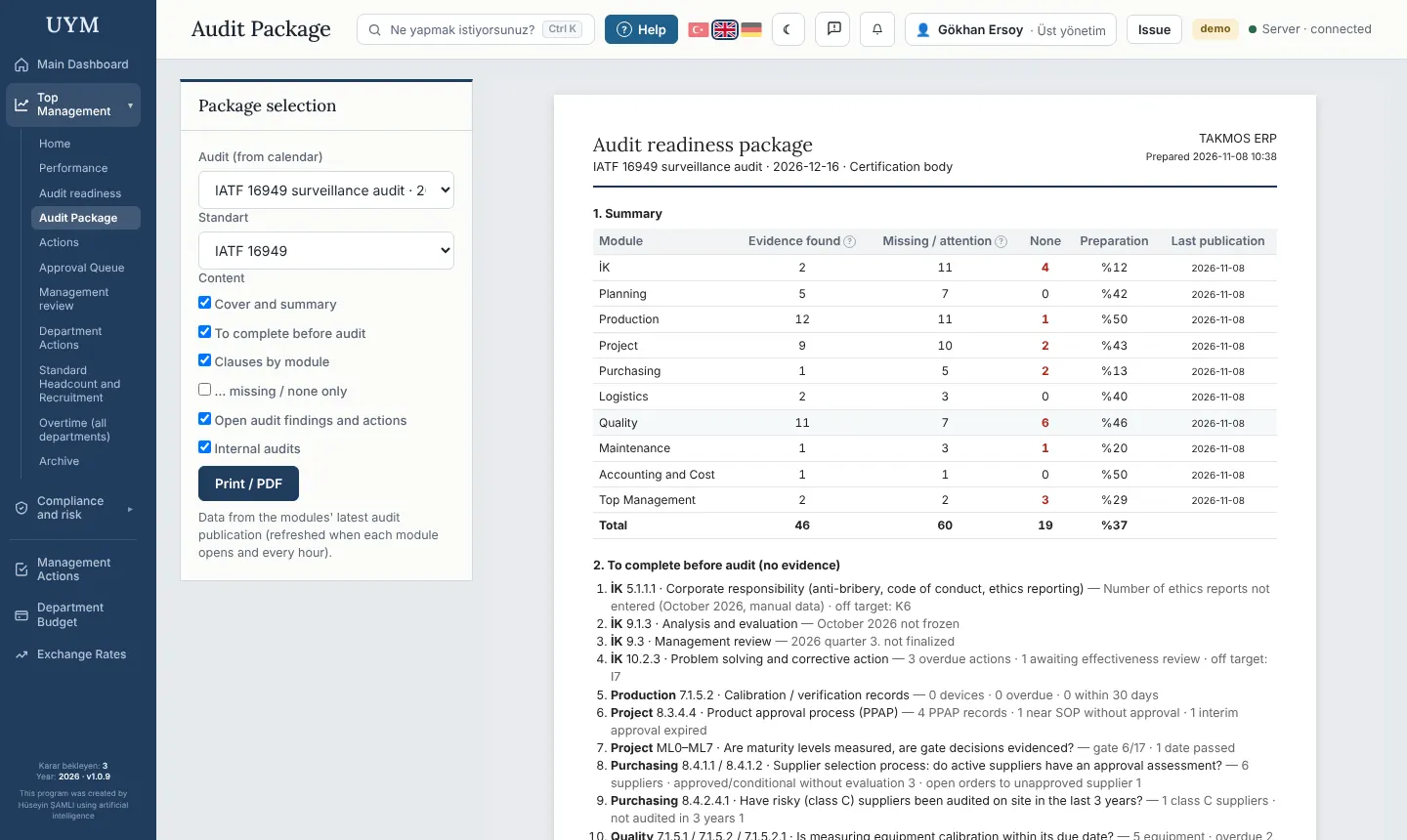
Document outputs
A4 · cover and module summary (evidence present / incomplete / missing, readiness percentage, latest publication), items to complete before the audit, clauses by module, open audit actions, internal audits
Links to other sections and modules
- All modulesPublications from the Audit Evidence pages enter the matrix; each module determines the clause status from its own data.
- QualityThe internal audit programme appears read-only in the calendar and is included in the pack; findings are handled in Quality.
- 03 Actions and Approval QueueOpen actions whose source is an audit are listed in the pack.
Guides, templates and features
Frequently asked questions
Where do the clause statuses come from?
From each module's Audit Evidence page. The module checks its own data and publishes the clause as evidence present, incomplete or no evidence; this page only combines them. The standard text is not reproduced, only the clause number and a short title.
Are internal audits planned here?
No. Internal audits such as system, VDA 6.3 / 6.5 and LPA are planned in Quality › Audit Programme and appear here read-only. Certification, customer and legal audits are entered in the calendar.
Who is reminded when an audit is approaching?
Users with the top management and Quality roles receive a notification 30, 7 and 1 days before a planned audit. The calendar row also shows the number of days left.
Is there a step you find missing? Write anonymously; leave an e-mail if you would like a reply.
Give feedback