Performance
Each module publishes its own KPIs period by period; the Performance page compares these publications with their targets in a single table. You filter KPIs by module or by the Safety, Quality, Delivery, Cost and People headings. An indicator that stays red for three periods in a row is flagged separately and can be linked to a management action from here.
From publication to management decision
A KPI whose publication is older than the period set in Settings (default 3 days) is marked as 'stale'.
Main screens of the section
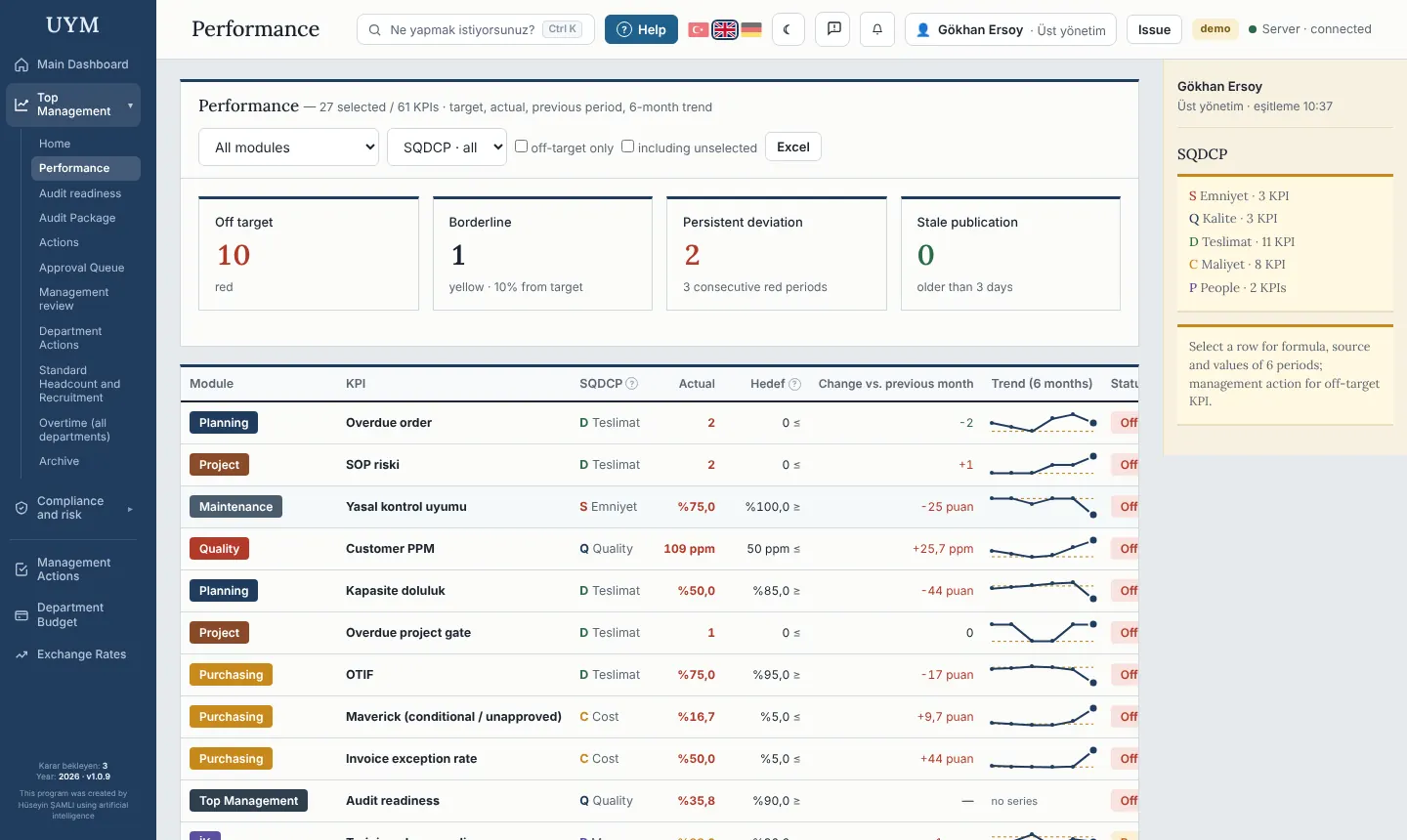
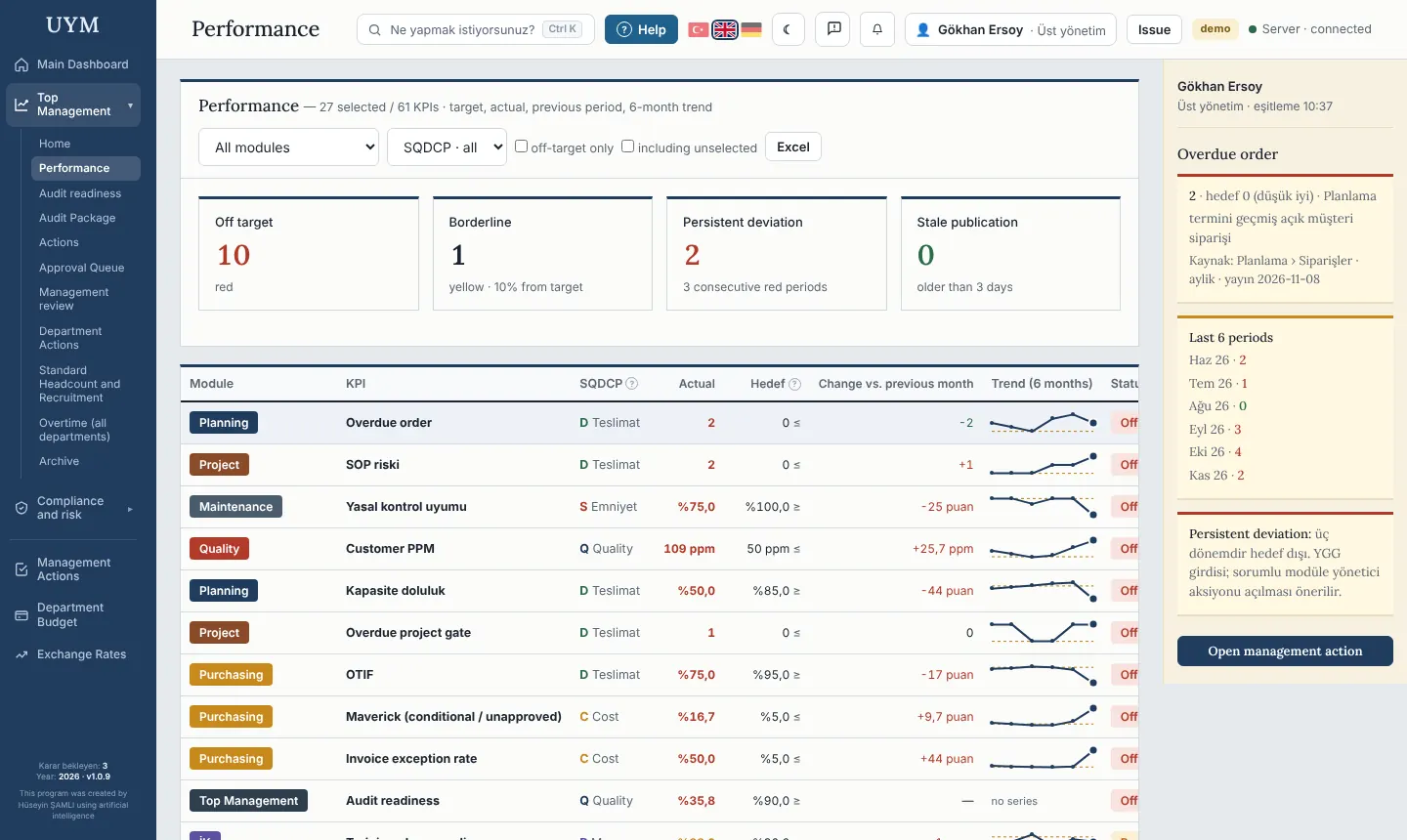
Links to other sections and modules
- All modulesKPI publications are read here; the KPI calculation and its data stay in the module.
- 03 Actions and Approval QueueA management action opened from an off-target KPI goes to the shared action list.
- 04 Management ReviewKPI publications flow automatically into the quality objectives and monitoring and measurement inputs.
Guides, templates and features
Frequently asked questions
Is the KPI value calculated here?
No. The value comes from the module's publication and is only compared with the target here, so the value on the board matches the one in the module. Definitions and targets are in Settings › KPI glossary.
How are amber and red determined?
Depending on the KPI's direction (higher is better or lower is better), a value that meets the target is green. A small deviation is amber, a large one red; you set the limit with the amber threshold in Settings (default 10%).
Which KPIs appear on the board?
Those selected in the KPI glossary. A new KPI from a publication is added to the glossary unselected, and the manager makes the selection. On the Performance page you can list all of them with the 'include unselected' box.
Is there a step you find missing? Write anonymously; leave an e-mail if you would like a reply.
Give feedback