Actions and Approval Queue
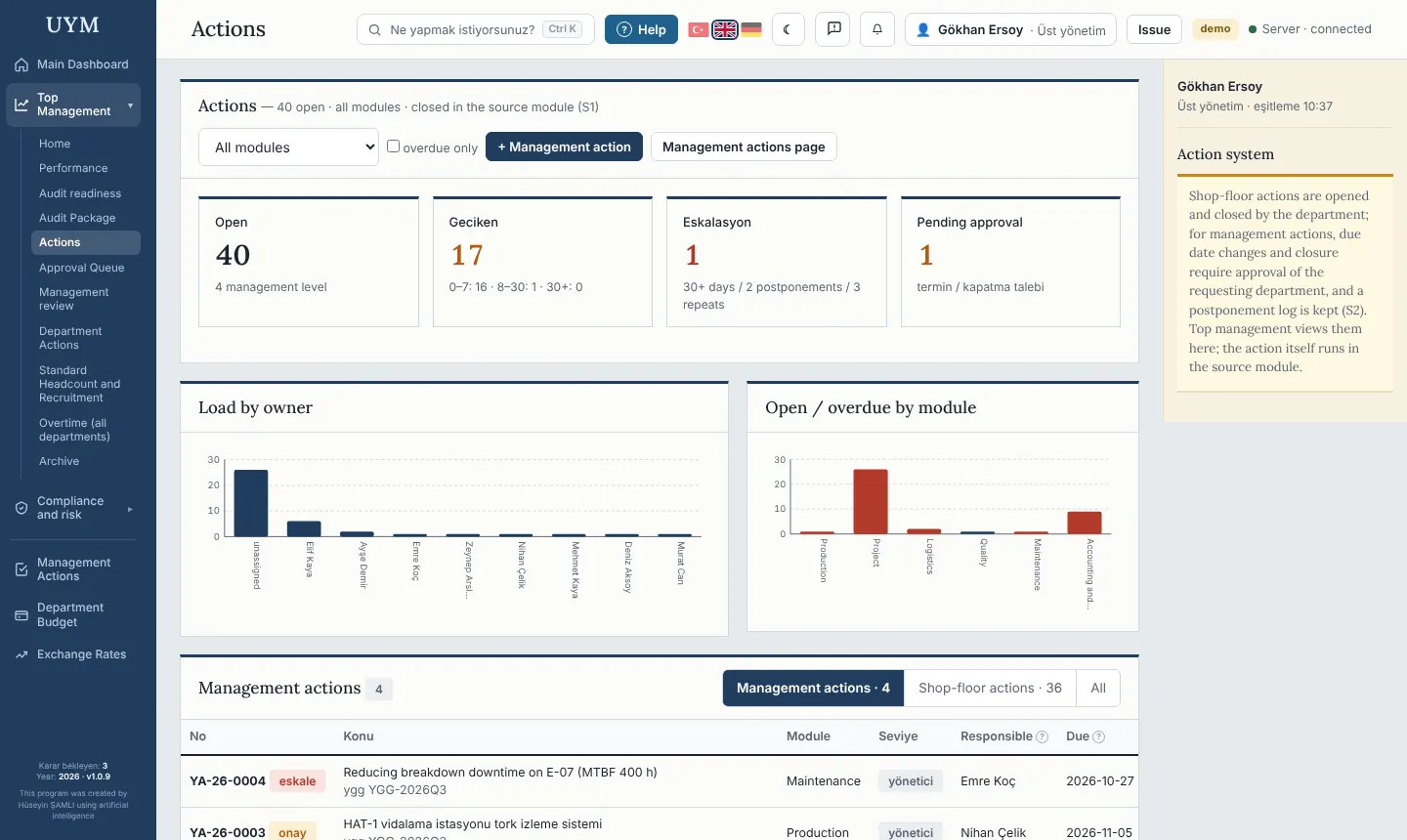
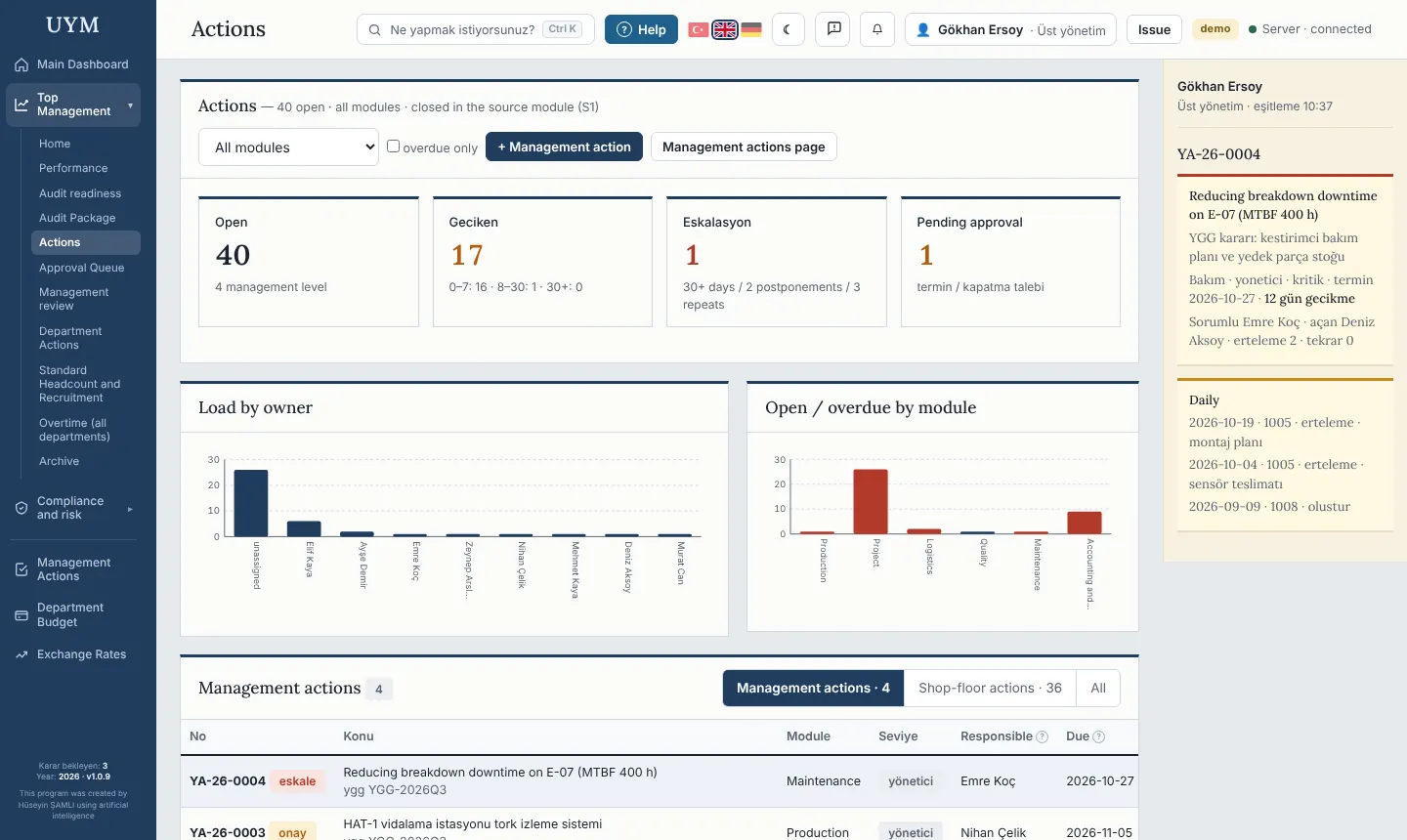
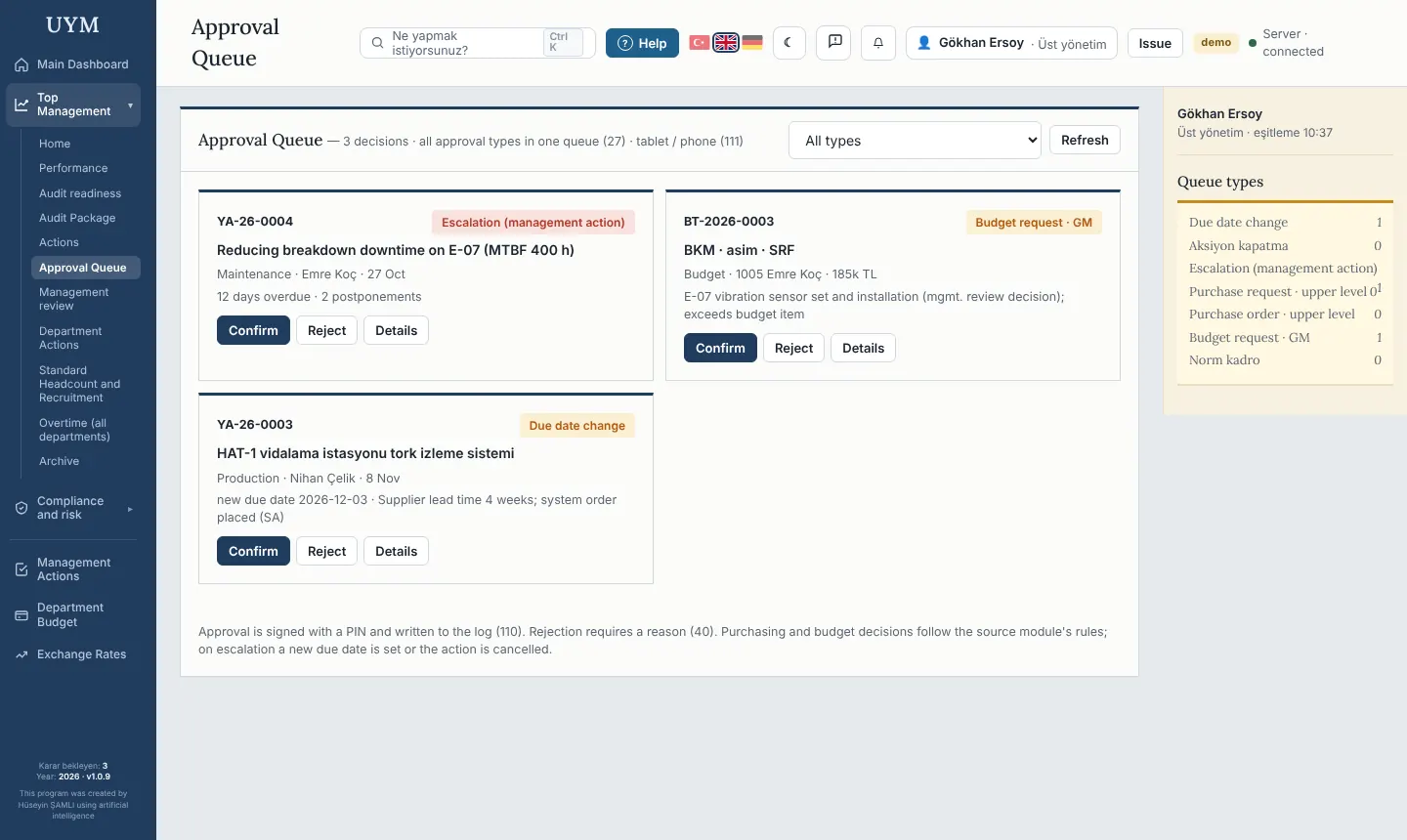
The Actions page shows open records in the shared action table by module, level and delay; management actions are listed on opening. The Approval Queue gathers due date changes, closures, escalations, upper-level purchasing and budget approvals and headcount requests in one place. Action approvals are signed with a PIN; a rejection requires a reason.
From delay to management decision
The escalation day limit is changed in Settings (default 30 days).
Main screens of the section
Links to other sections and modules
- PurchasingThe top management step of requisitions and purchase orders goes to the queue; the decision follows Purchasing's approval rules.
- BudgetBudget requests at the general manager step are approved or rejected in the queue.
- HRHeadcount revision requests are decided in the queue; on approval the headcount is updated.
- All modulesRecords in the shared action table are read; the action itself runs in its source module.
Guides, templates and features
Frequently asked questions
Which actions appear in this list?
Shop-floor and management actions written to the shared action table. Actions from 8D, LPA, Asakai and Tier meetings are tracked in their own modules and do not appear in this list.
What does top management do with an escalated action?
It sets a new due date or cancels the action. The new due date is signed with a PIN, the action's priority becomes critical and the decision is logged; the action does not return to the queue unless the new due date is missed.
What happens when a request is rejected?
A reason for rejection is mandatory. If a due date or closure request is rejected, the request is dropped and the action continues with its previous due date and status; the reason is logged.
Is there a step you find missing? Write anonymously; leave an e-mail if you would like a reply.
Give feedback