Equipment
Machines, lines, installations, vehicles and fixtures sit on the shared equipment card; Maintenance adds its own tab to this card. If criticality is A, a breakdown work order for that equipment opens automatically with critical priority. When you select a piece of equipment, its open work orders, plans, statutory inspection and breakdown history appear in a single panel.
From card to maintenance strategy
For A-critical equipment, a breakdown work order opens on the server with "critical" priority.
Main screens of the section
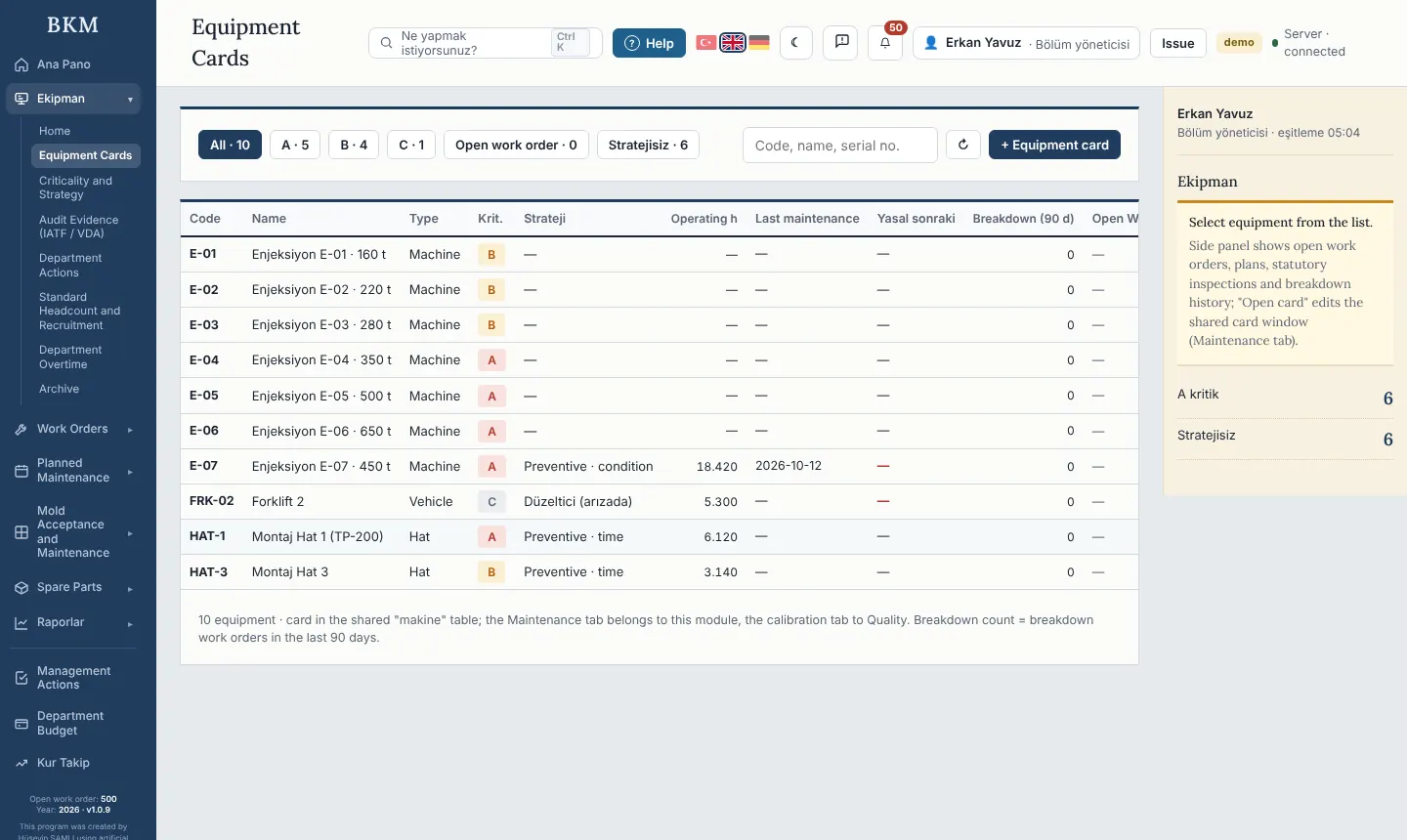
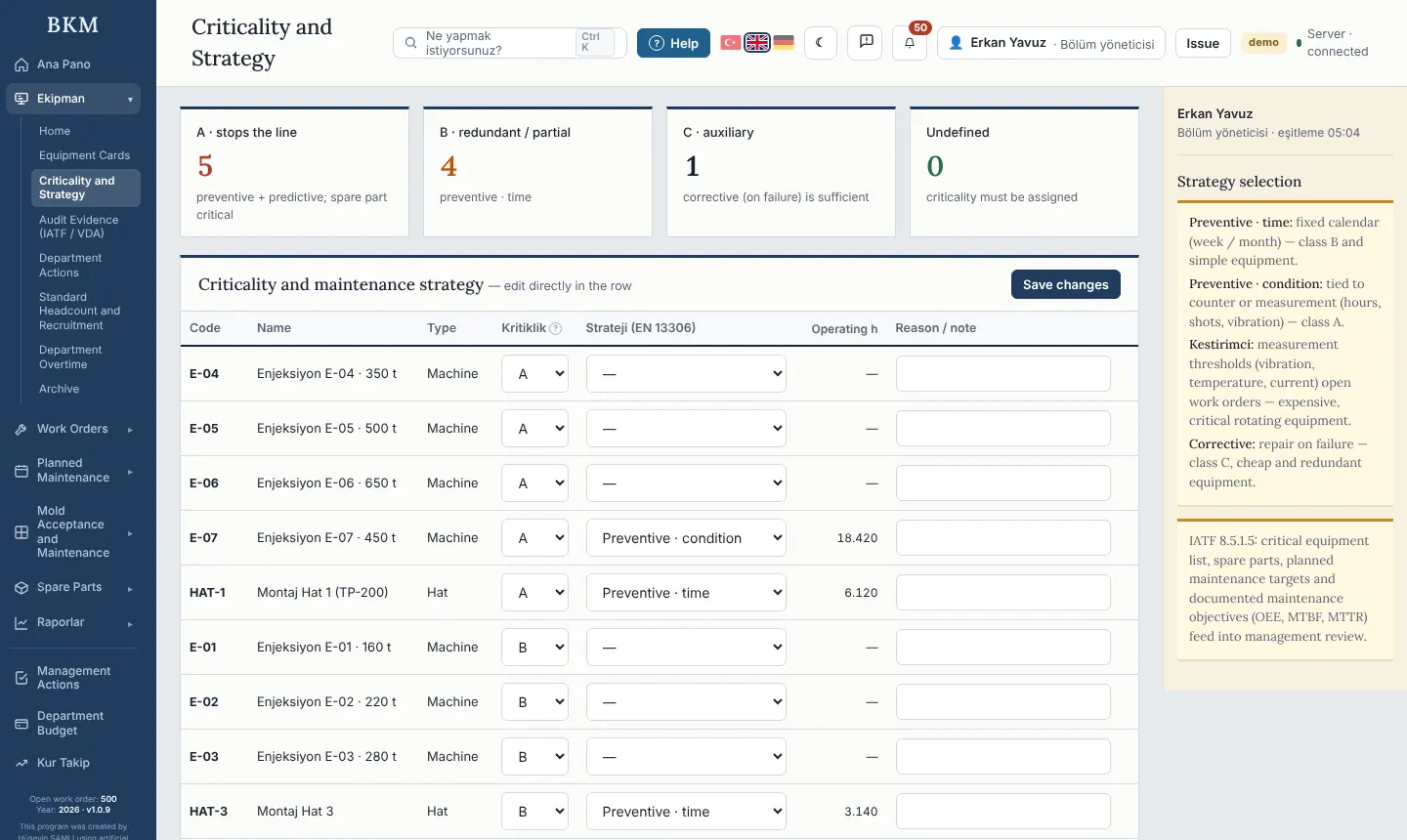
Links to other sections and modules
- Shared cardThe equipment card is shared with all modules; the Maintenance tab belongs to this module
- ProductionBreakdown downtime opens a work order for this equipment
- 02 Work OrdersBreakdown reports and work orders are opened from the side panel
- 03 Planned MaintenanceA maintenance plan for the equipment is set up from the side panel
Guides, templates and features
Frequently asked questions
What does criticality change?
For A-critical equipment, a breakdown work order opens on the server with critical priority. The audit catalogue also checks whether all A-critical equipment has a maintenance plan.
Who maintains the equipment card?
The card is in the shared "machine" table; Maintenance fills in only its own tab (strategy, operating hours, last maintenance, warranty, statutory inspection, service contract). The last maintenance date updates automatically when a work order is completed.
Is there a step you find missing? Write anonymously; leave an e-mail if you would like a reply.
Give feedback