Revenue and İMM
Planned revenue is the order forecast multiplied by the sales price; planned İMM is order × bill of materials factor × purchase price, brought forward by the purchasing lead time. Actual values are read weekly from sales and material purchase invoices in Accounting. All amounts are converted to euros using rates from Exchange Rates.
From order to revenue and İMM tracking
Service and capital purchases are not included in İMM; only purchase invoices from material suppliers are counted.
Main screens of the section
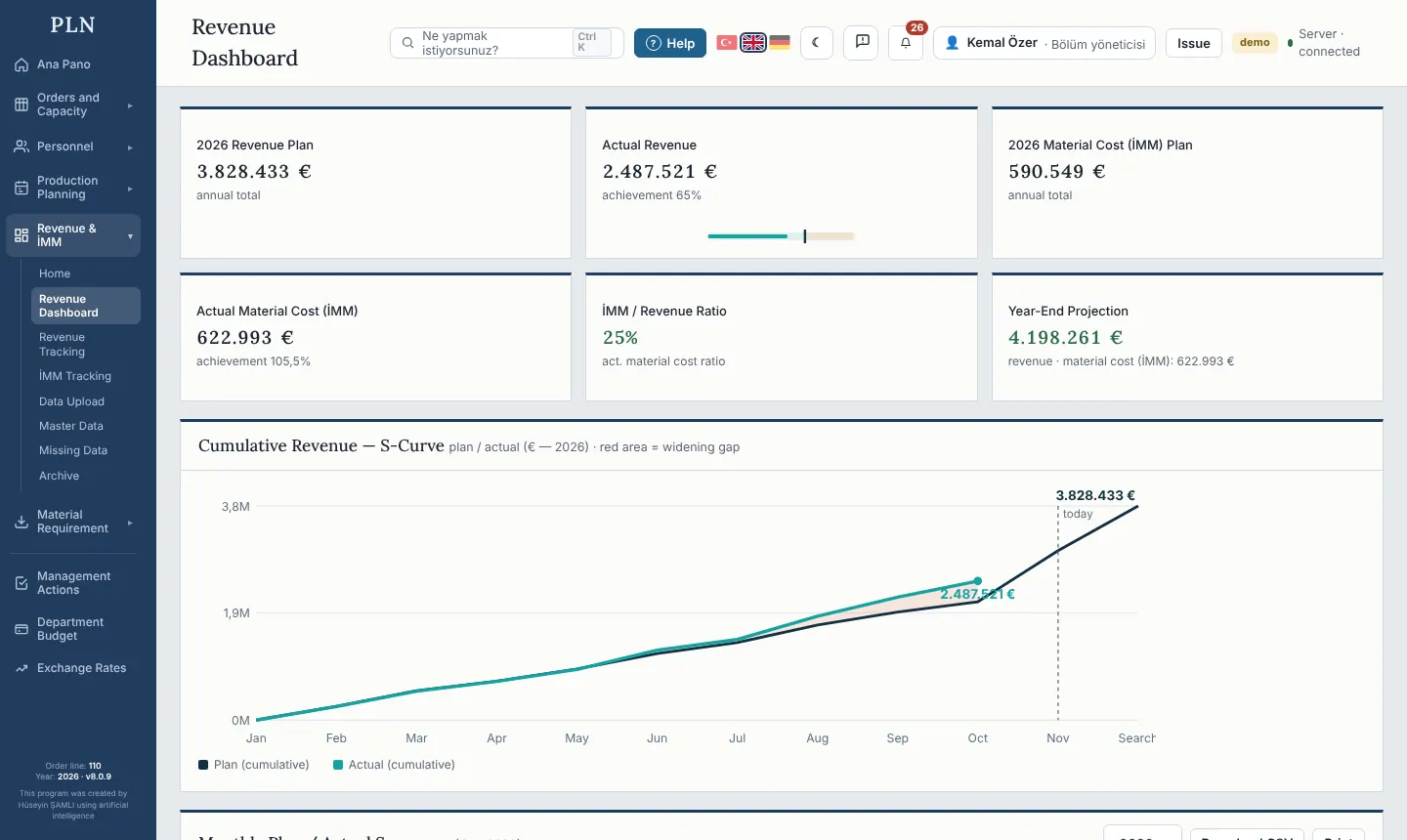
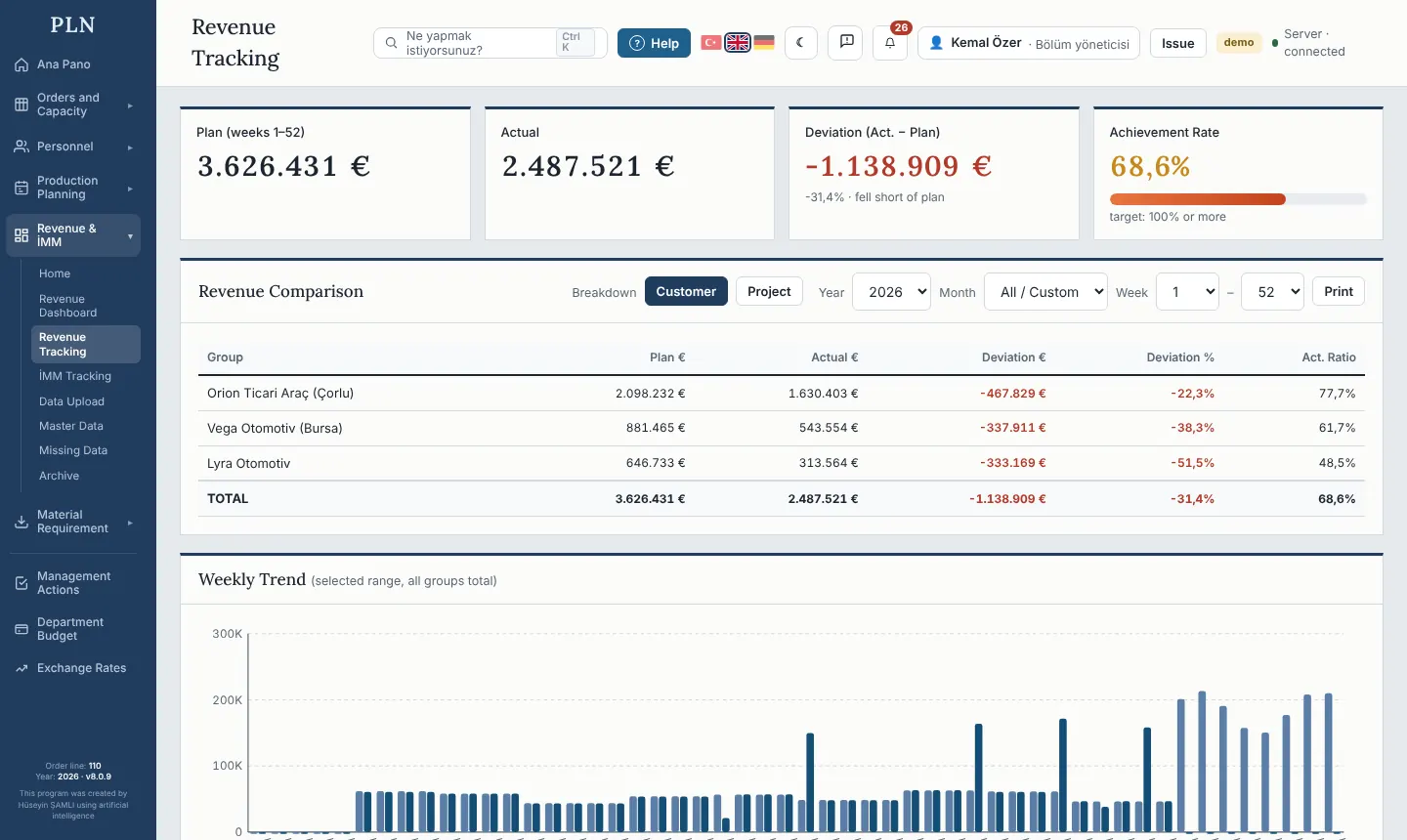
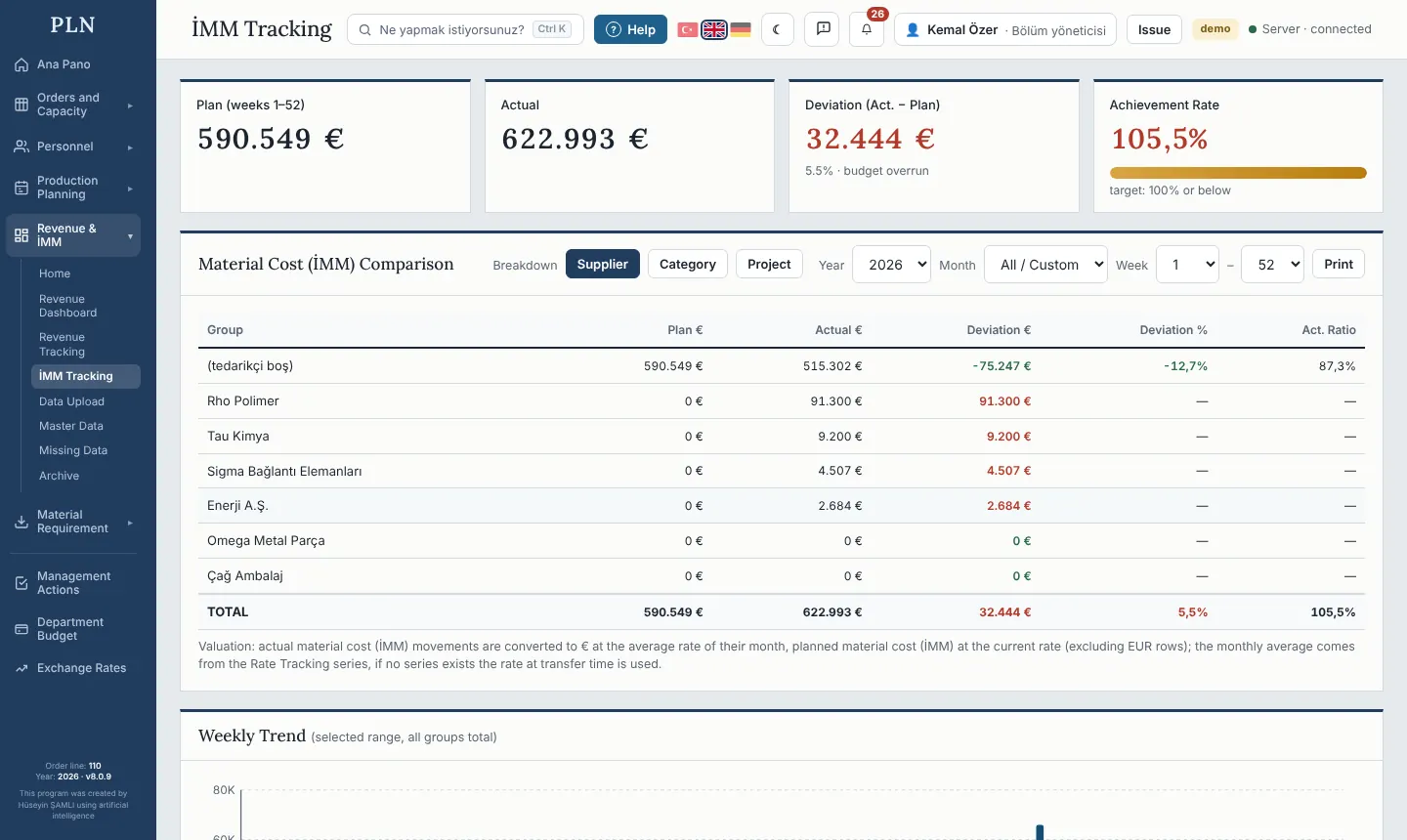
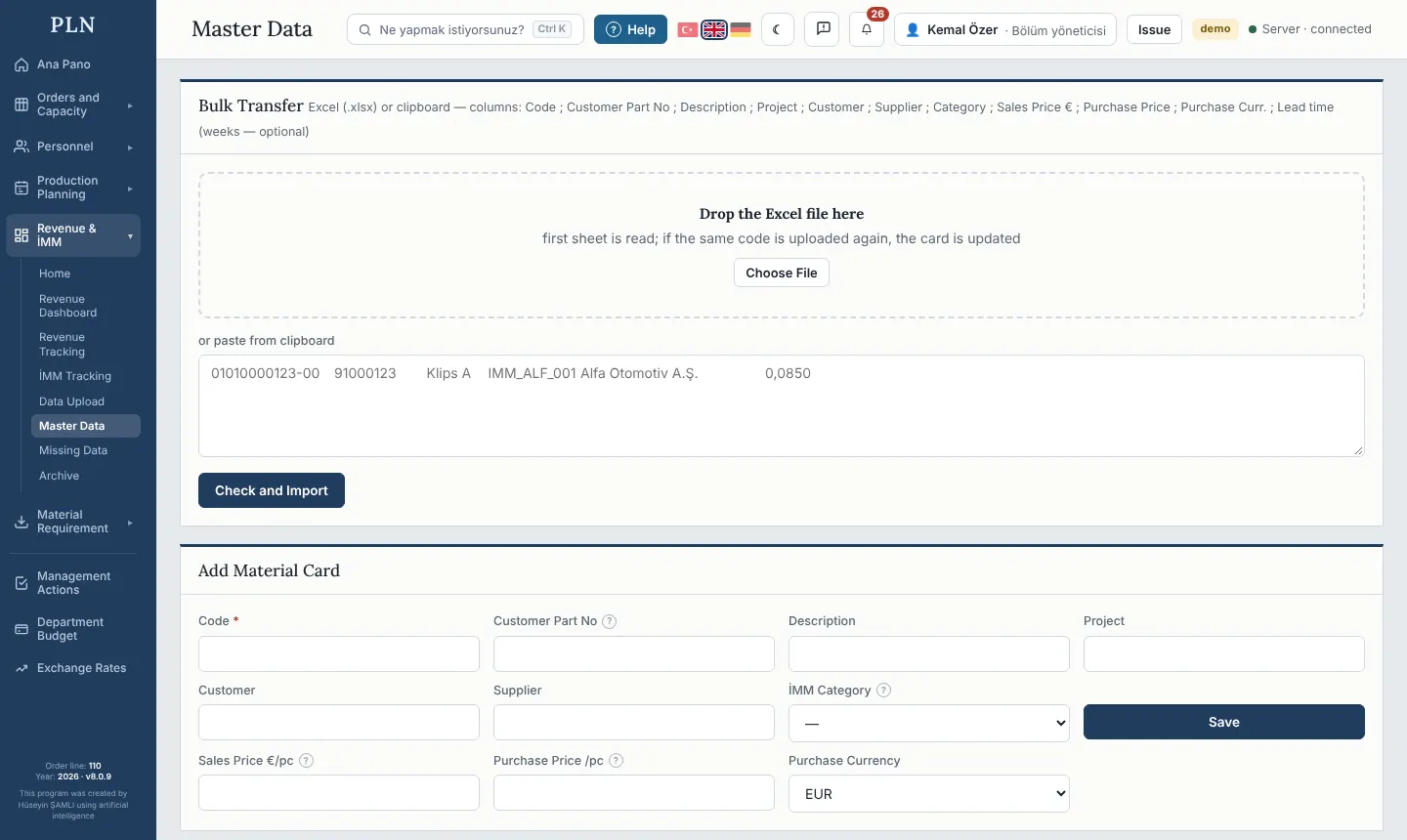
Links to other sections and modules
- AccountingSales and material purchase invoices give actual revenue and İMM
- ProjectThe approved sales price takes priority in planned revenue
- PurchasingPurchase price summary and lead time are used in planned İMM
- Exchange RatesDaily and monthly average rates for euro conversion
- 01 Orders and CapacityThe order forecast is the basis of planned revenue and İMM
Guides, templates and features
Frequently asked questions
Where does actual revenue come from?
With a server connection, it is read weekly from non-cancelled sales invoices in Accounting; where an invoice exists, it replaces the estimate derived from production. The server returns totals only; no invoice details are transferred.
Can data be imported from Excel?
Yes. On the Data Import page, bulk import is done from an Excel file or by pasting from the clipboard, and columns are mapped. Rows not found in master data go to the Unmatched Records list; each import can be undone as a single operation.
What happens to a product with a missing price?
A record without a sales price cannot be included in planned revenue. The Missing Data page lists missing sales prices, purchase prices and customer part numbers separately; fields are filled in place or with an Excel template.
Is there a step you find missing? Write anonymously; leave an e-mail if you would like a reply.
Give feedback