Orders and Capacity
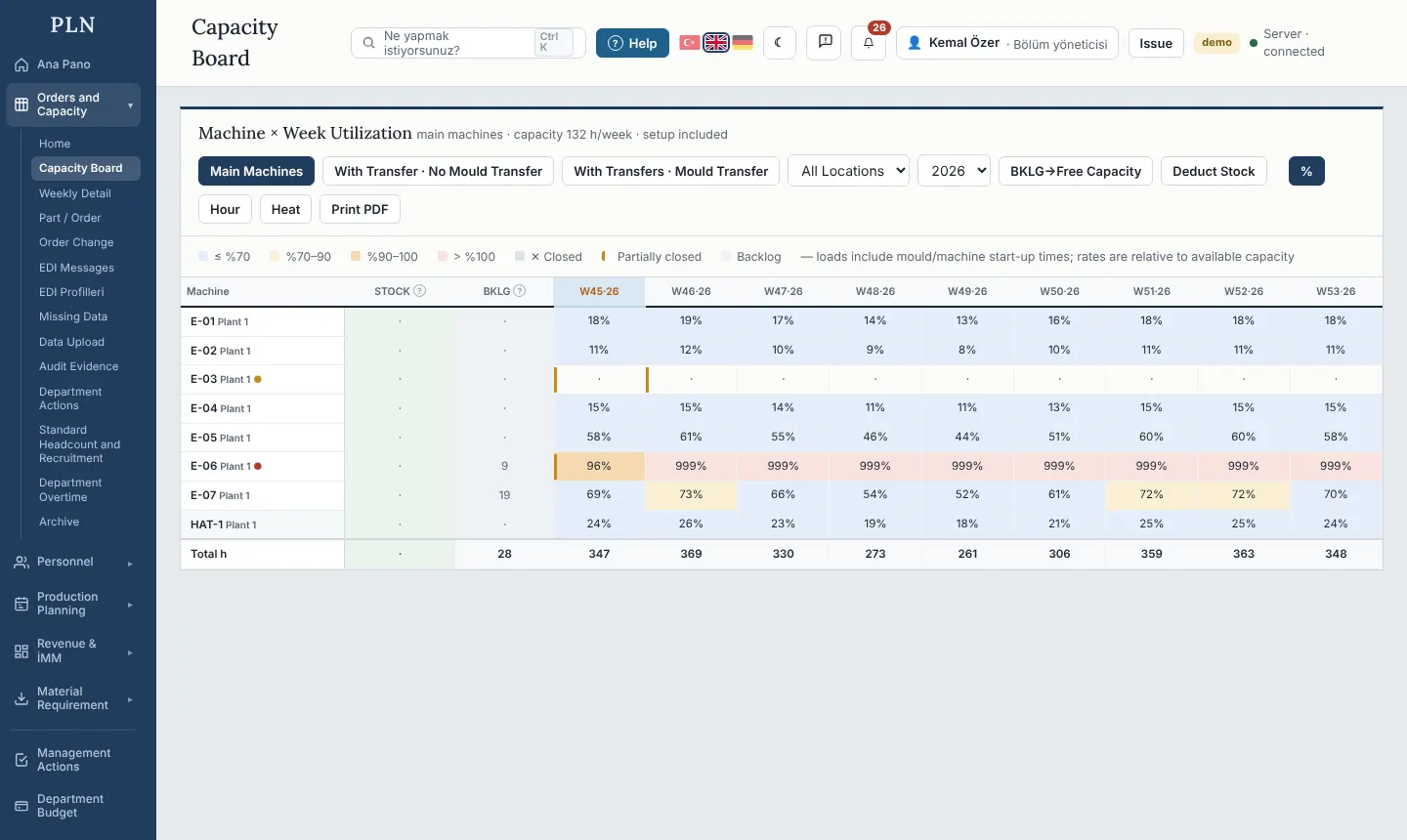
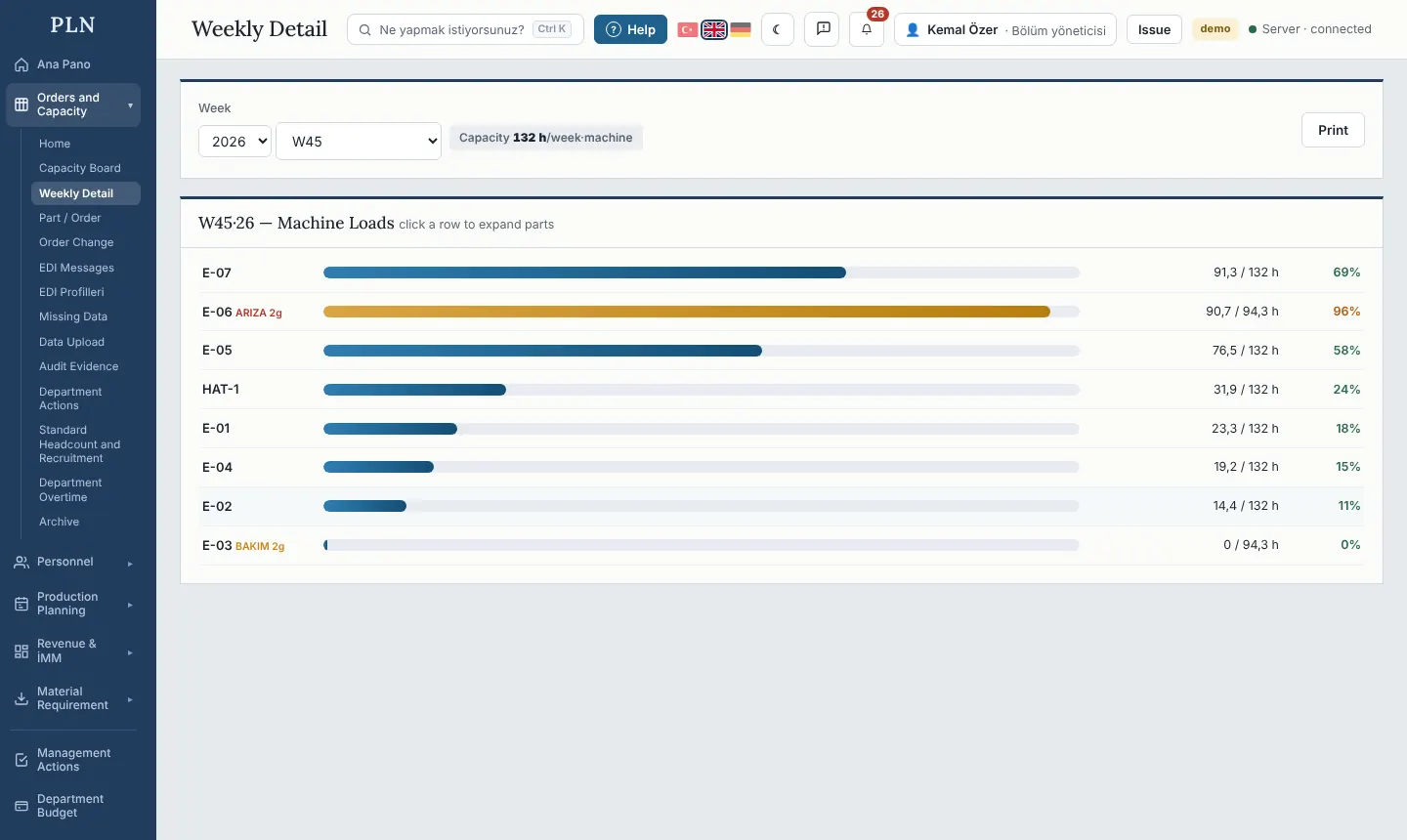
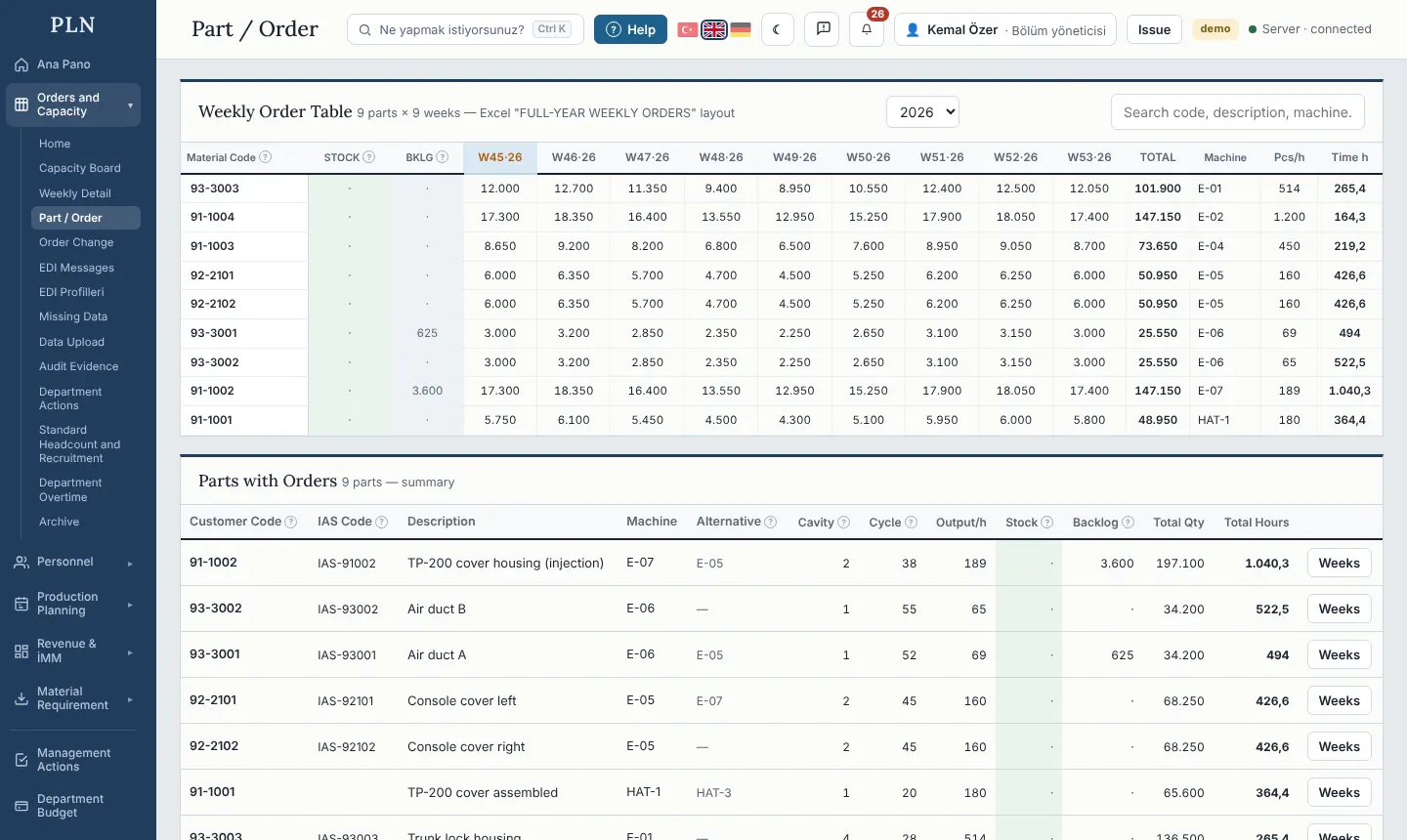
The order list is imported from Excel or created automatically from the customer's EDI call-off. Each order line is converted into machine hours using the cycle time, cavities and efficiency in the product's main routing; closed days of machines in breakdown or maintenance are deducted from capacity. In an overloaded week, load can be moved to an approved alternative machine.
From order to capacity decision
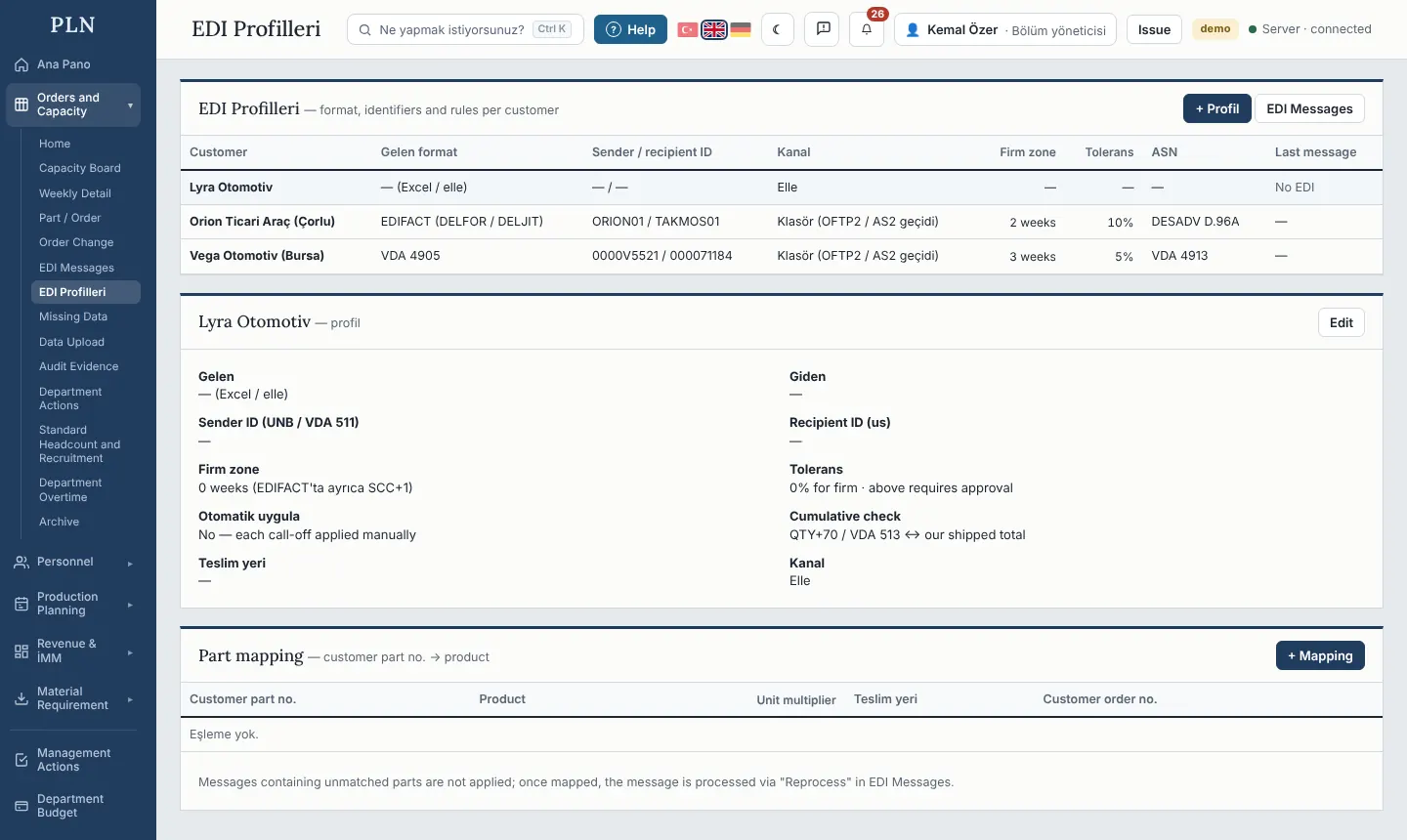
An EDI call-off with changes above tolerance in the firm zone is not applied automatically; it waits for the planner's approval.
Main screens of the section
Document outputs
A4 landscape PDF · machine × week utilisation table, 16 machines per page
A4 landscape PDF · load / capacity per machine, part list, setup and transfer times
A4 · IATF 16949 / VDA 6.3 clauses, expected evidence, location in the software, status and review
Links to other sections and modules
- Customer (EDI)DELFOR / DELJIT and VDA 4905 call-offs come in and become orders through part mapping
- MaintenanceMachine maintenance / breakdown status and dates are deducted from capacity
- LogisticsOutgoing ASNs (DESADV / VDA 4913) from shipping use the EDI profile
- 03 Production PlanningRouting and machine capacity fields are inputs to the load calculation
- Top ManagementCapacity utilisation and late order KPIs are published hourly
Guides, templates and features
Frequently asked questions
How is machine load calculated?
Each order line is converted into hours using the cycle time, number of cavities and efficiency in the product's main routing, and mould setup time is added. If the main machine is in maintenance or breakdown, the server engine uses the approved alternative routing.
Does an EDI call-off change the order automatically?
Yes, if automatic application is enabled in the profile, all parts are matched and there is no tolerance breach in the firm zone. Otherwise the message waits for approval; once applied, a new order entry is opened and lines not in the message are kept.
Can you go back to a previous order list?
Each upload is stored as a separate entry. If the active entry is deleted, the data that came with it is removed and the previous entry's list is restored.
Is there a step you find missing? Write anonymously; leave an e-mail if you would like a reply.
Give feedback